After creating a Third-Party Platform, multiple entry points are provided for modifying related information. This article explains how to modify the information of a Third-Party Platform.
1. Modify Basic Information
- Third-party platforms under review cannot modify basic information, but they can still update the permission set, authorized test Official Accounts/ Mini Program list, and whitelist IP address list.
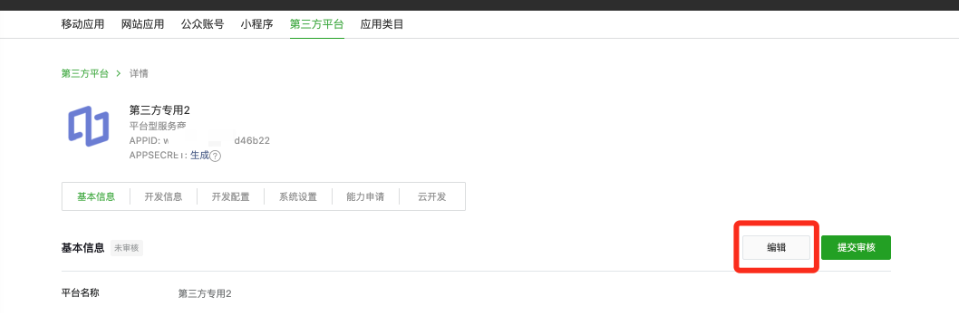
- For third-party platforms in other statuses, basic information can be modified via the path below. After modification, a new review submission is required.
Operation Path
- Go to "WeChat Open Platform - Management Center - Third-party Platforms - Details - Basic Information - Modify" to make the changes.
2. Modify Development Information
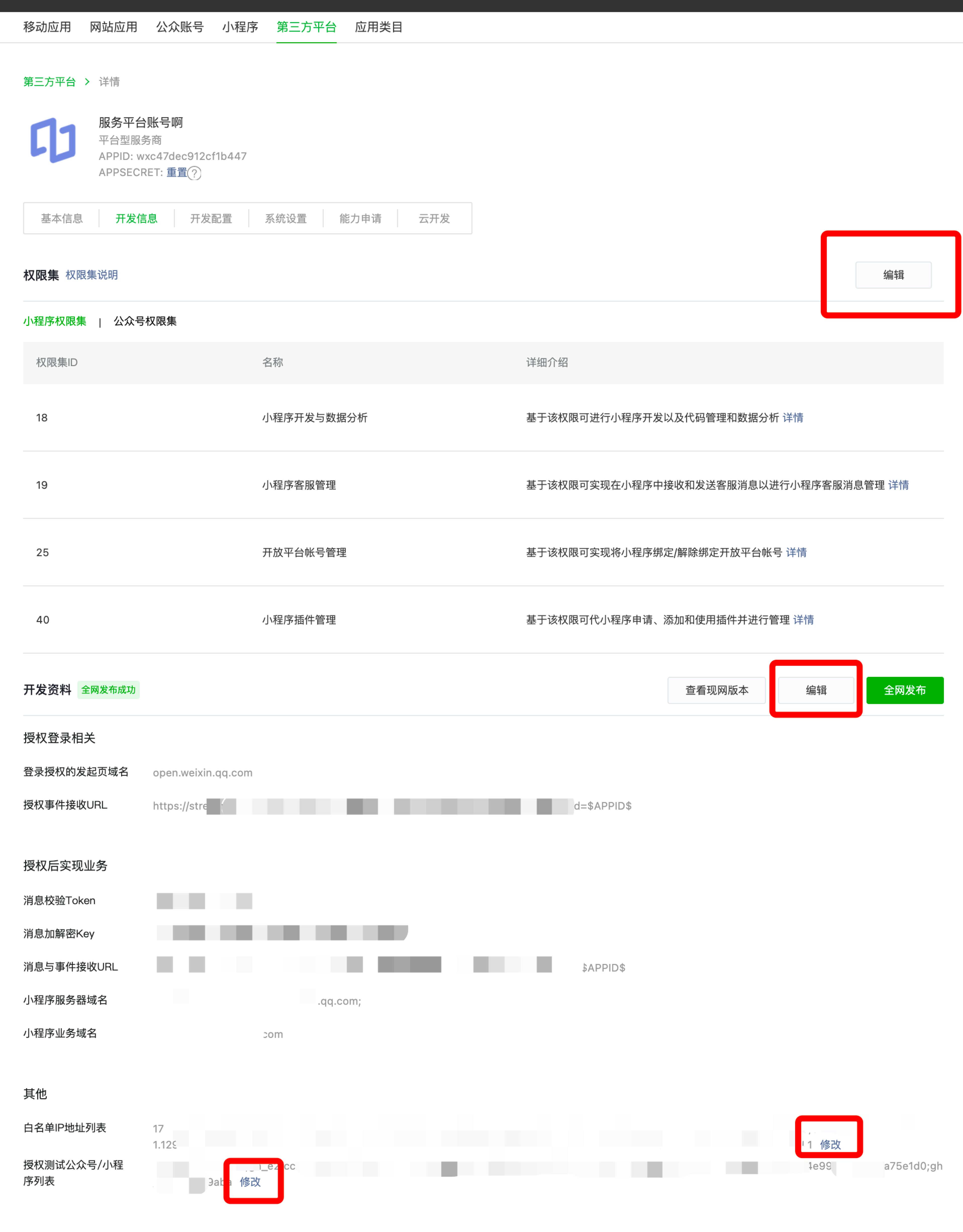
- Development information can be modified via the "Development Information" section on the third-party platform details page. The permission set and development materials can be modified separately using their respective edit buttons.
- The authorized test Mini Program/ Mini Program list and whitelist IP addresses can be modified through dedicated modification entry points. Changes take effect immediately after modification and do not require a full-network release.
- Additionally, modifying the Mini Program domain and server domain also takes effect immediately without requiring a full-network release.