Method Definition
One-shot Detection (OSD) uses only one image of the target category to detect objects of that category in the input image.
The image of the target category is referred to as the OSD marker.
Unlike general object detection, OSD can theoretically detect any user-specified category. This method allows the OSD marker to have viewpoint differences or a certain degree of shape differences compared to the objects in the input image.
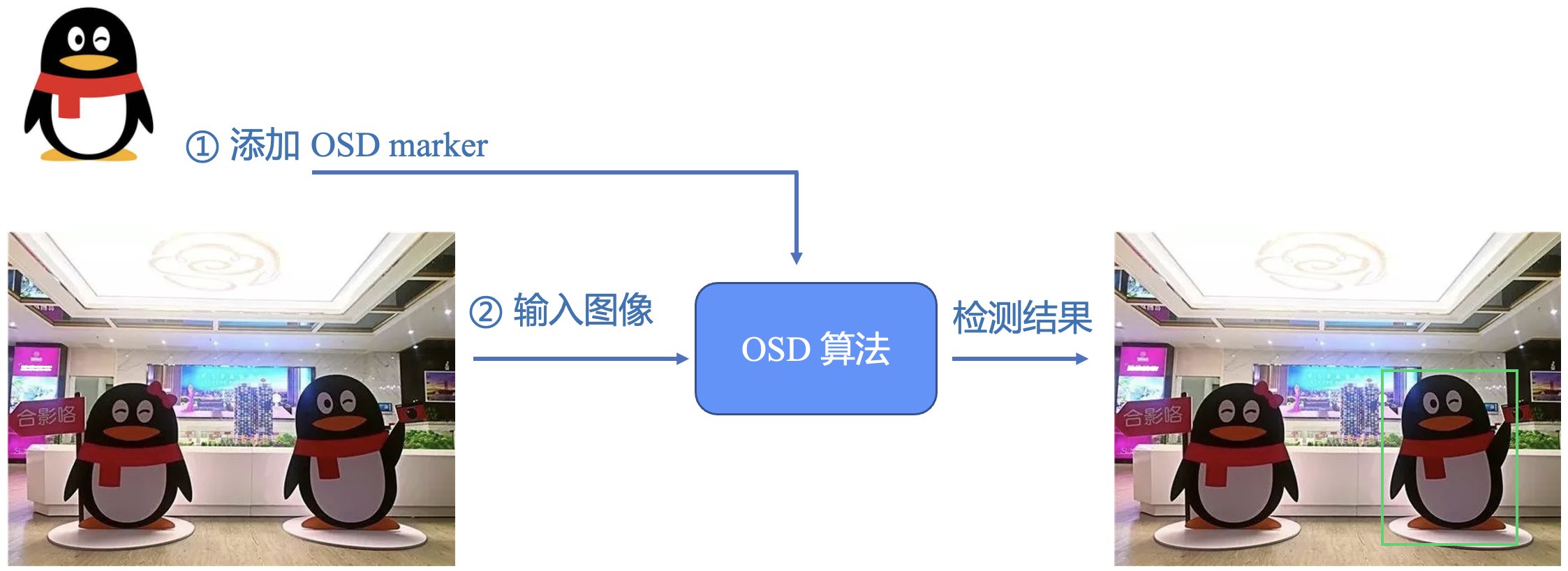
Use Case Examples
- Landmark Detection.
- Logo Detection.
- Product Detection.
- Pet Detection.
- Anime Character Detection.

Overview
- Usage
- Add
OSD marker: Call VKSession.addOSDMarker() to set the object to be detected, such as a product image, and returnmarkerId. Note:
(1) This function can be called multiple times to add multiple images for detecting various types of objects.
(2) After adding anOSD marker, you can continuously input images to detect objects without needing to add anOSD markerbefore each image input. - Remove
OSD marker: Call VKSession.removeOSDMarker() to remove the correspondingOSD markerbased onmarkerId, thereby stopping detection of that object. - Get information for all current
OSD markers: Call VKSession.getAllOSDMarker() to retrieve a list of all currentOSD markers. Each item in the list contains themarkerIdand the path of the image.
- Code Example
You can view the sample code on the Single Sample Detection (OSD) Usage Reference page.