Developers can use this tool to generate an Android signature as the Android signature for WeChat Open Platform mobile applications, and generate a public key for App filing.
Note: You must use the latest nightly developer tool; that is, if your developer tool does not have this feature, you need to upgrade your developer tool to the latest nightly.
1. Generate Android Signature and Public Key
Go to WeChat DevTools > Toolbar > Device Selection Dropdown > Signature Certificate Management > Android Signature and Public Key.
Select the APK to generate the Android signature and public key.
Click "Generate" to create both the signature and the public key simultaneously.
II. Fill in the Android Signature in the "Mobile Application" Configuration on the WeChat Open Platform
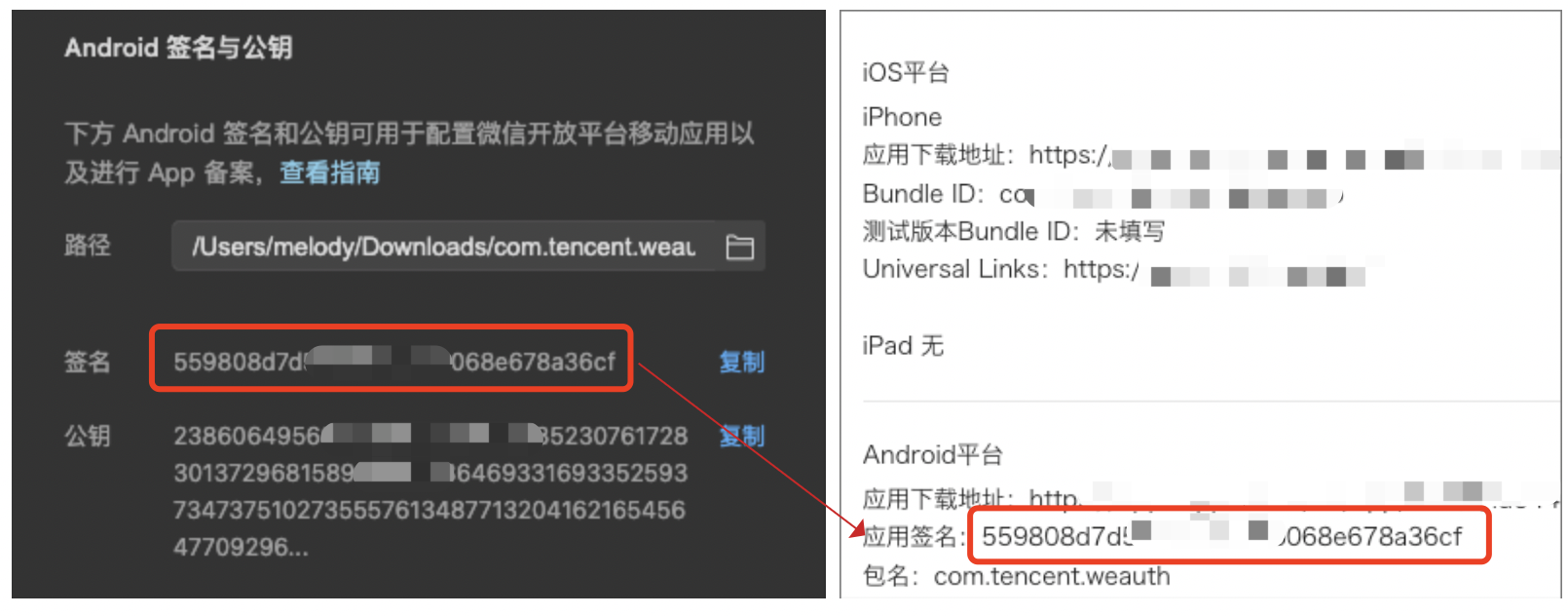
Enter the generated Android signature into the "Mobile Application" configuration.
-
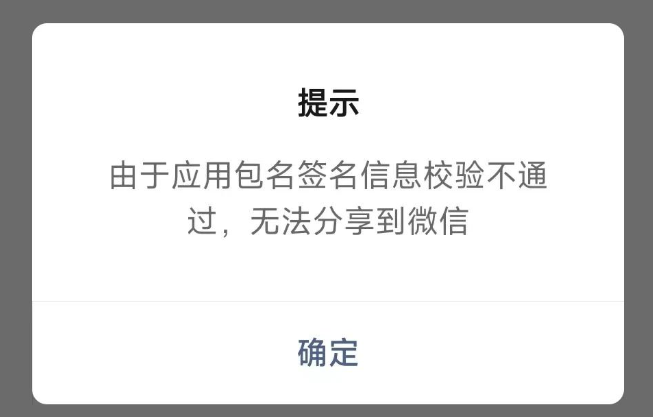
If this APK utilizes WeChat open capabilities (e.g., WeChat Share, WeChat Login, WeChat Pay, etc.), the signature configured for the mobile application bound to this multi-platform app must match the signature generated in Step 1. Otherwise, the following error will occur:
-
Solution: Enter the Android signature into the mobile application on the WeChat Open Platform to ensure that the configurations on both sides are consistent.
Note
- Using different certificates will result in different signatures. Developers must properly save the signature certificate information to avoid loss.
3. Fill in the Android Signature and Public Key on the App Filing Platform
In accordance with the Notice from the Ministry of Industry and Information Technology on Launching Filing Procedures for Mobile Internet Applications, starting from September 1, 2023, apps must complete filing procedures before being listed on app stores. During the Android App filing process, "App Feature Information" must be submitted to the filing platform. This includes the "Platform Public Key and Signature MD5 Value," which correspond to the Android signature and public key generated in Step 1.
- Taking Tencent Cloud's Reference Specifications for Filling in APP Feature Information Required for APP Filing as an example, this guide provides detailed steps on how to obtain "iOS Bundle ID, Platform Public Key, and Signature MD5 Value" and how to obtain "Android Package Name, Platform Public Key, and Signature MD5 Value."
- The guide uses the "jadx-gui" tool as an example to illustrate how to retrieve this information. However, for APKs built with multi-platform frameworks, you can quickly generate the signature and public key using the WeChat Developer Tools, as described in Step 1.

Addendum: iOS Filing
Using Tencent Cloud's Reference Specification for Filling in Required APP Characteristic Information for APP Filing as an example, this guide provides detailed step-by-step instructions on how to obtain the "Bundle ID, Platform Public Key, and Signature MD5 Value for iOS System." For iOS App filing, you can refer to the documentation mentioned above.
In addition, for more guides related to App filing, you can view:
- APP Filing Related FAQ
- Understanding APP Filing at a Glance
- APP Filing Service Content Directory
- After successful review, you can check the filing results via the Filing Management System.
- For more guides, please visit Tencent Cloud.