
# Description of product positioning and functions
Weixin Mini Program is a new way to connect users and services, which can be easily accessed and distributed within WeChat, while providing a great experience.
# Weixin Mini Program Registration
# Register for Weixin Mini Program account
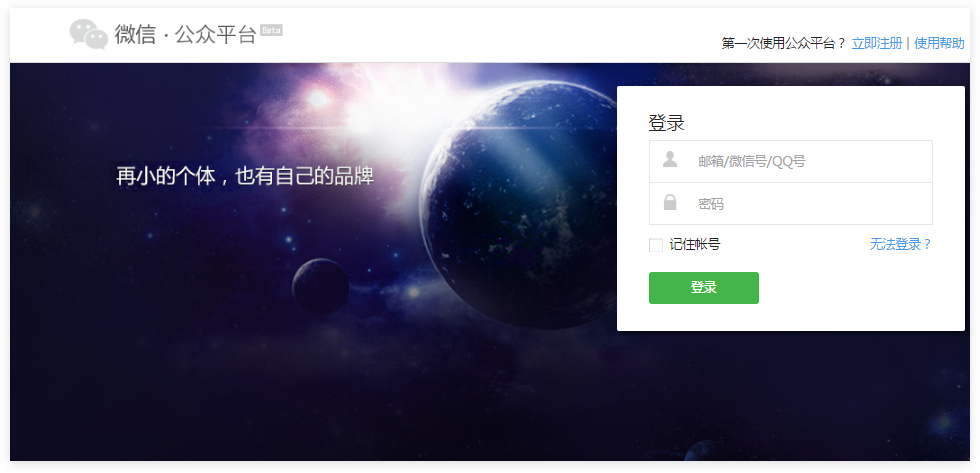
Click the "Register Now" button in the upper right corner on the WeChat official website homepage ( mp.weixin.qq.com ).
# Select the type of account to register
Select "Weixin Mini Program," click "View Type Differences" to see the differences and advantages of different types of accounts.
# Fill in email and password
Please fill in the email address that you have not registered for a public platform, an open platform, an enterprise number, or a personal number that is not bound.
# Activate mailbox
Log in to your mailbox, check the activation email, and click the activation link.
# Fill out the subject information
After clicking on the activation link, proceed to the next registration process. Please select the subject type selection to refine the subject information and administrator information.
# Select the subject type
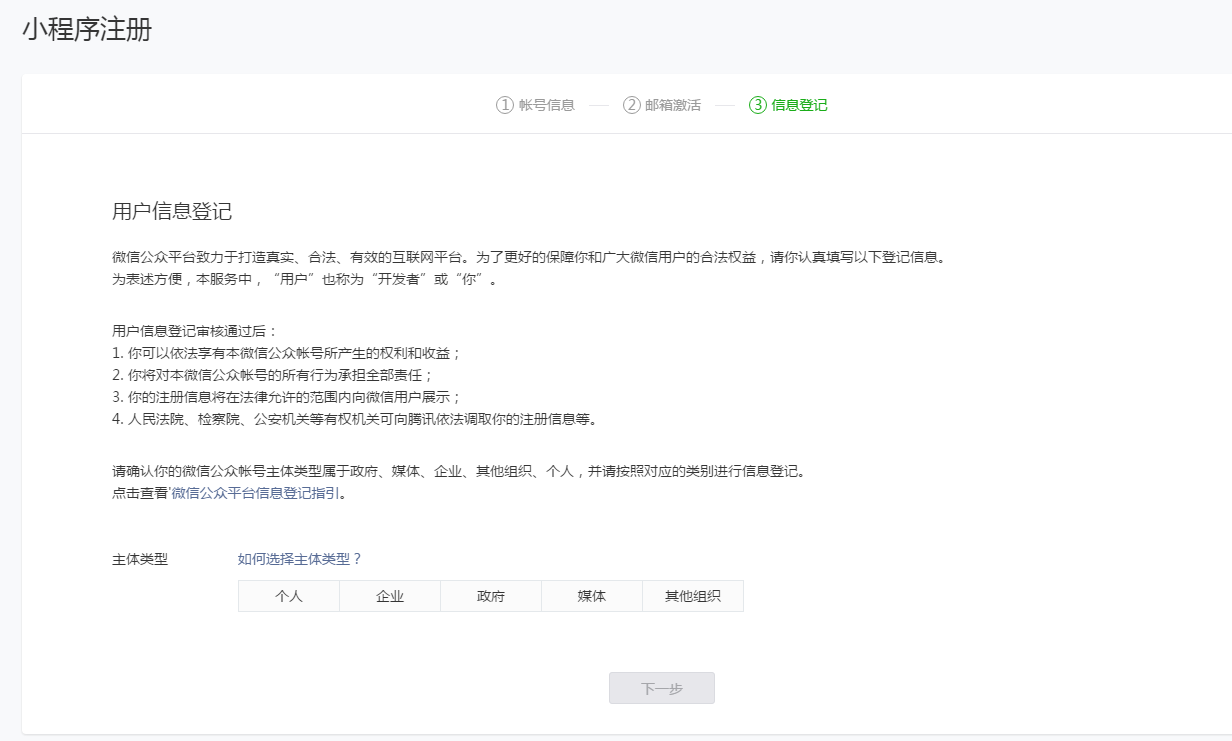
The body type is described as follows:
| Account principal | range |
|---|---|
| personal | WeChat real-name users over the age of 18 with domestic identity information |
| enterprise | Enterprises, branches, corporate-related brands. |
| Enterprises (Self-employed) | A self-employed person. |
| government | Domestic, all levels, all kinds of government agencies, public service units, with administrative functions of social organizations. At present, it mainly covers public security agencies, party organizations, judicial agencies and transportation agencies as well as tourism agencies; business and tax agencies. Municipal agencies are also covered. |
| Media | Newspapers, magazines, television, radio, news agencies, etc. |
| Other organizations | It does not fall under the category of government, media, corporations or individuals. |
# Fill in the subject information and select the verification method
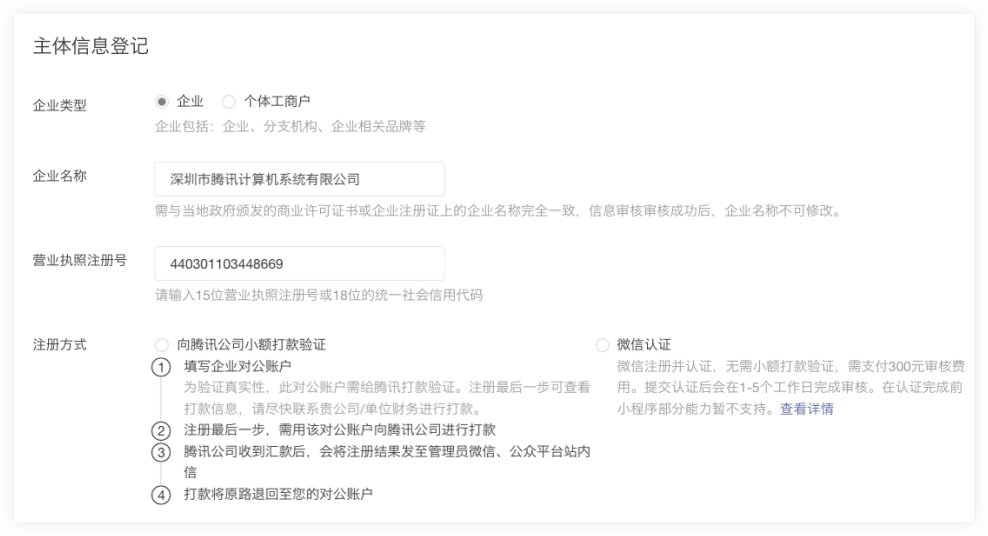
- Enterprise type accounts can choose two forms of entity verification.
- Method 1: The company needs to make a payment to Tencent using its public accounts to verify the identity of the subject. The payment information can be viewed after submitting the subject information.
- Method 2: Verify the identity of the subject through WeChat authentication, and pay 300 yuan authentication fee.Some functions of Weixin Mini Program are temporarily unavailable until certification is passed.
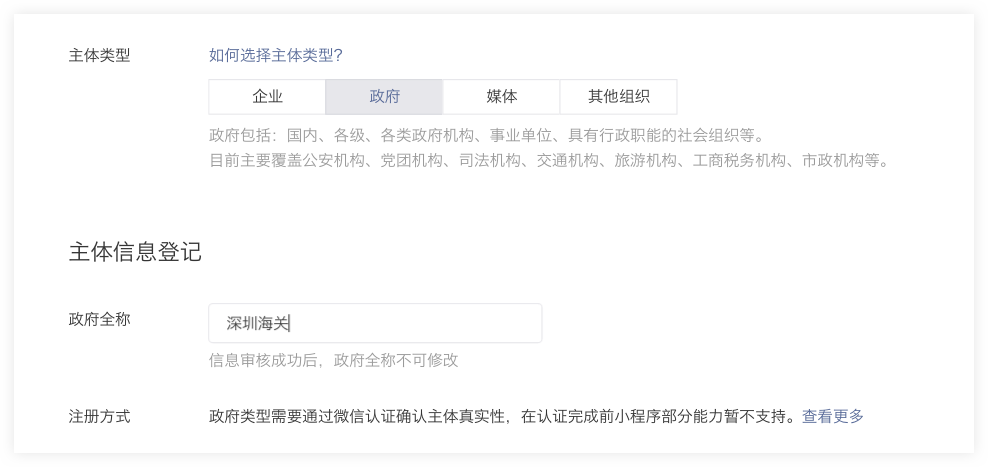
- Government, media, and other organization accounts must be verified with WeChat authentication.Some functions of Weixin Mini Program are temporarily unavailable until certification is passed.
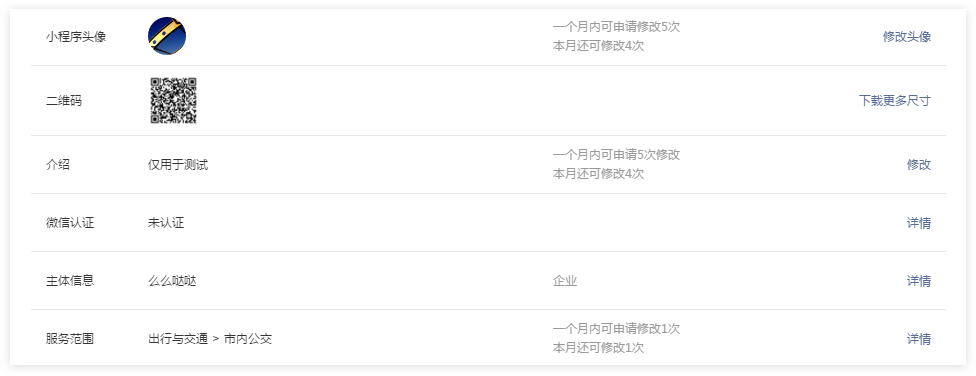
- WeChat Certification Entrance: Login Weixin Mini Program - Settings - WeChat Certification Details
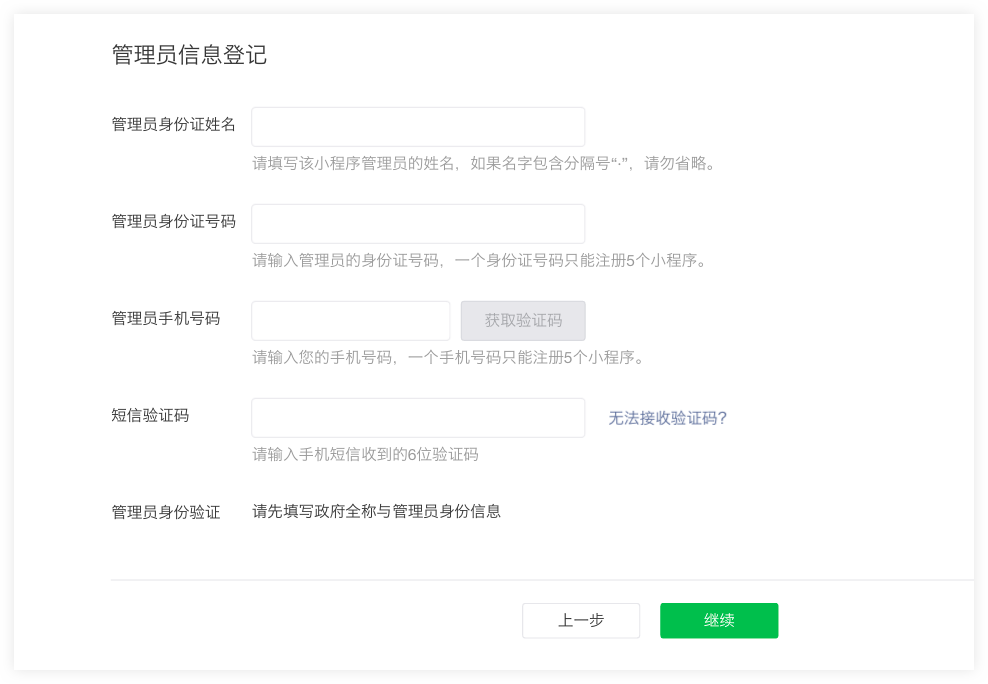
# Fill in administrator information
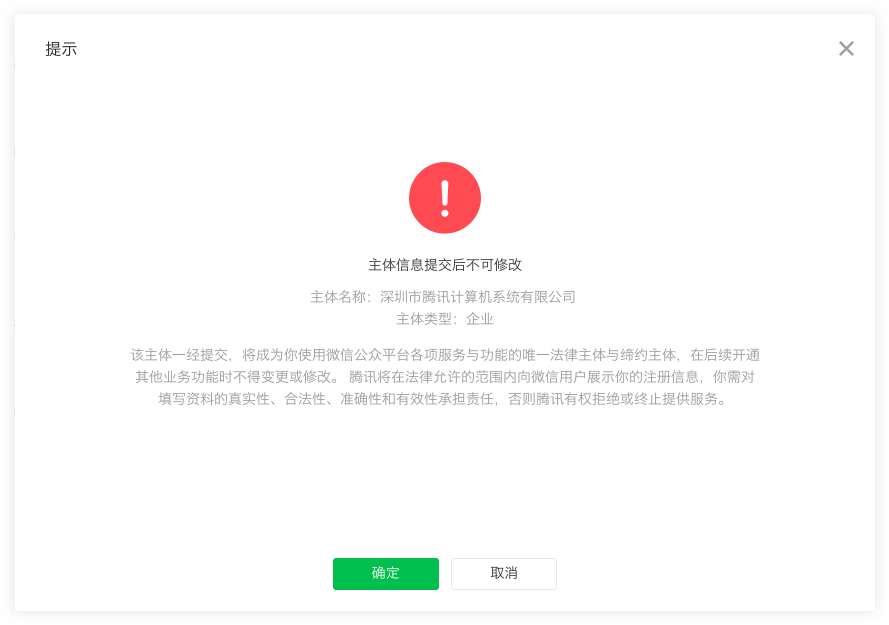
# Confirm that subject information cannot be changed
# Click confirmation to complete the registration process
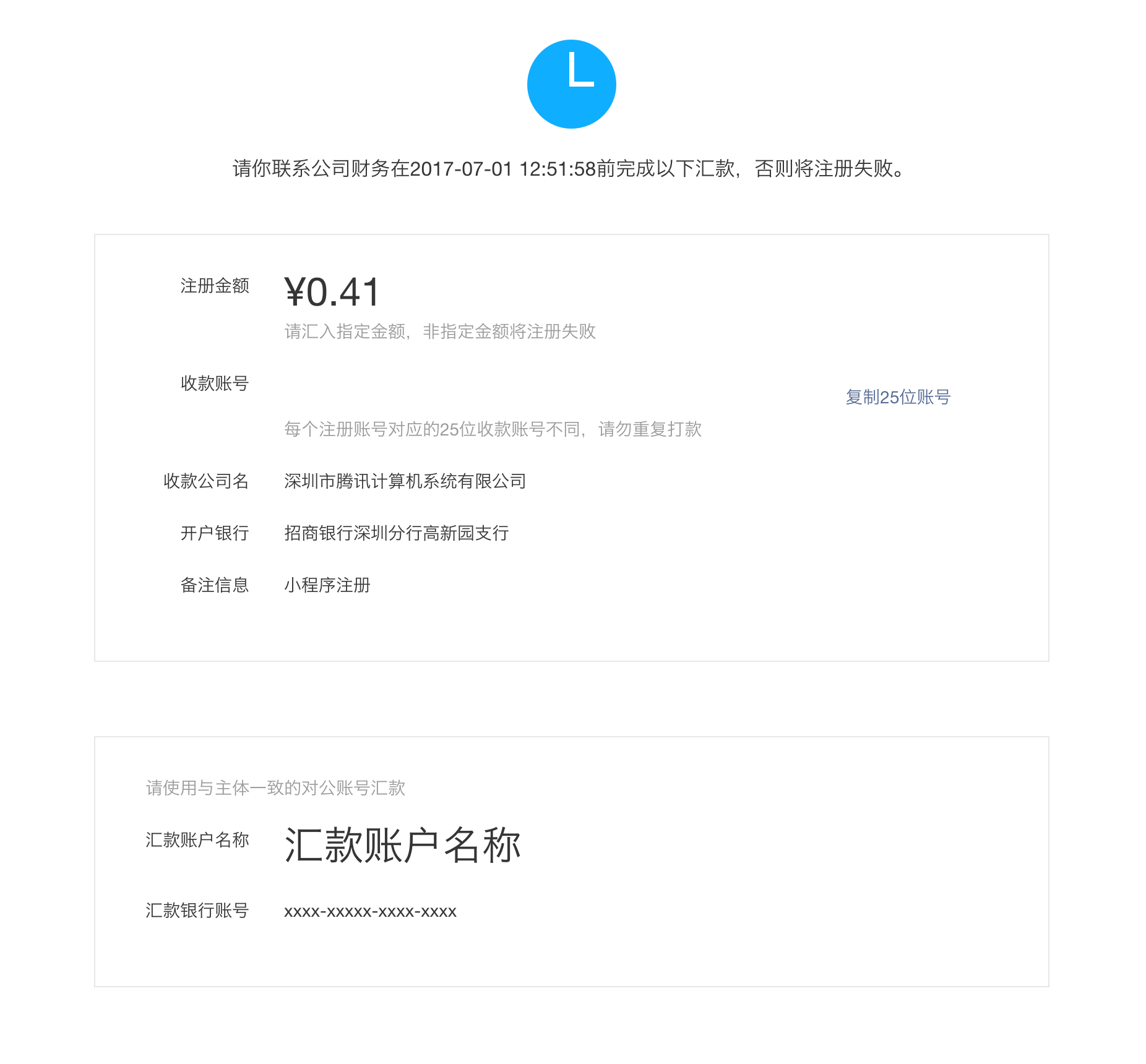
Users who choose to send money to the public, please follow the page prompts to send the specified amount to the specified receiving account.
NOTE: Please complete the remittance within 10 days, otherwise the registration will fail.
Users who choose to verify the identity of the main body through WeChat authentication, please conduct WeChat authentication as soon as possible after completing the registration process, and some functions are temporarily unavailable until the authentication is completed.
# Weixin Mini Program Information improvement and pre-development preparation
# Login to Weixin Mini Program Management Platform
After completing the registration, login directly at the login entrance of WeChat public platform official website homepage ( mp.weixin.qq.com ).
# Improving Weixin Mini Program information
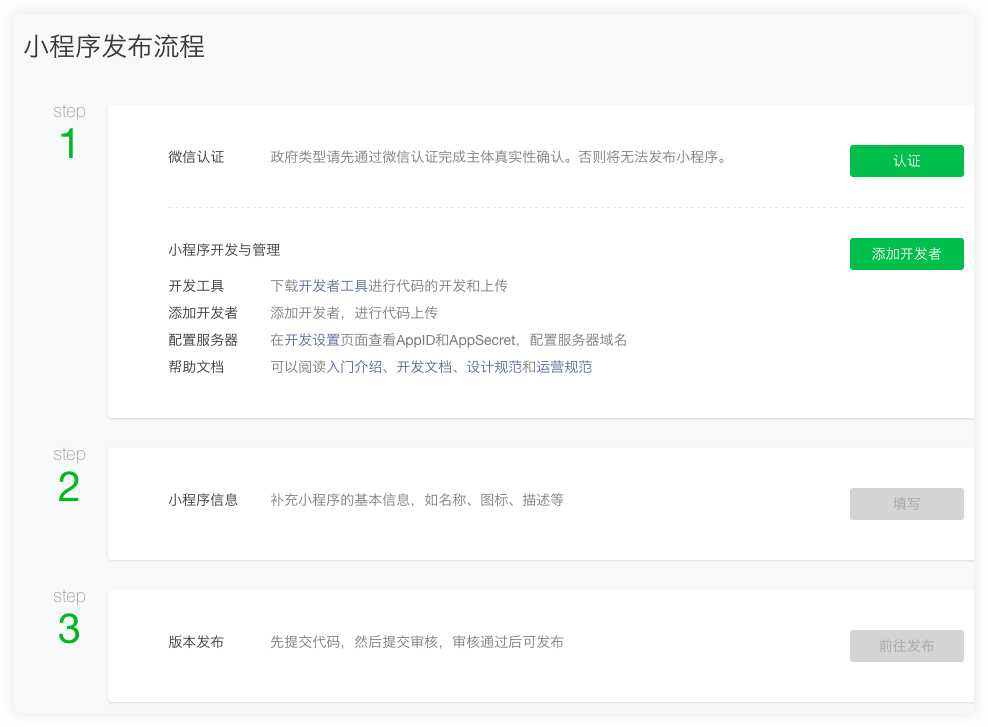
After registration, Weixin Mini Program information refinement steps and development can be synchronized.
Select the public to play the user, after completing the remittance verification, you can add Weixin Mini Program name information, upload the Mini Program avatar, fill in the Mini Program introduction and select the scope of service.
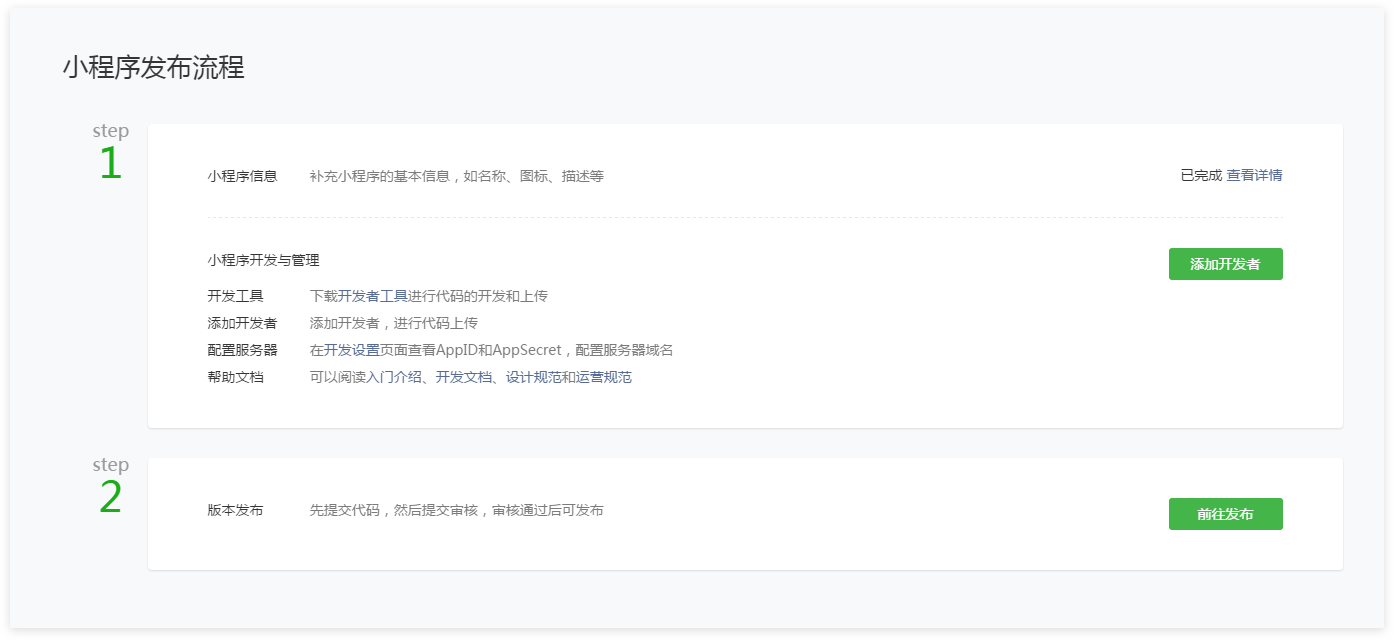
Users who choose to verify the identity of the subject through WeChat authentication need to complete WeChat authentication before they can supplement the Weixin Mini Program name information, upload the avatar of the Mini Program, fill out the Mini Program introduction and select the service range.
# Weixin Mini Program Open Service Category
# Non-Personal Principal Weixin Mini Program Open Service Category
Non-personal subject type Weixin Mini Program, refer to the currently open service category Mini Program Open service category - Non-personal subject
# Personal subject Weixin Mini Program Open service category
Personal subject type Weixin Mini Program, refer to the currently open service category Mini Program open service category - personal subject
# Overseas Subjects Weixin Mini Program Open Service Categories
Overseas subject type Weixin Mini Program, refer to the currently open service category Mini Program open service category - overseas foreign subject
# Pre-development preparation
# Bind developers
Login Weixin Mini Program management background (mp.weixin.qq.com) - user identity - member management - add members.
A personal principal Weixin Mini Program can bind up to 15 project members and 15 experience members.
Uncertified, unpublished, non-personal Weixin Mini Program can bind up to 30 project members and 30 experience members.
Certified Unpublished / Uncertified Published Non-personal Weixin Mini Program Can bind up to 60 project members and 60 experience members.
A certified published nonpersonal Weixin Mini Program can bind up to 90 project members and 90 experience members.
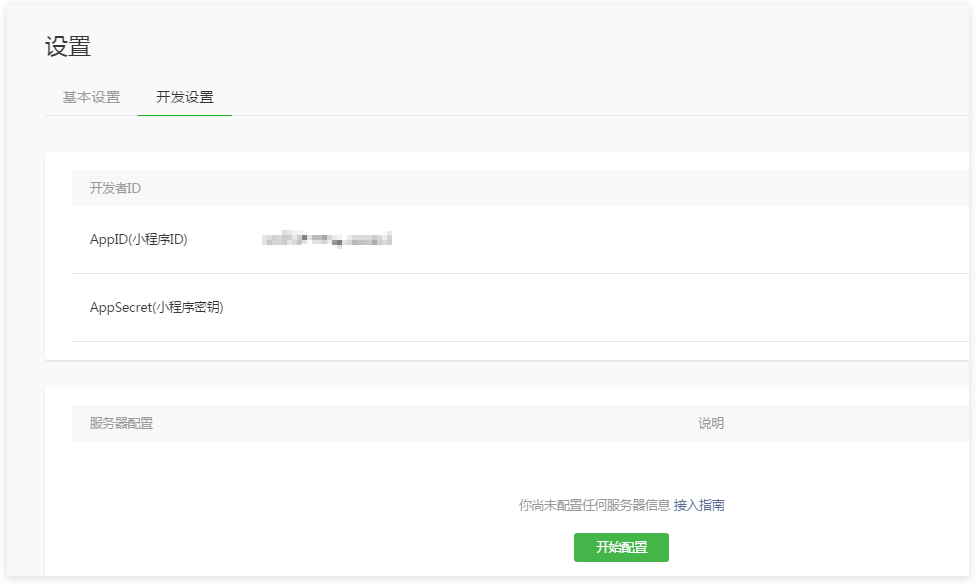
# Obtain the AppID
Go to "Settings - Development Settings" to get the AppID information.
# Code Audit and Release
# Submit an audit
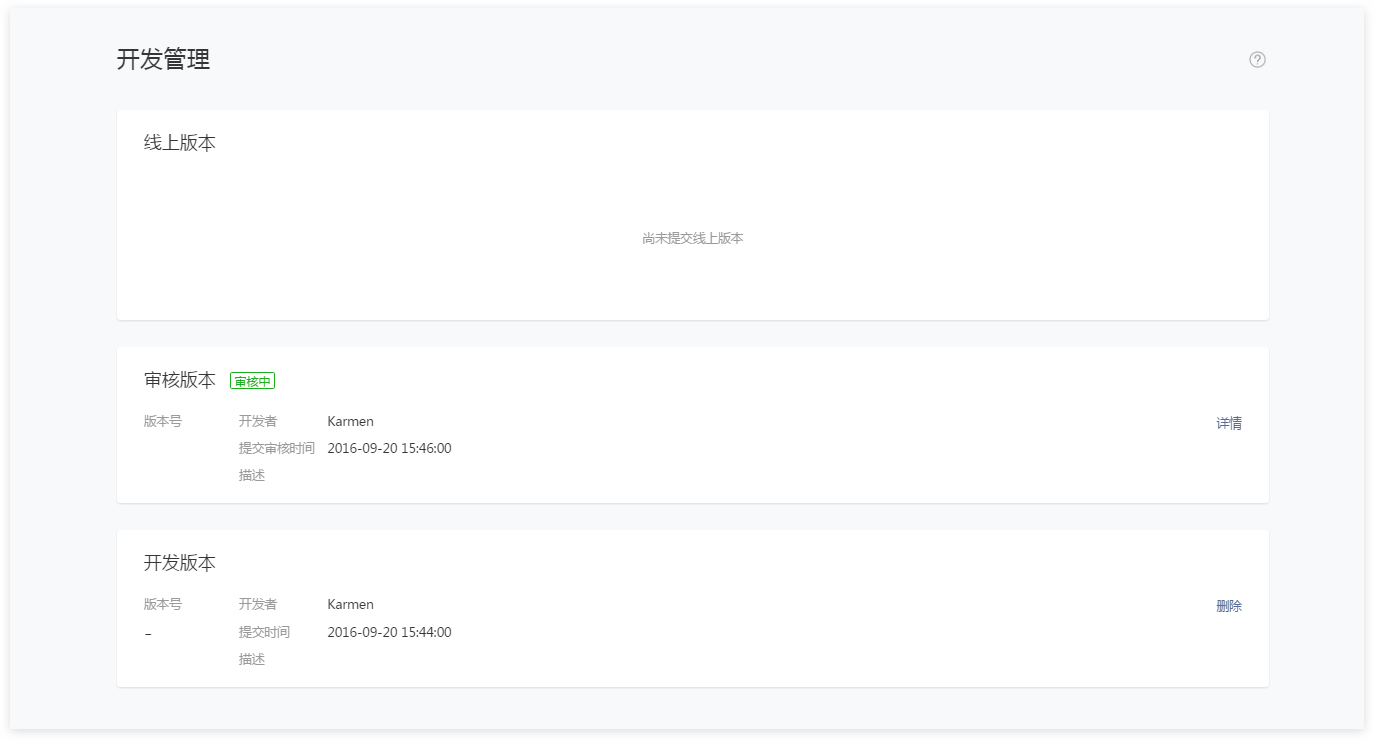
Log in WeChat public platform Weixin Mini Program, enter version management, the development version shows the uploaded code, the administrator can submit the review or delete the code.
# Complete the audit information
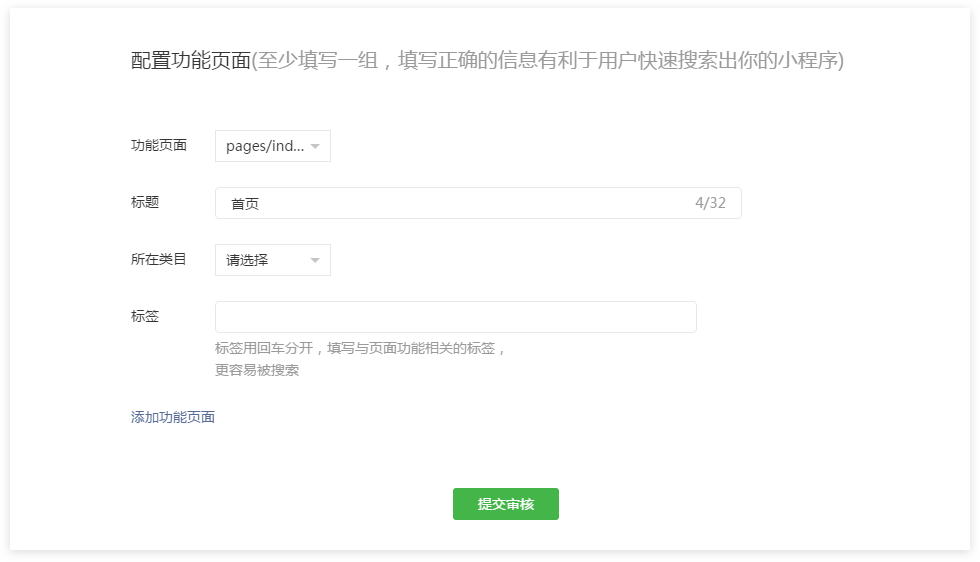
# Configuration feature page
Fill in the categories and labels of important business pages. There are no more than 5 groups of important business page.
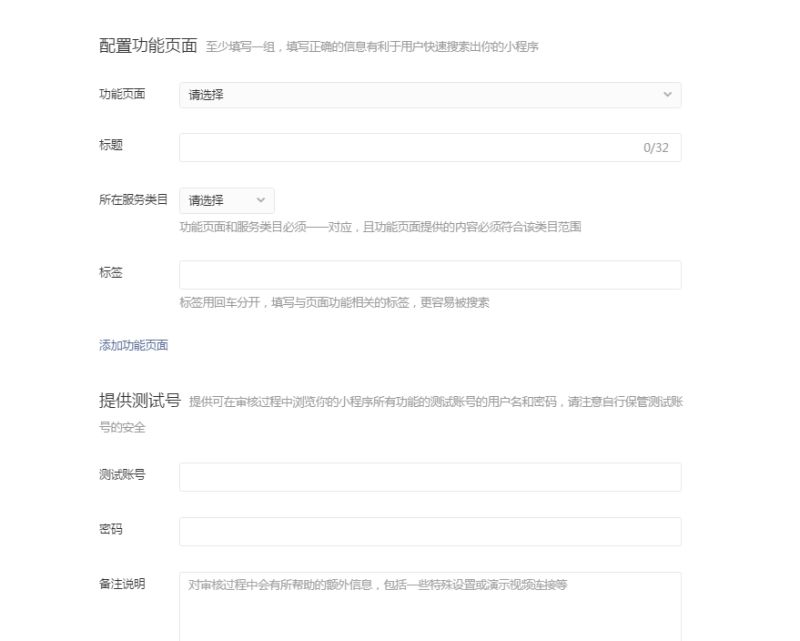
# Test Account
When Weixin Mini Program requires developers to provide test accounts to complete the audit experience,The Mini Program will be called back when it is submitted for approval for the first time, and the entrance to a test account will be opened when it's submitted again. The entrance will be provided by the developer to the WeChat auditor to log in to when the Weixin Mini Program audit is sought.
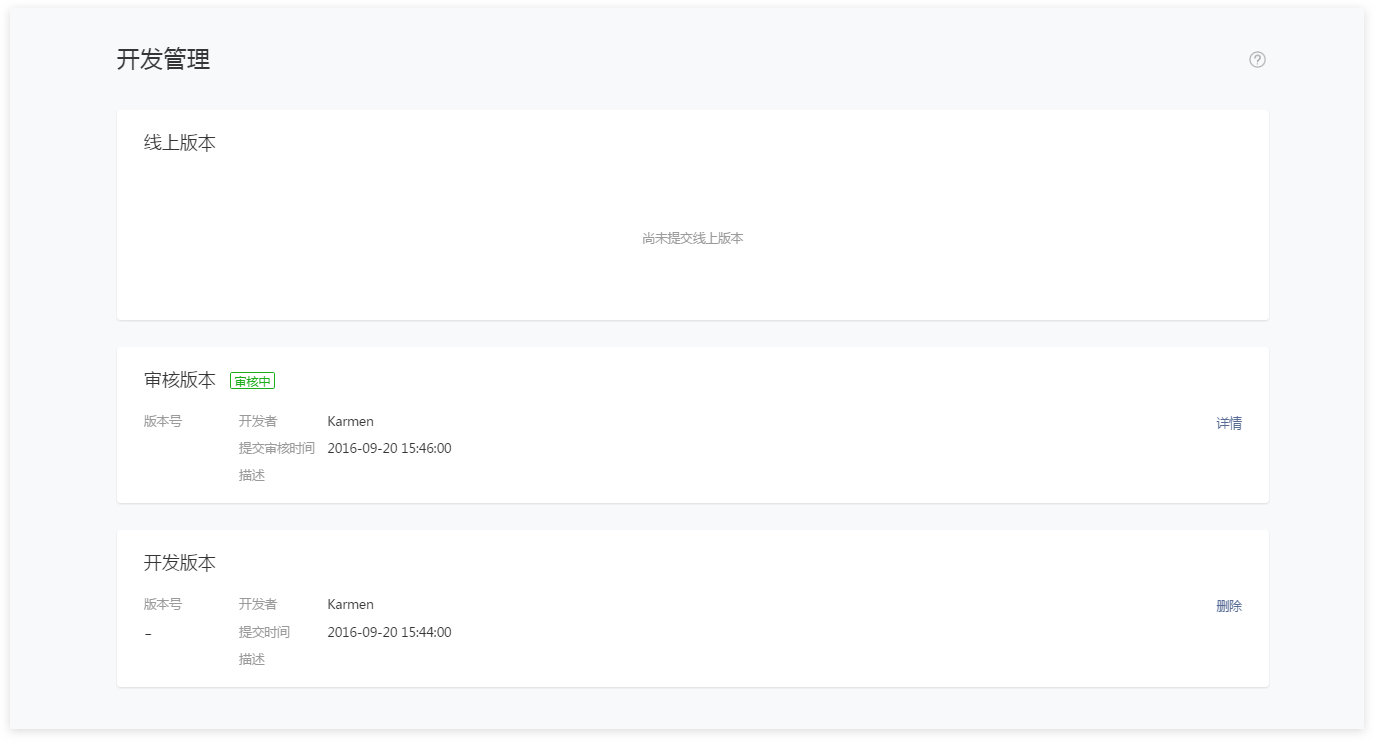
# Completing the submission
After submitting an audit, the audit version module in the Development Management page shows the progress of the audit.
Tip:
- Developers can refer to < Weixin Mini Program Platform Common Rejection Situations for detailed understanding of audit standards.
# Code released
Code review, developers need to manually click on the release, Weixin Mini Program will be published to the online service.
NOTE:
During the testing, the code release button cannot be clicked.
# Weixin Mini Program Application for WeChat Certification
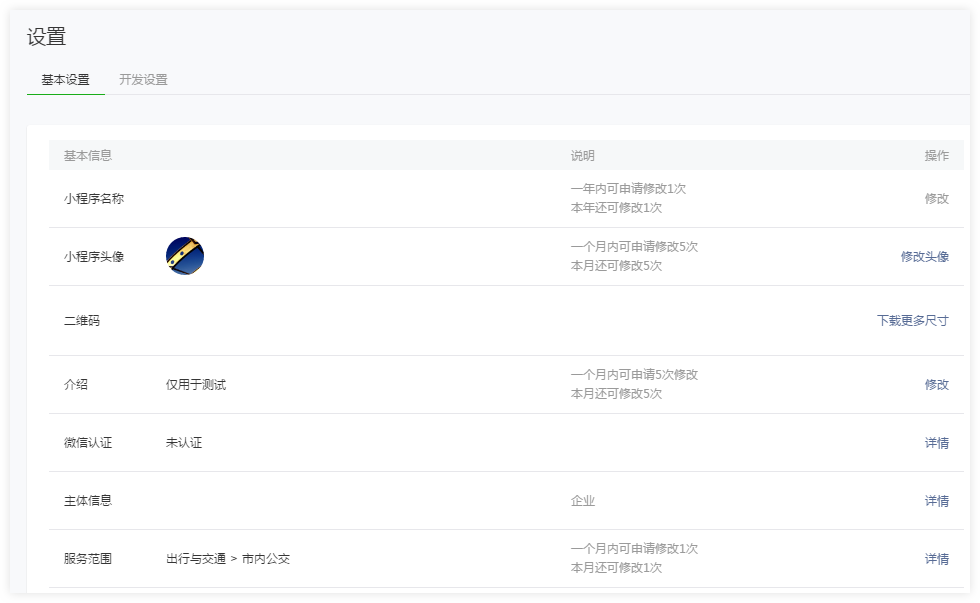
Government, media, and other organization accounts must be verified with WeChat authentication.Enterprise type accounts can determine whether to apply for WeChat certification based on the need. The verified account can use Weixin Pay permission.
WeChat authentication is not supported for personal-type accounts.
Authentication Entry: Login Weixin Mini Program - Settings - Basic Settings - WeChat Authentication - Details
# Weixin Mini Program Application WeChat Payment
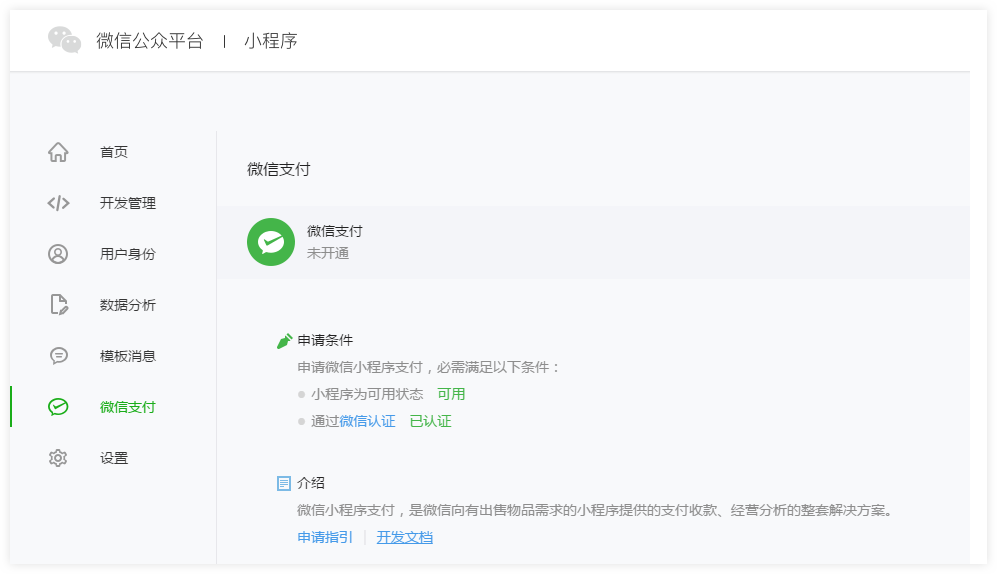
Certified Weixin Mini Program can apply for WeChat payment.
# Weixin Mini Program Binding WeChat Open platform account
After Weixin Mini Program binds [WeChat to open a platform account, it can connect with other Mobile App, Website App, and Official Account under the account. The Union ID mechanism can meet the requirement of unifying user accounts between multiple applications and Official Account message templates.
Dxplaination of the UnionID mechanism : If the developer has multiple Mobile App, Website App,A user's uniqueness can be distinguished by UnionID from a public account (including Weixin Mini Program), because a user's unionid is unique as long as mobile apps, website apps, and public accounts (including Mini Programs) under the same WeChat open platform account.In other words, the same user, for different applications under the same WeChat open platform, the UnionID is the same. The user's UnionID can be obtained by calling the Get User Information interface.
For the "Get User Information" interface, see the Development Documentation - API - Open Interface - User Information.
Binding Weixin Mini Program Process Dxplaination : Login WeChat Open Platform ([[ TAG-0-START]] open.weixin.qq.com](https://open.weixin.qq.com/) ) - Management Center - Mini Program - Binding Mini Program
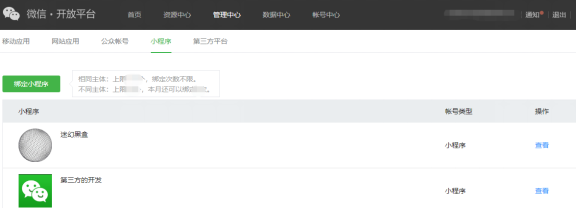
Note: WeChat Open platform accounts must complete developer certification before they can be bound to Weixin Mini Program.
# Official Account Association Weixin Mini Program
Official Account After associating Weixin Mini Program, Mini Programs can be used in custom menus, template messages, customer service messages, etc. In the text message, you can directly use Mini Program cards, links, and image materials without having to associate Mini Programs.
Affiliate rules:
- All Official Account can be associated with Weixin Mini Program.
- Official Account can associate 10 identical subjects and 3 different subjects Weixin Mini Program.Official Account message template can be added 13 times a month.
- Weixin Mini Program can be set without association confirmation. After setting, Official Account associated Mini Program does not need Mini Program confirmation, one-sided operation can be associated successfully.
- Weixin Mini Program can be set to require association confirmation. After setting, the Official Account associated Mini Program needs to be confirmed by the Mini Program administrator to associate successfully.
- Weixin Mini Program can be set not to be associated. After setting, Official Account cannot associate this Mini Program.
The associated process:
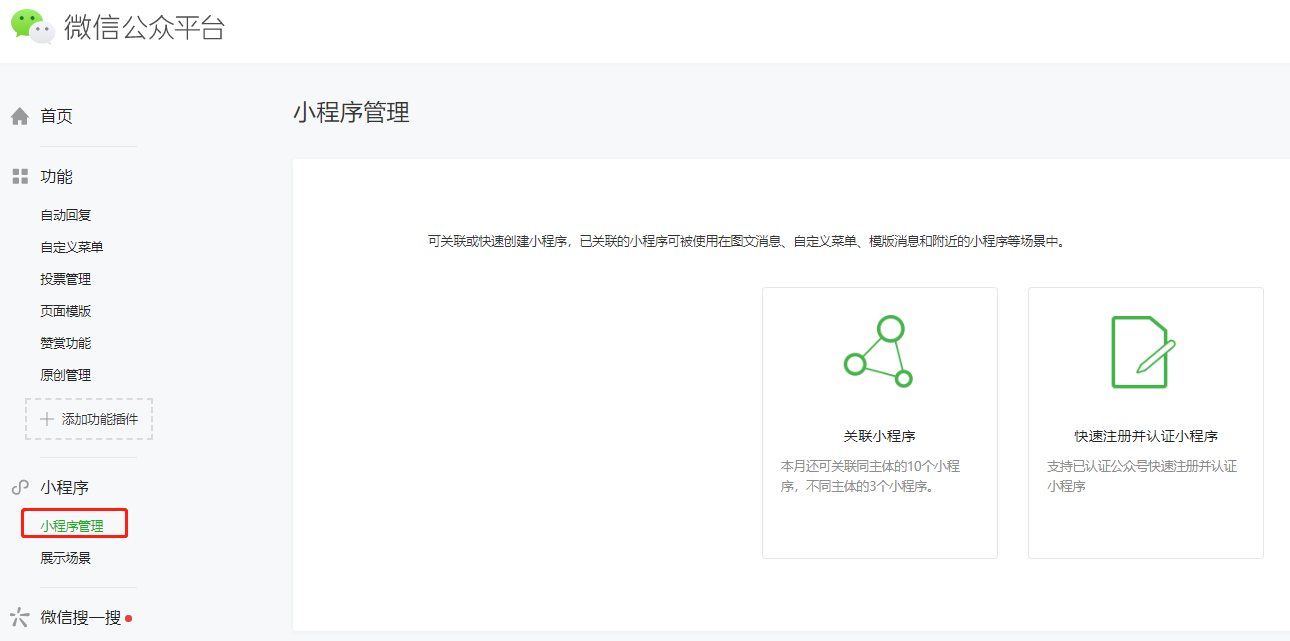
Login Official Account Background - Weixin Mini Program - Mini Program Management - Add - Associate Mini Program
# Use Weixin Mini Program in the enterprise WeChat
Summary
The enterprise WeChat mobile client has a built-in Weixin Mini Program foundation library that can run on enterprise WeChat, and developers can also develop Mini Programs that are more suitable for internal enterprise scenarios for the special interface provided by enterprise WeChat. Please note that enterprise WeChat only supports the operation of Mini programs already on the WeChat side. More details can be clicked to view Enterprise Weixin Mini Program Development documentation
Weixin Mini Program Associated with enterprise WeChat
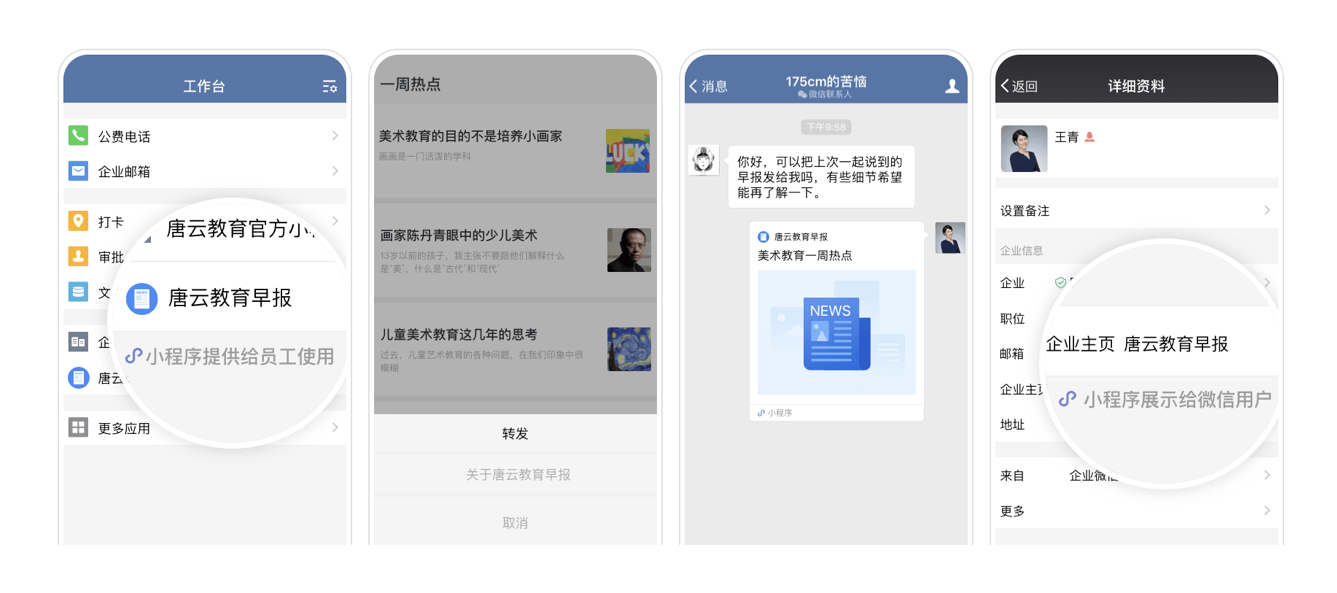
At present, developers can associate Weixin Mini Program to enterprises WeChat, and after association, they can set up workbench and personal external information display Mini programs in enterprise WeChat.
Affiliate entry
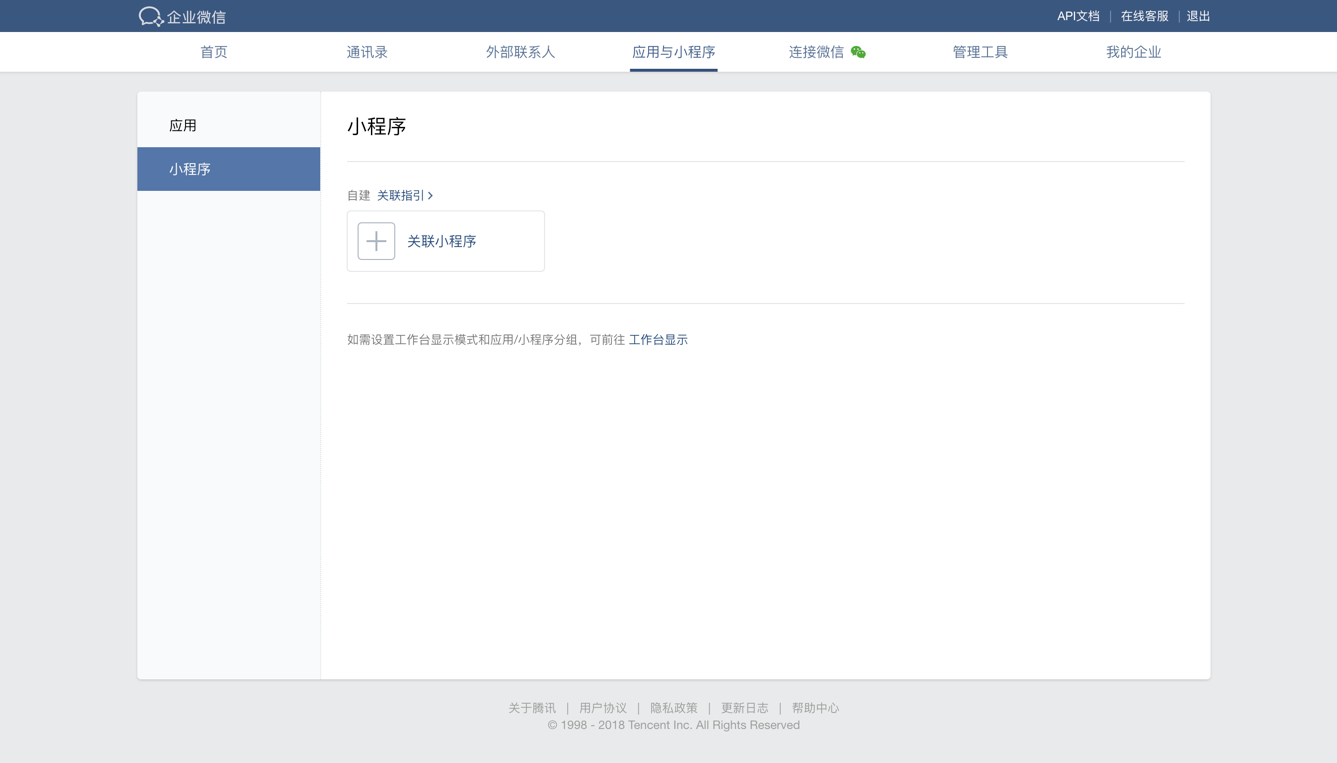
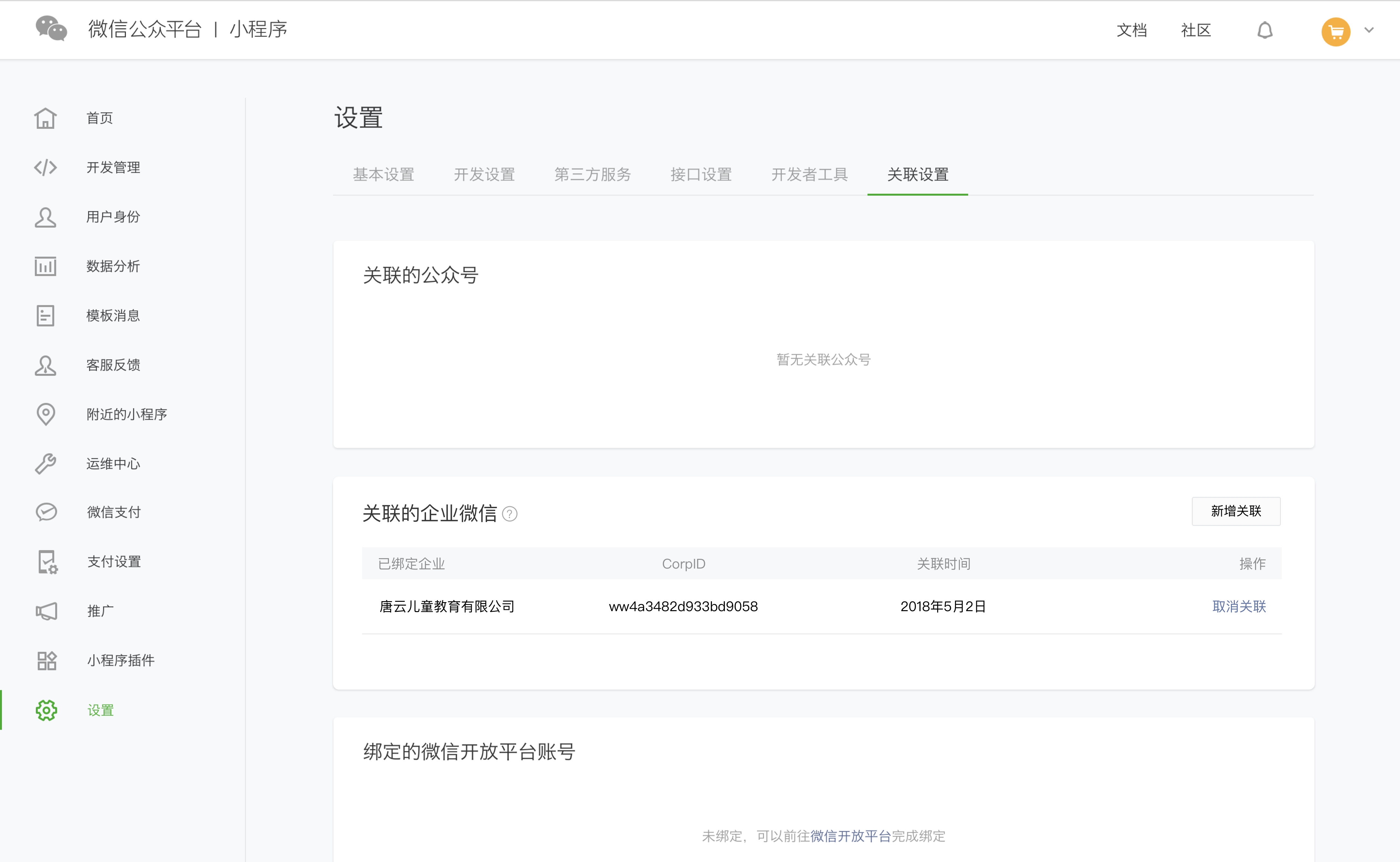
The entry associated with Weixin Mini Program to the enterprise WeChat can be found in two ways:
1.You can go to the enterprise WeChat management background - enter the application and Weixin Mini Program - Mini Program - associated Mini Program details
2.Login Weixin Mini Program Manage background - Set tab-associated settings, find the associated enterprise WeChat - Go to the associated portal
Relationships Steps
1.Login enterprise WeChat management background - enter the application and Weixin Mini Program - Mini Program - associated Mini Program; Or login Mini Program management background - set tab-associated settings, find associated to the enterprise WeChat - go to the associated entrance
2.The association requires Weixin Mini Program developer authorization, so you will be redirected to the public platform for an authorization scan. Please use the administrator WeChat number of the Mini Program to be associated to scan for authorization
3.Set the visible range for Weixin Mini Program
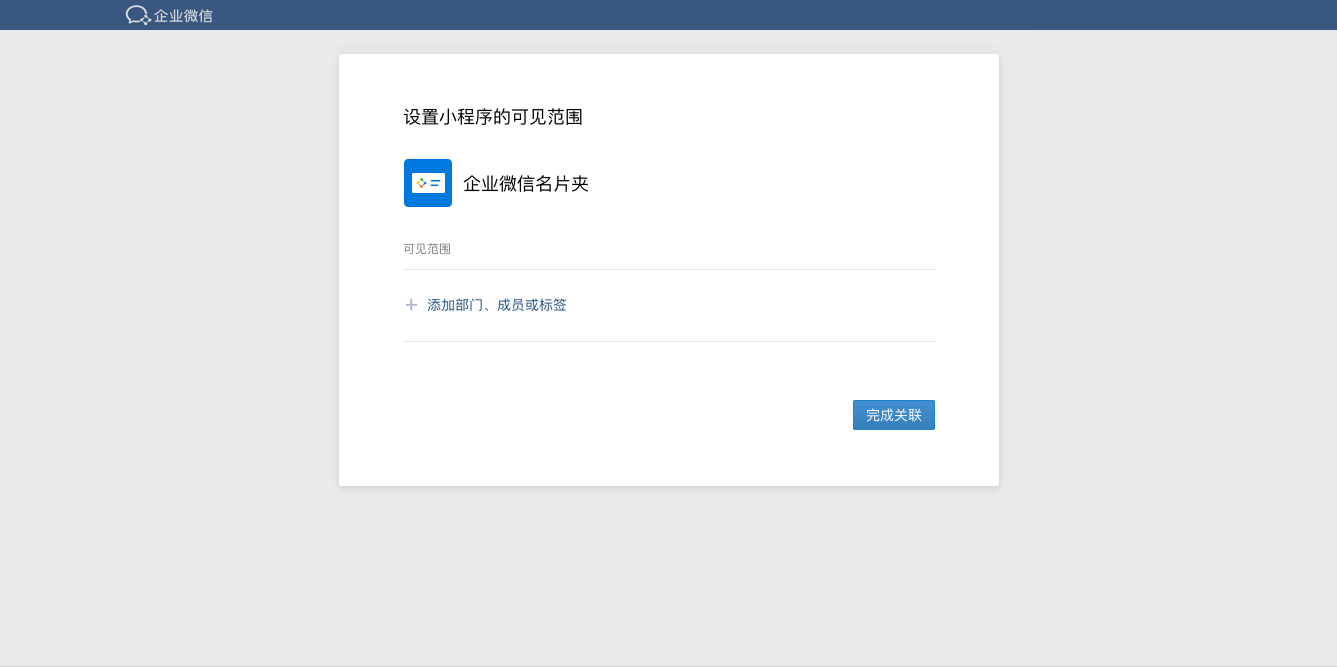
4.When the association is complete, the associated Weixin Mini Program can be seen in the workbench by enterprise members who have set the visible range.
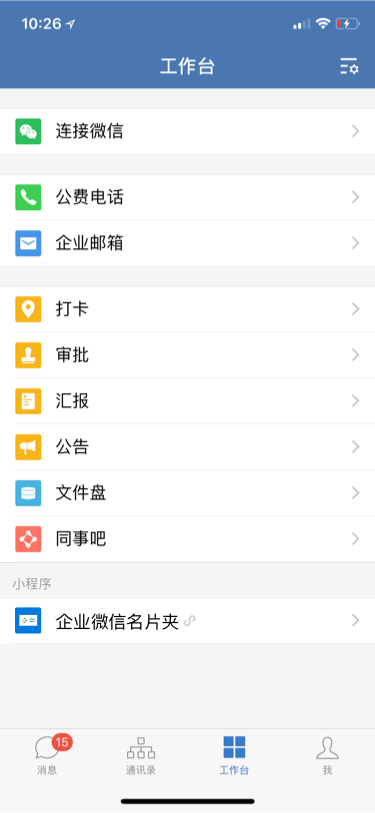
Note: Weixin Mini Program is associated with which enterprises, can be unified in the Mini Program background settings - associated settings - associated with enterprises WeChat to see the associated records.
Enterprise Weixin Mini Program Development Documentation Enterprise WeChat provides a unique API for developers to develop Weixin Mini Program more suitable for enterprise scenarios;At the same time, due to the differences between platforms, there will be some adaptations for work;As well as how to debug the enterprise Weixin Mini Program and more development-related documents, please click enterprise WeChat development documents
# Hardware device association Weixin Mini Program
Summary
In order to solve the demand of using Weixin Mini Program on non-general-purpose computing devices, we introduced the Wechat Mini-Program Framework (WMPF).WMPF is a runtime environment that enables hardware devices (non-generic computing devices) to run WeChat clients without conditions, and is currently supported for Android devices.Common general-purpose computing devices include but are not limited to smartphones, notebook computers, desktop computers, and general-purpose tablets.
After the hardware device is associated with Weixin Mini Program, the Mini Program can be run directly on the hardware device. Detailed function introduction and account binding logic can refer to the document < < Mini Programs hardware framework > .
Associated settings
Weixin Mini Program The default allows hardware device association, Mini Program developers to close, you can go to the Mini Program background - settings - basic settings to close the associated hardware device. After shutting down, subsequent hardware devices will not be able to associate the Mini Program. Hardware devices that have already associated the Mini Program can continue to run the Mini Program.
At the same time, developers can in Weixin Mini Program code prohibit hardware devices from running the corresponding Mini Program by prohibiting the scene value 1133 (runtime offline terminal device opens Mini Program) from opening Mini Programs.