Developer Guide for Mini Program Merchants' Assistant
Last edited on 2026-07-04
1. Usage Steps
- Administrators can scan the code to log in to WeChat Mini Program Merchants' Assistant, then click on the profile icon in the top right corner and select „Open Capabilities – Enable – Agree to Service Agreement“ to activate the required capabilities.

- After activating the capabilities, go to the WeChat Developers Platform to configure development information. The path is: „WeChat Developers Platform – Scan Code to Login – My Business – Mini Program Merchants' Assistant“. Clicking this will take you to the management page of the Mini Program Merchants' Assistant.

- Here, developers can directly modify the Secret, API IP allowlist, and message push configurations.
- They can also enable or disable various interface capabilities. If the required capabilities are not enabled, errors will occur when calling the interfaces.

2. Secret Management
- If you forget or disclose your secret, you can reset it here.
3. IP Allowlist
- If no IP allowlist is set, any IP can call interfaces that require the app_secret parameter (such as the get_access_token interface).
- If an allowlist is set, only IP addresses within the list can call interfaces that require the app_secret parameter.
- If all IP addresses are deleted, the IP allowlist configuration is disabled.
4. Message Push
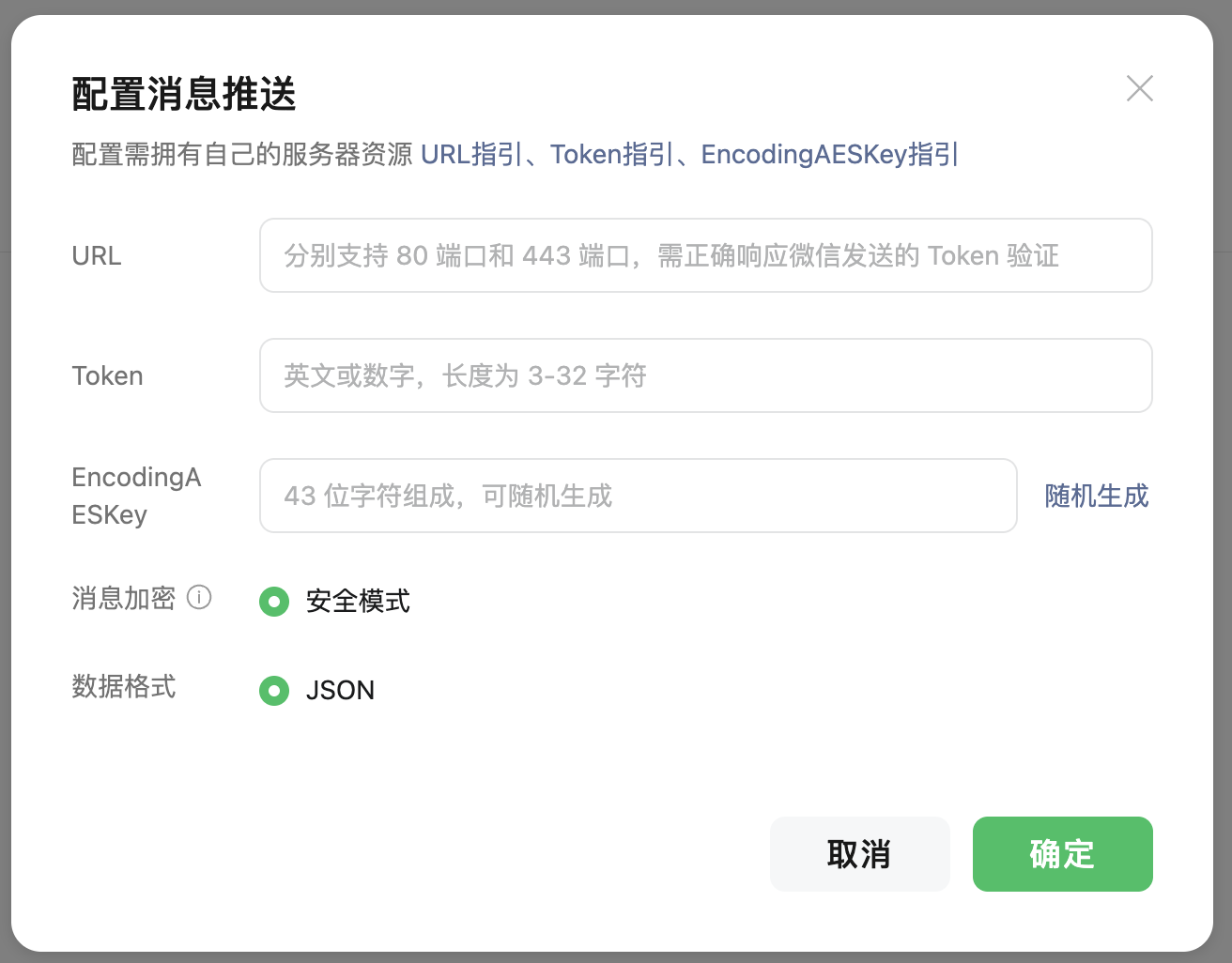
- Currently, the ability to send messages back to developers via callbacks is not available, but it will be launched soon. The relevant configuration details are as follows:
- URL Server Address: The interface URL that developers use to receive WeChat messages and events must start with http:// or https://, and supports both port 80 and port 443.
- Token: Used for signature processing (for details on encryption and decryption, refer to Mini Program Message Push).
- EncodingAESKey: Used as the key for encrypting and decrypting message bodies.
- Message Encryption and Decryption Method: Only the secure mode is supported.
- Data Format: Only json format is supported.