Component({
properties: {
text: {
type: String,
value: '',
observer: 'checkOverflow'
},
},
data: {
isOverflow: false,
showAll: false,
showPopup: false
},
lifetimes: {
ready() {
this.checkOverflow();
}
},
methods: {
checkOverflow() {
const query = this.createSelectorQuery();
query.select('.text-measure').boundingClientRect(measureRect => {
console.log(measureRect.width)
query.select('.text-container').boundingClientRect(containerRect => {
if (containerRect && measureRect) {
const isOverflow = measureRect.width > containerRect.width - 40;
this.setData({ isOverflow });
}
}).exec();
}).exec();
},
onMoreTap() {
this.setData({ showPopup: true });
},
onMaskTap() {
this.setData({ showPopup: false });
},
onContentTap() {
},
onCloseTap() {
this.setData({ showPopup: false });
}
}
});
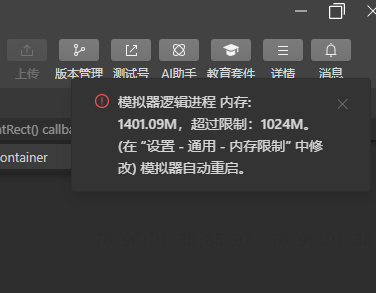
boundingClientRect 函数会一直执行,同时打印measureRect.width会一直打印