.isRuleShow{
display: block;
}
.isRuleHide{
display: none;
}
.ruleZhezhao{
height: 100%;
width: 100%;
position: fixed;
background-color:rgba(0, 0, 0, .5);
z-index: 2;
top: 0;
left: 0;
}
.ruleZhezhaoContent{
position: fixed;
width: 800rpx;
height: 1000rpx;
}
.ruleZhezhaoimage{
width: 100%;
height: 100%;
}
.ruleHide{
height: 60rpx!important;
width: 60rpx!important;
position: absolute;
top: -20rpx;
right: -20rpx;
}
|
<view class="ruleZhezhao {{isRuleTrue?'isRuleShow':'isRuleHide'}}">
<view class='ruleZhezhaoContent'>
<image class='ruleZhezhaoimage' src='https://www.xxxxx/upload/3369f6d59bf2463fa9b4665fcd9b4d64_0429.png' ></image>
<image src='' class='ruleHide' bindtap='hideRule'></image>
</view>
</view>
|
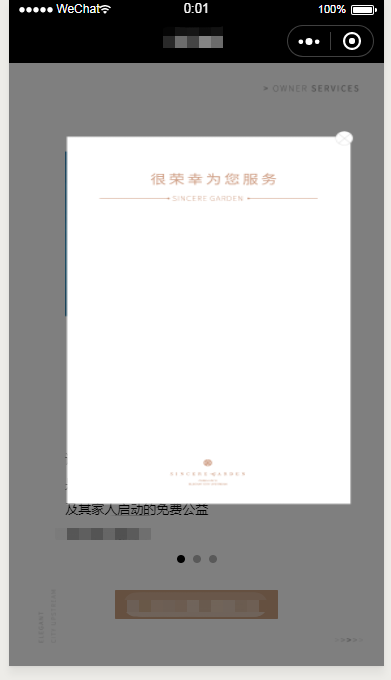
如上图,怎么改css才能让图片固定在中间,并且可以增加宽度和高度。现在一增加高度或宽度就变形。margin:0 auto;也不好使



.ruleZhezhao{
height: 100%;
width: 100%;
position: fixed;
background-color:rgba(0, 0, 0, .5);
z-index: 2;
top: 0;
left: 0;
display: flex;
flex-direction: column;
align-items: center;
justify-content: center;
}
.ruleZhezhaoContent{
}
.ruleZhezhaoimage{
width: 800rpx;
}
<image class="ruleZhezhaoimage" src="https://www.xxxxx/upload/3369f6d59bf2463fa9b4665fcd9b4d64_0429.png" mode="widthFix"></image>