小程序
小游戏
企业微信
微信支付
扫描小程序码分享
上传代码草稿箱中,也没有
8 个回答
加粗
标红
插入代码
插入链接
插入图片
上传视频
你好,请问下该问题是否已解决?若还没有,请参考文档https://developers.weixin.qq.com/miniprogram/dev/devtools/ext.html仔细检查确认填写的配置值是否正确
你好,麻烦通过点击下方“反馈信息”按钮,提供出现问题的。
你好,若是在绑定开发小程序(即模板小程序前)打开的开发者工具,建议重启下开发者工具重新创建项目,把相关信息配置下 https://developers.weixin.qq.com/miniprogram/dev/devtools/ext.html
注意区分下基本概念 https://developers.weixin.qq.com/doc/oplatform/Third-party_Platforms/2.0/getting_started/terminology_introduce.html#_4%E3%80%813rdMiniProgramAppid-VS-extAppi
注意区分基本概念 https://developers.weixin.qq.com/doc/oplatform/Third-party_Platforms/2.0/getting_started/terminology_introduce.html#_4%E3%80%813rdMiniProgramAppid-VS-extAppid
你好,建议重启下开发者工具,把相关信息配置下 https://developers.weixin.qq.com/miniprogram/dev/devtools/ext.html
Appid那栏,点击修改,填上你们第三方平台的“代开发小程序”的appid。而不是这个商家授权小程序的appid,
关注后,可在微信内接收相应的重要提醒。
请使用微信扫描二维码关注 “微信开放社区” 公众号



你好,请问下该问题是否已解决?若还没有,请参考文档https://developers.weixin.qq.com/miniprogram/dev/devtools/ext.html仔细检查确认填写的配置值是否正确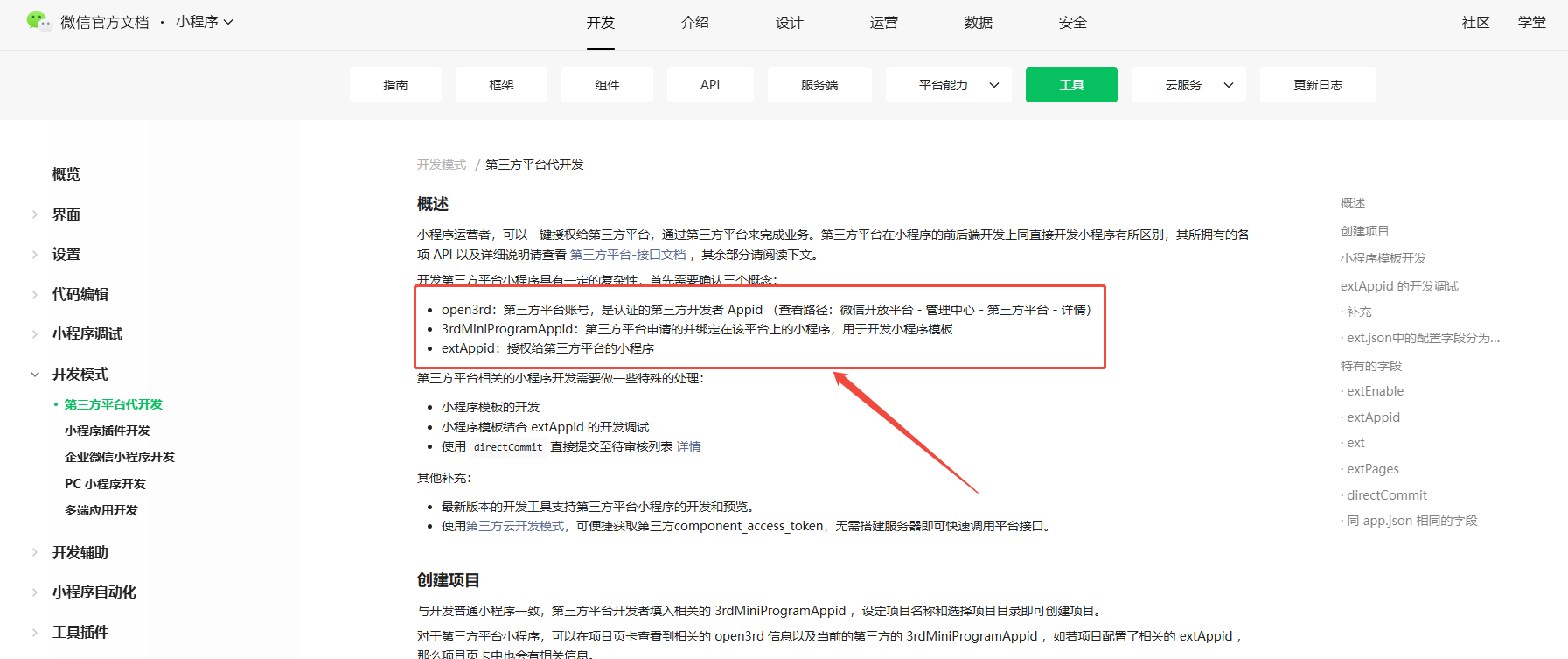
你好,若是在绑定开发小程序(即模板小程序前)打开的开发者工具,建议重启下开发者工具重新创建项目,把相关信息配置下 https://developers.weixin.qq.com/miniprogram/dev/devtools/ext.html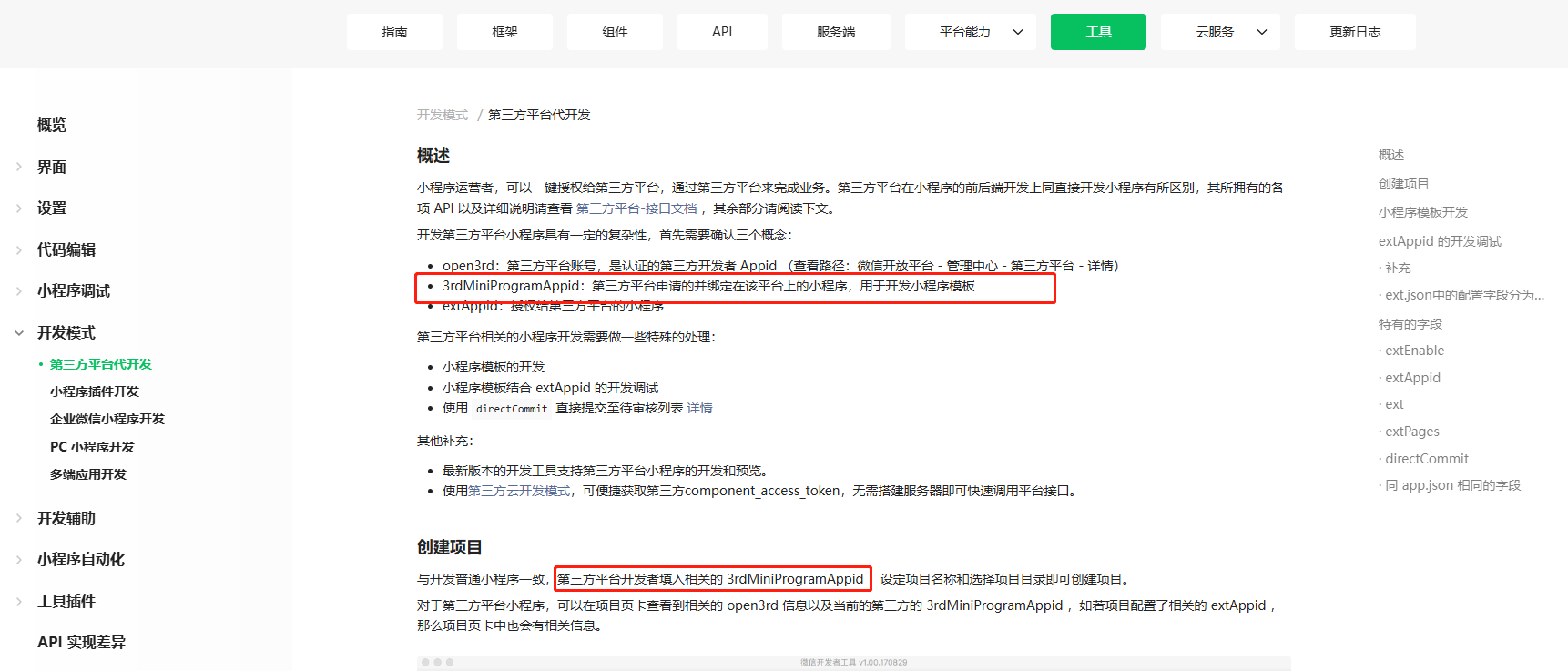
注意区分下基本概念 https://developers.weixin.qq.com/doc/oplatform/Third-party_Platforms/2.0/getting_started/terminology_introduce.html#_4%E3%80%813rdMiniProgramAppid-VS-extAppi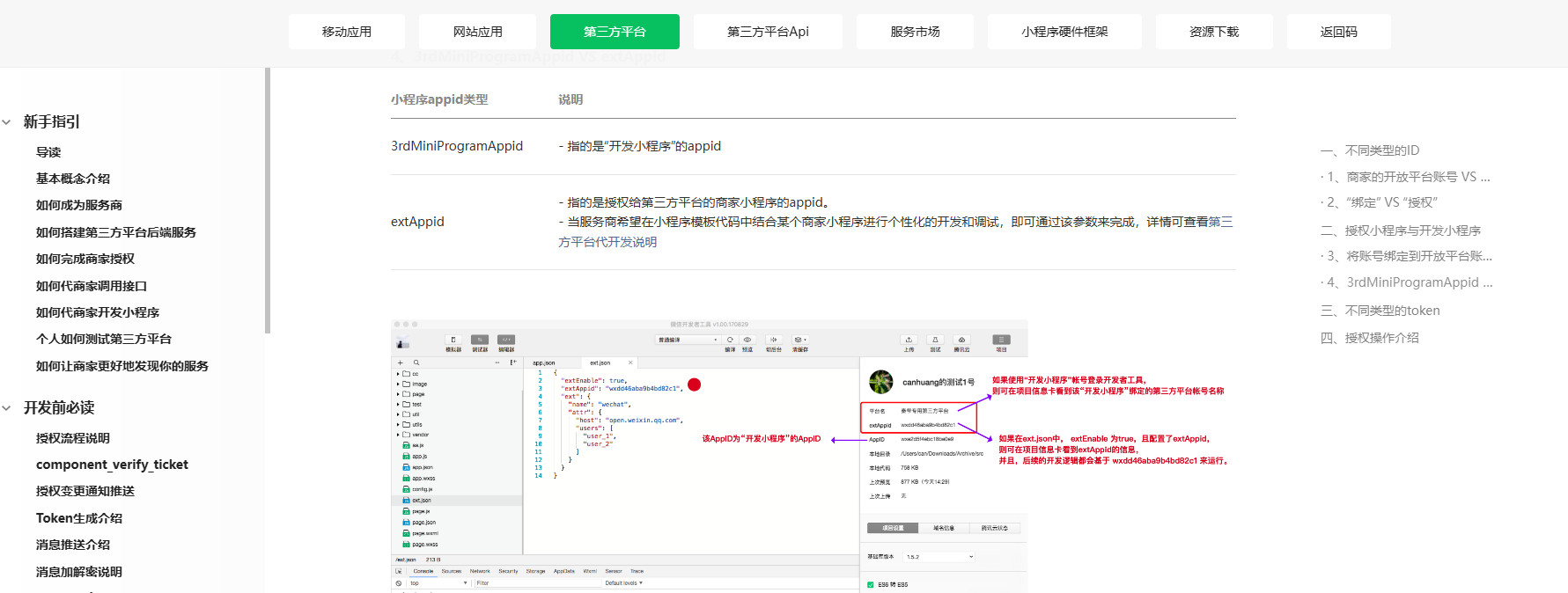
你好,若是在绑定开发小程序(即模板小程序前)打开的开发者工具,建议重启下开发者工具重新创建项目,把相关信息配置下 https://developers.weixin.qq.com/miniprogram/dev/devtools/ext.html
注意区分基本概念 https://developers.weixin.qq.com/doc/oplatform/Third-party_Platforms/2.0/getting_started/terminology_introduce.html#_4%E3%80%813rdMiniProgramAppid-VS-extAppid
你好,若是在绑定开发小程序(即模板小程序前)打开的开发者工具,建议重启下开发者工具重新创建项目,把相关信息配置下 https://developers.weixin.qq.com/miniprogram/dev/devtools/ext.html
注意区分基本概念 https://developers.weixin.qq.com/doc/oplatform/Third-party_Platforms/2.0/getting_started/terminology_introduce.html#_4%E3%80%813rdMiniProgramAppid-VS-extAppid
你好,若是在绑定开发小程序(即模板小程序前)打开的开发者工具,建议重启下开发者工具重新创建项目,把相关信息配置下 https://developers.weixin.qq.com/miniprogram/dev/devtools/ext.html
注意区分基本概念 https://developers.weixin.qq.com/doc/oplatform/Third-party_Platforms/2.0/getting_started/terminology_introduce.html#_4%E3%80%813rdMiniProgramAppid-VS-extAppid
你好,建议重启下开发者工具,把相关信息配置下 https://developers.weixin.qq.com/miniprogram/dev/devtools/ext.html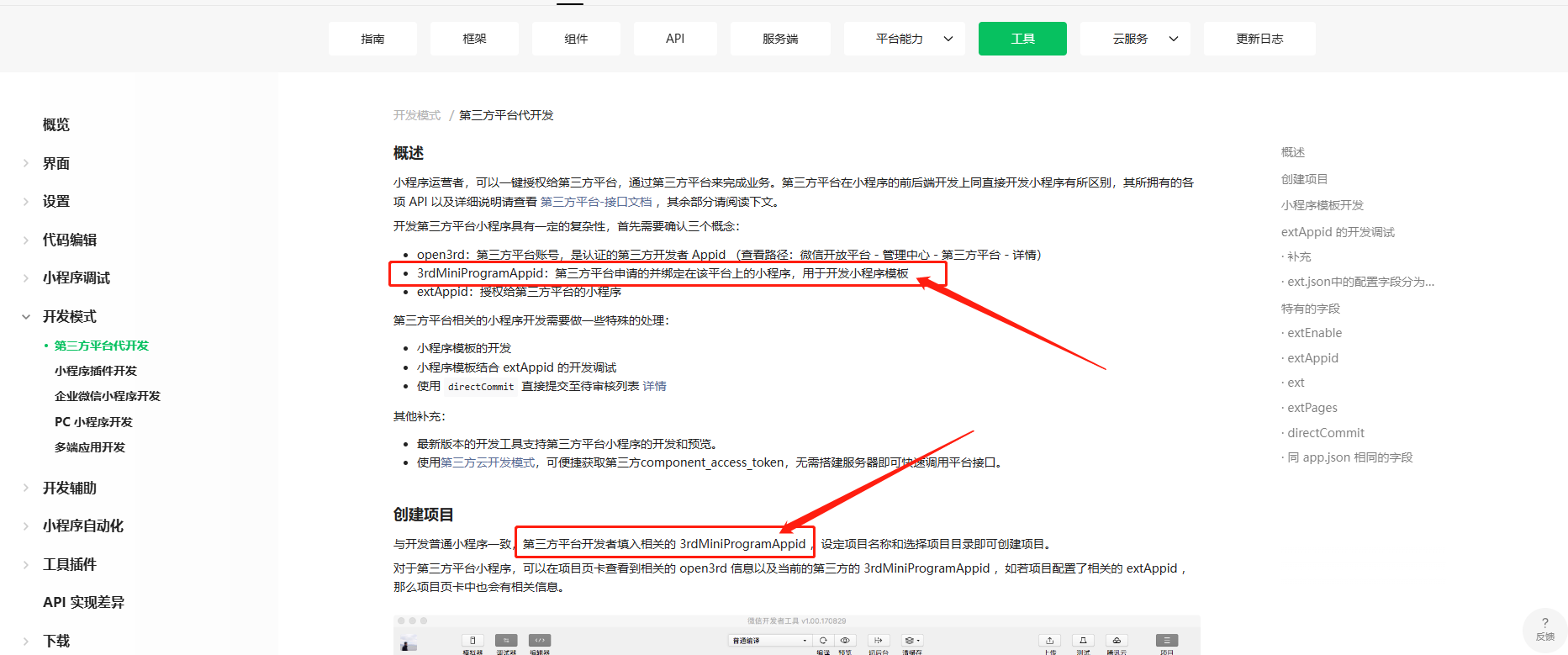
注意区分基本概念 https://developers.weixin.qq.com/doc/oplatform/Third-party_Platforms/2.0/getting_started/terminology_introduce.html#_4%E3%80%813rdMiniProgramAppid-VS-extAppid
你好,建议重启下开发者工具,把相关信息配置下 https://developers.weixin.qq.com/miniprogram/dev/devtools/ext.html
注意区分基本概念 https://developers.weixin.qq.com/doc/oplatform/Third-party_Platforms/2.0/getting_started/terminology_introduce.html#_4%E3%80%813rdMiniProgramAppid-VS-extAppid
Appid那栏,点击修改,填上你们第三方平台的“代开发小程序”的appid。而不是这个商家授权小程序的appid,