Merchant can be verified against business transaction records using the transaction detail report provided by Tenpay Global.
Transaction Detail Report
The transaction detail report includes successful payment and refund transactions within the selected time range in Merchant.
View a sample report: Excel Transaction Detail Report - Tenpay Global
The following table shows the fields in the transaction detail report and their descriptions:
| Field | Meaning | Description |
|---|---|---|
| mch_id | Merchant ID | A unique identifier assigned by Tenpay Global to Merchant |
| listed | Tenpay Global Transaction Number | A unique identifier assigned by Tenpay Global for each transaction. When trade_type = PAYMENT, it corresponds to Tenpay Global’s payment order number; when trade_type = REFUND, it corresponds to the refund order number |
| trade_type | Transaction Type | Enumeration values include: PAYMENT (payment), REFUND (refund) |
| out_trade_no | Merchant Order Number | A unique identifier assigned by Merchant for each payment |
| out_refund_no | Merchant Refund Order Number | A unique identifier assigned by Merchant for each refund. This field is empty when trade_type = PAYMENT |
| trade_amount | Transaction Amount | When trade_type = PAYMENT, it represents the payment amount; when trade_type = REFUND, it represents the refund amount |
| trade_currency | Transaction Currency | Presented as a three-letter currency code according to ISO 4217. When trade_type = PAYMENT, it corresponds to the payment currency; when trade_type = REFUND, it corresponds to the refund currency |
| payment_method_key | Payment Method Name | The payment method associated with the transaction |
| ref_order_no | Reference Order Number | An identifier specified by Merchant for transaction tracking |
| acquirer_name | Acquiring Institution Name | The name of the institution handling the transaction |
| acquirer_trade_no | Acquiring Institution Transaction Number | A unique transaction identifier assigned by the acquiring institution |
| trade_finish_time | Transaction Completion Time | When trade_type = PAYMENT, it represents the time when the payment was completed; when trade_type = REFUND, it represents the time when the refund was completed |
Obtaining Transaction Details
Generate and download the transaction detail file through the Mini ProgramMerchant platform:
Note: Transaction detail files for payments or refunds made on the same day will be available the next day.
-
Log in to the WeChat Public Platform and navigate to “Tenpay Global”
-
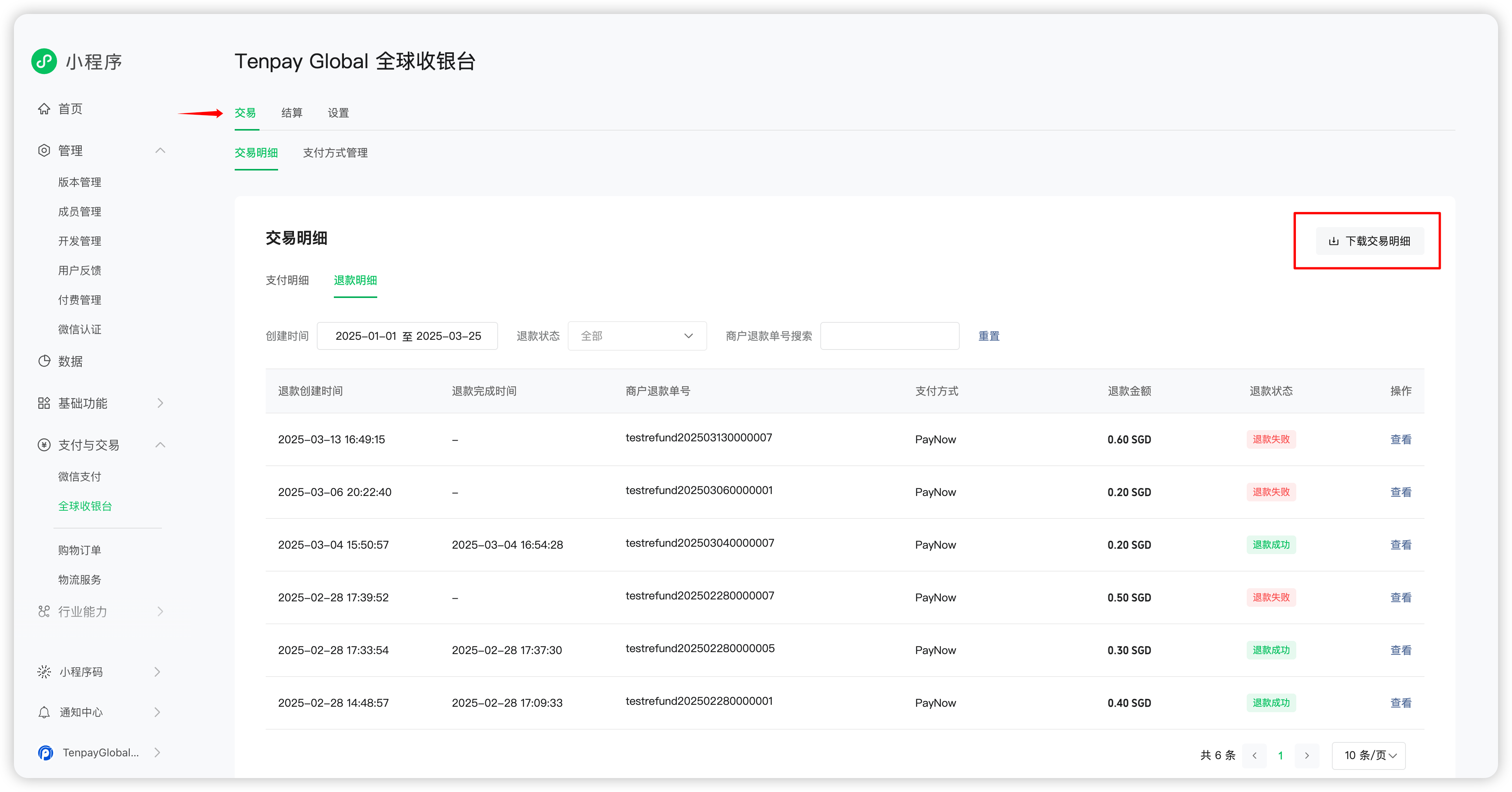
Click “Transactions” and then “Transaction Details”. Select “Download Transaction Details”
-
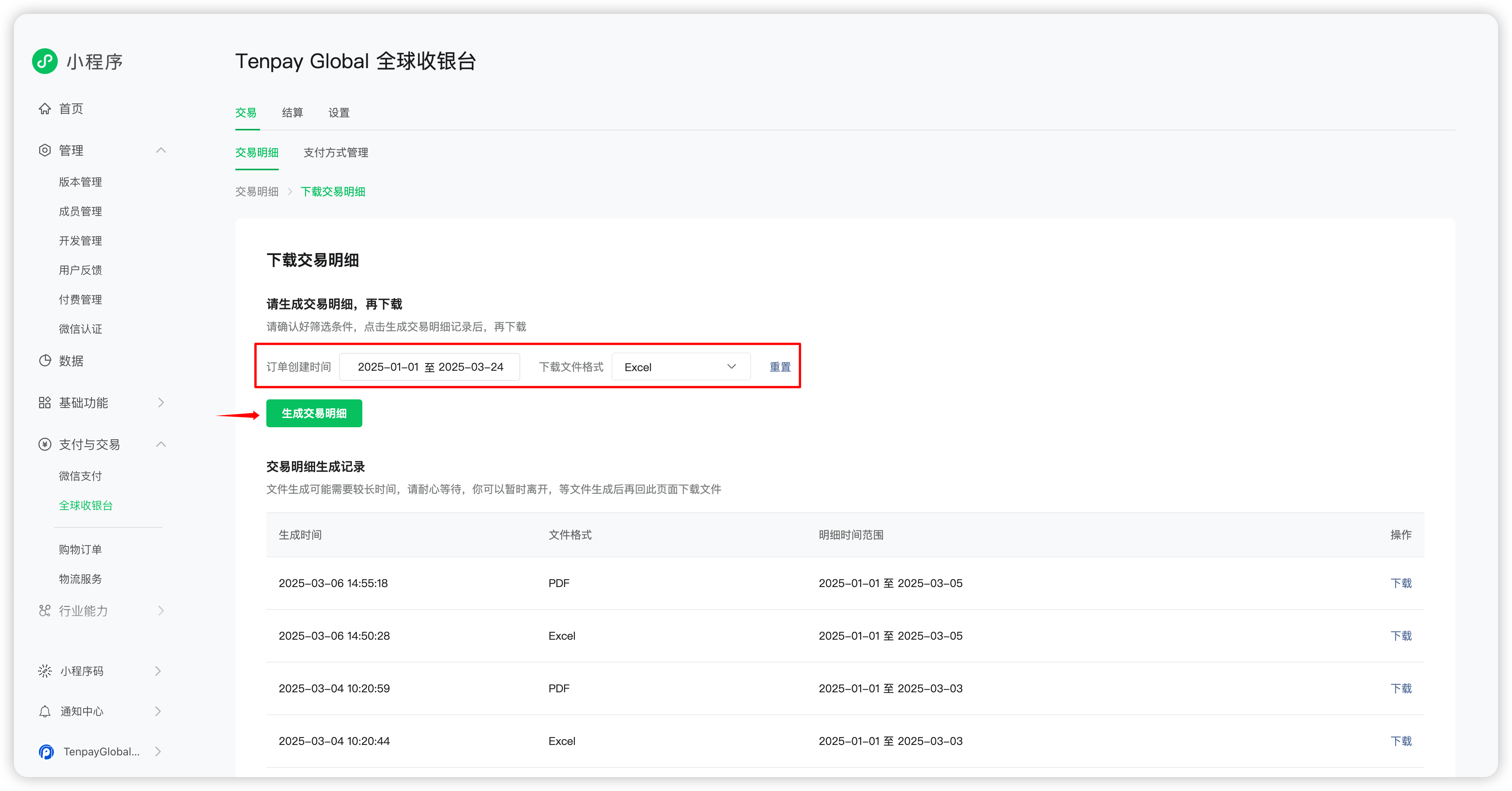
Filter by “Order Creation Time” and “Download File Format” (Excel or PDF), then click “Generate Transaction Details”
-
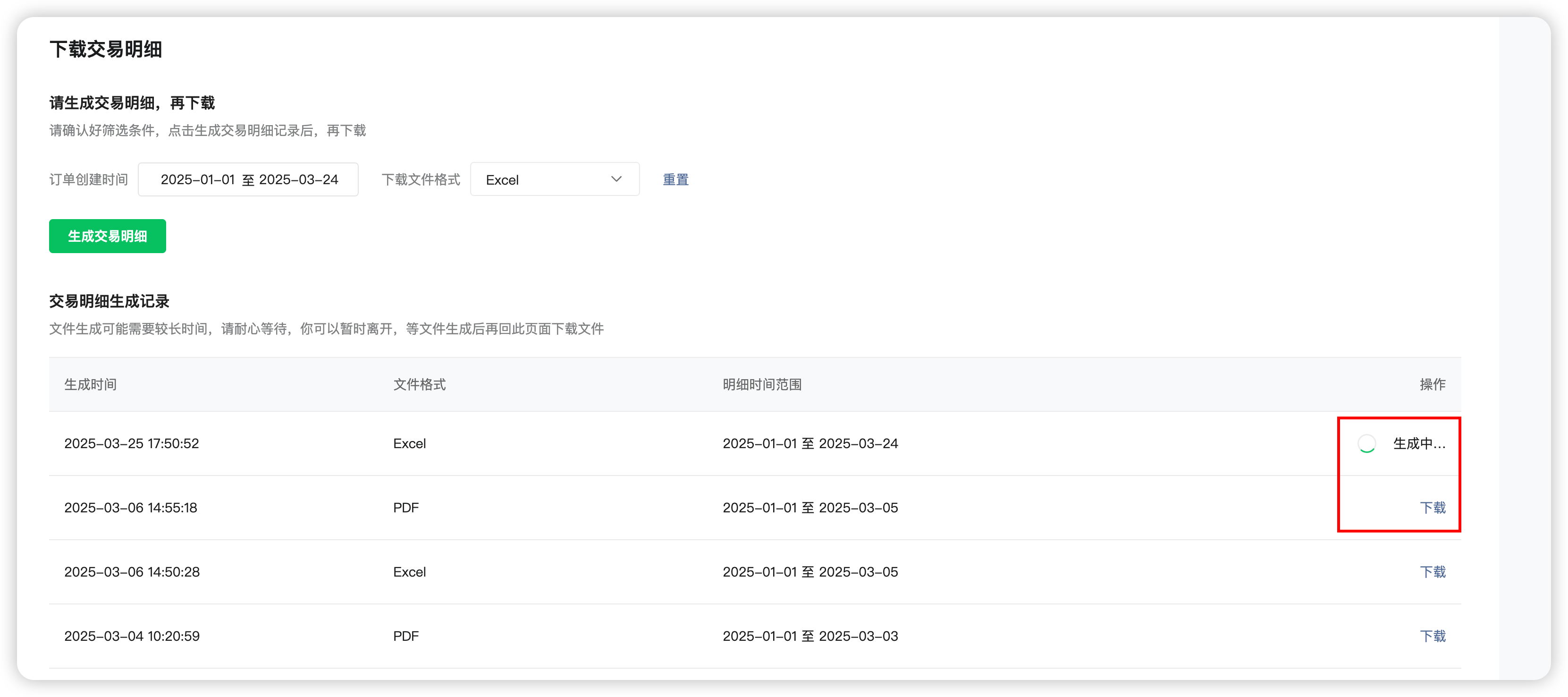
Generating the file may take some time. Leaving the page during this process will not affect the generation. Once complete, click “Download” to obtain the transaction detail file.