To enable the Mini Program runtime permissions for the device, you need to fill in the Mobile App AppID from the WeChat Open Platform and enter the access_token to complete the permission verification for running Mini Program on the device.
1. Obtain the Mobile Application ID (Displayed as AppID)
If you have not yet registered a mobile application, please first refer to Create a Mobile Application.
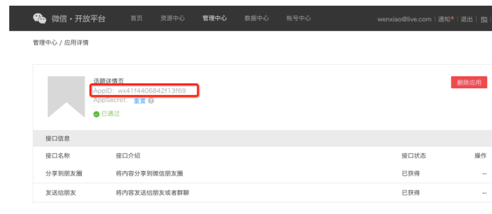
In WMPF, the Mobile Application ID is referred to as HostAppID. Log in to the WeChat Open Platform, and navigate to "Management Center" - "Application Details" to view the Mobile Application ID (displayed as AppID).
2. Add Application
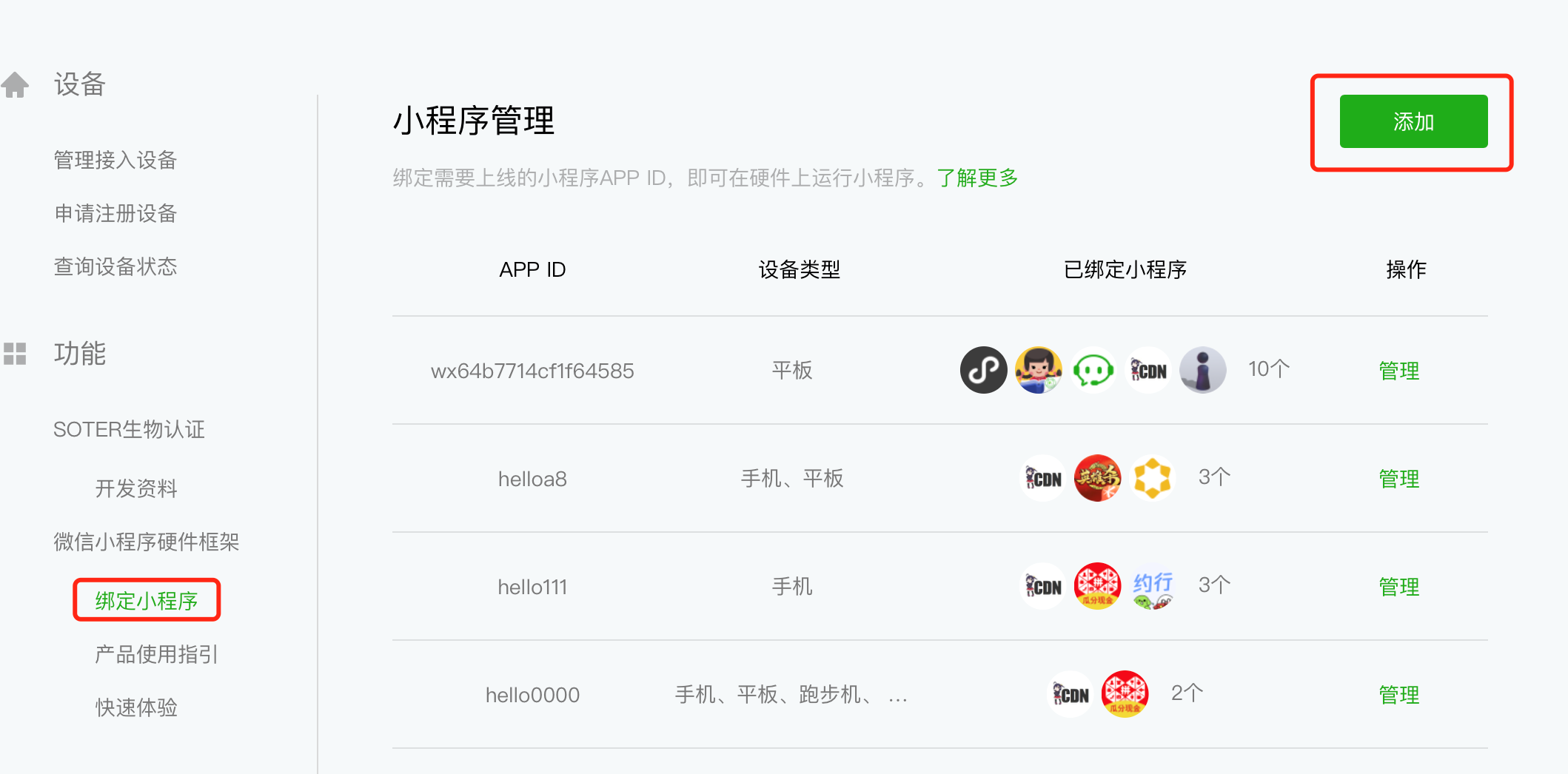
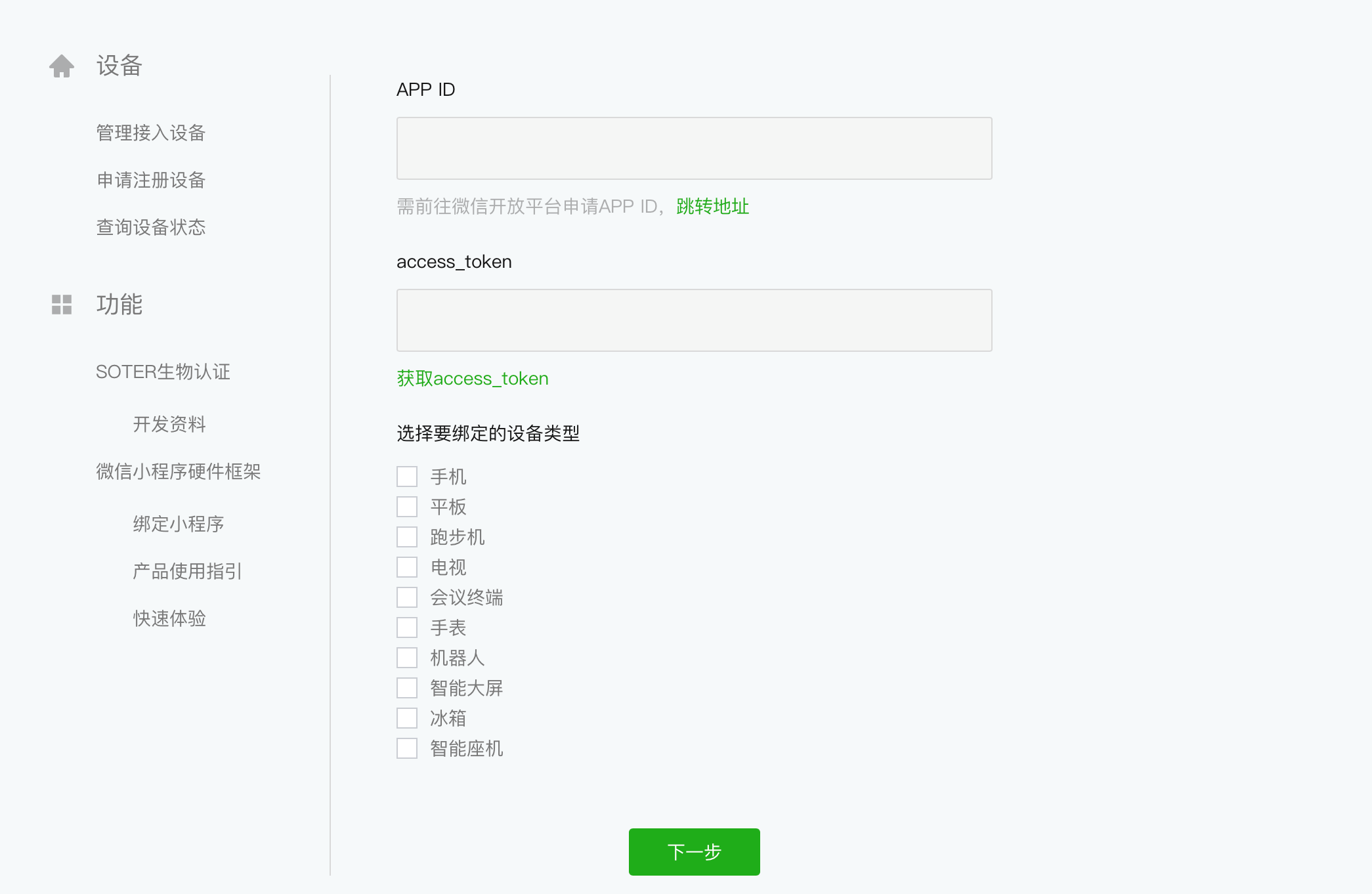
Log in to the WeChat Cooperate Platform, click "Bind Mini Program " on the left side, then click "Add". Enter the Mobile Application ID that you created on the WeChat Open Platform and the access_token in the "APP ID" field, and select the device type to be bound.
Note
- The APP ID used when clicking "Add" should be the Mobile Application ID, not the Mini Program appId.
- access_token is dynamically updated
3. Binding Mini Program
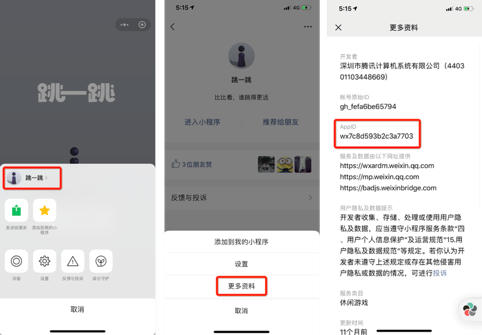
If you have already published your own Mini Program, you can bind your Mini Program directly. If you do not have a Mini Program, you can choose to bind a Mini Program developed by a third party. Follow the method shown in the figure below to obtain the Mini Program appid, and you can then bind the production Mini Program.
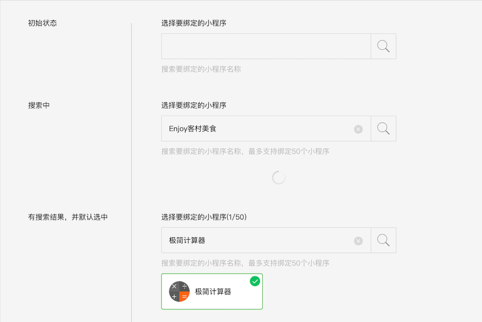
Binding Limit
The maximum number of Mini Program that can be bound to a single mobile app is:
- Mini Program from different entities (where the Mini Program and the mobile app have different entities): Up to 50
- Mini Program from the same entity (where the Mini Program and the mobile app share the same entity): Unlimited
If you need to bind more Mini Program, you can create multiple mobile apps. However, please note that a single device can only be bound to one mobile app ID. Mini Program developers can disable device authorization in the WeChat Official Accounts Platform backend. Once authorization is disabled, the Mini Program will no longer be usable on that device model.