By using the quick experience package, integrators can more quickly experience the effect of running a specified Mini Program on the device via WMPF, and preliminarily evaluate the actual effect and development cost of integrating WMPF.
After experiencing the effect of Mini Program running on the device, if you want to truly integrate WMPF, please sequentially complete the subsequent integration steps and development work.
1. Obtain a Trial Package
You can choose one of the following two methods.
1.1 Direct Download
Convenient to operate, but updates may be slower. Updated on 2023-11-29
Download links:
- wmpf-demo.apk: Download
- WMPF Service APK: Download 64-bit / Download 32-bit
Instructions:
- Install wmpf-demo.apk and WMPF Service Apk (choose the 32/64-bit version based on your device) on your device.
- Launch and ensure both APKs are running, keeping the WMPF Demo apk interface in the foreground.
1.2 Compile from WMPF Client Demo Code
The steps are slightly cumbersome; please update promptly.
Developers can clone the WMPF Client sample code from the GitHub repository and follow the steps below to compile and install the application.
- Download the latest WMPF Service APK from the WMPF release page, such as
wmpf-arm64-alpha-release-v2.1.0-9010017-signed.apk, and install it on the device. - Import the
wmpf-demodirectory containing the sample code in Android Studio, and switch the flavor toexperience. - After connecting a physical device, compile and run the project to install the WMPF Demo APK on the device.
- Ensure that both APKs are running, with the WMPF Demo APK interface kept in the foreground.
2. Binding Mini Program
Before running the specified Mini Program, you must first bind the appId of the Mini Program on the WeChat Terminal Partner Platform.
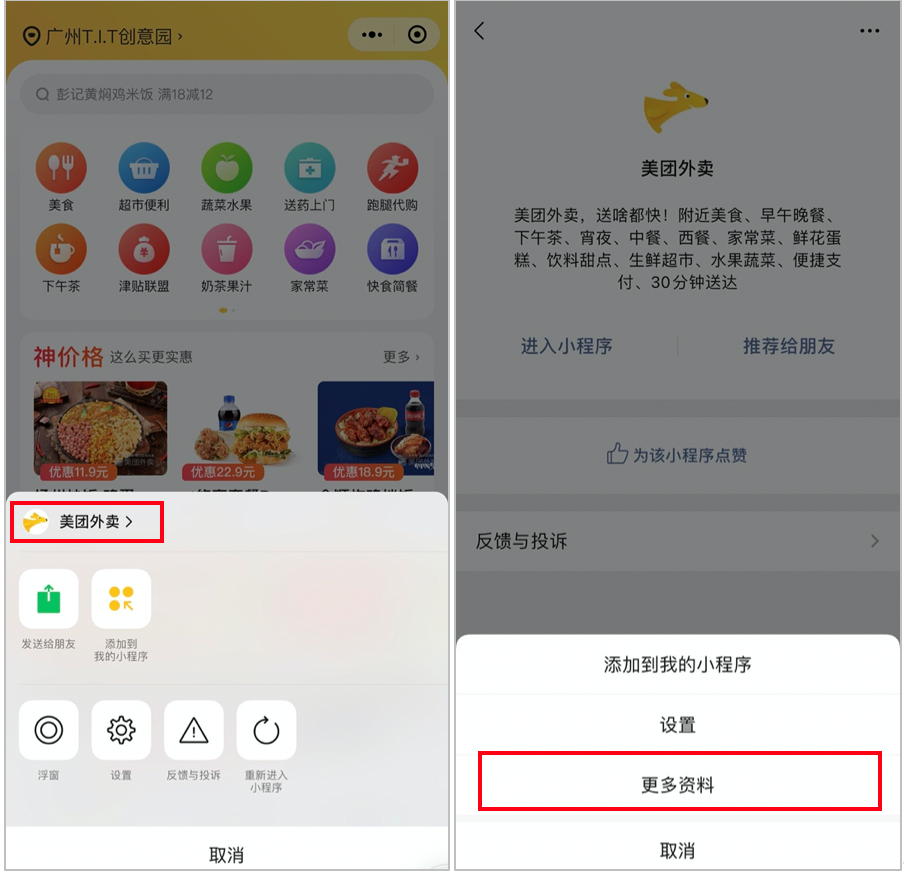
2.1 Get the Mini Program AppID
- Launch Mini Program in WeChat on your mobile phone
- Tap the "..." icon in the top right corner
- Tap the Mini Program name to enter the Mini Program information page
- Tap "More Information" to view the Mini Program AppID
2.2 Bind and Generate Ticket
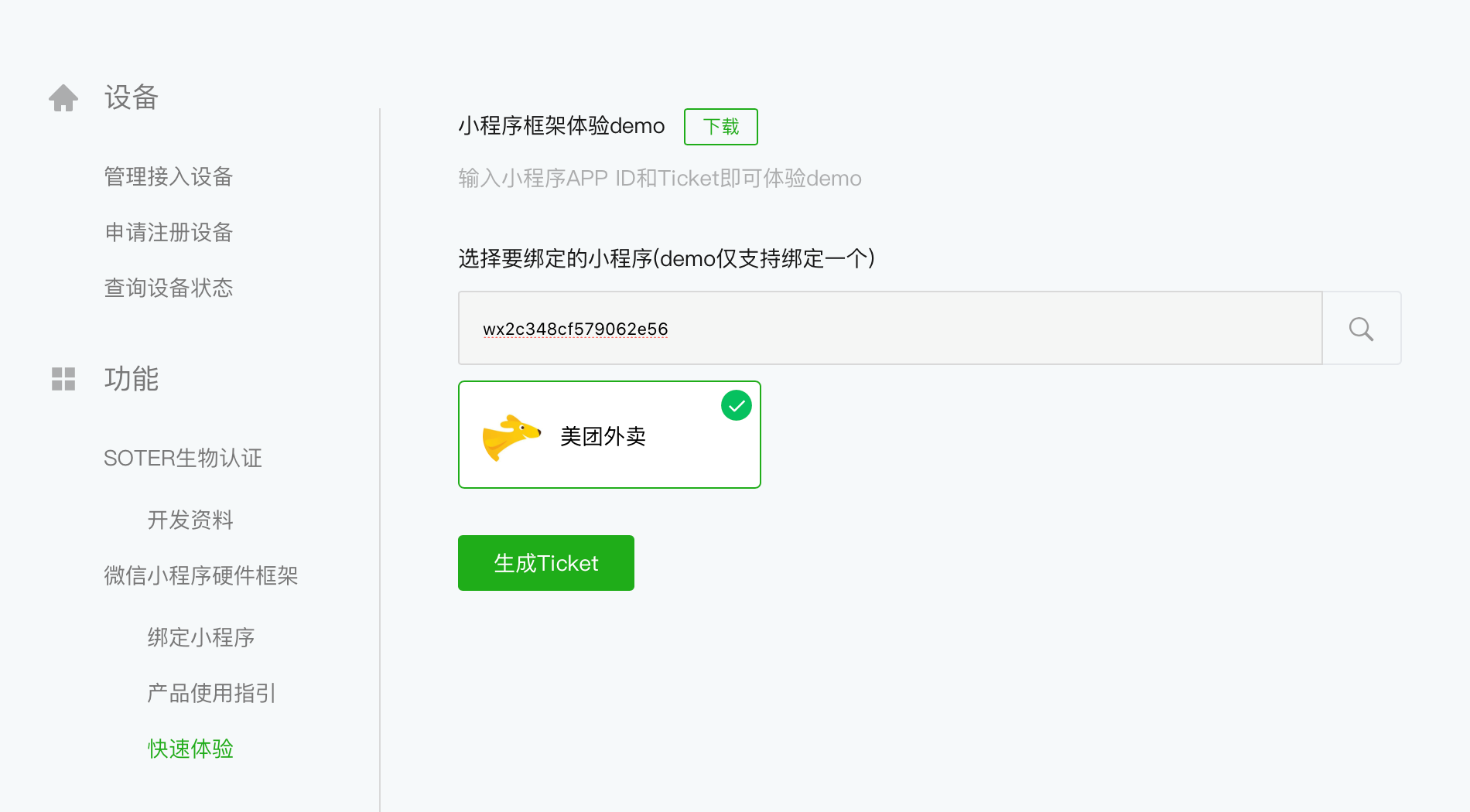
On the WeChat Terminal Cooperation Platform, enter the Mini Program appid, click the search button, and generate the ticket (valid for 2 hours).
3. Launch Mini Program
Follow the instructions to enter the appId and the generated ticket into the WMPF Demo apk running on the device to launch Mini Program.
Note:
- In formal development, Mini Program must be bound before it can be run on a device. To grant the Experience Demo the permission to run Mini Program, the ticket serves as a temporary launch credential for Mini Program. It will expire, requiring a new ticket to be obtained.
- The ticket is intended solely for quick trials. Therefore, it should not be used in development environments, and it is strictly prohibited in production environments.
- The WMPF Demo APK supports running the release, experience, and development versions of Mini Program.
- The WMPF Demo APK is essentially a simplified WMPF Client. You can perform secondary development based on it to verify the development cycle of a WMPF Client at low cost.