Developers can first use the "WMPF Mock Plugin" to complete WMPF Mini Program development. This allows them to proceed without worrying about the implementation on the WMPF Client side, enabling them to call or customize Mock WMPF-related JS APIs directly in DevTools.
After completing WMPF Mini Program development, if you need to run Mini Program on a real device, you can debug it by scanning a QR code in DevTools.
WMPF Mock Plugin
Install Plugin
Developers can find the WMPF Mock plugin under "Settings" - "Extension Settings" - "Simulator Plugins" in the WeChat Developer Tools and proceed to install it.
After successfully installing the plugin, restart the WeChat Developer Tools and select "Hardware Framework Mini Program Mode". You can then invoke all WMPF-related JS APIs within the tools.
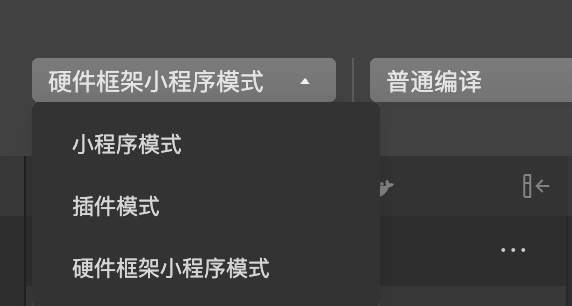
WMPF Mock Panel
Developers can also fill in the parameters and return data for related interfaces using the WMPF Mock Panel to simulate API call results.
Usage
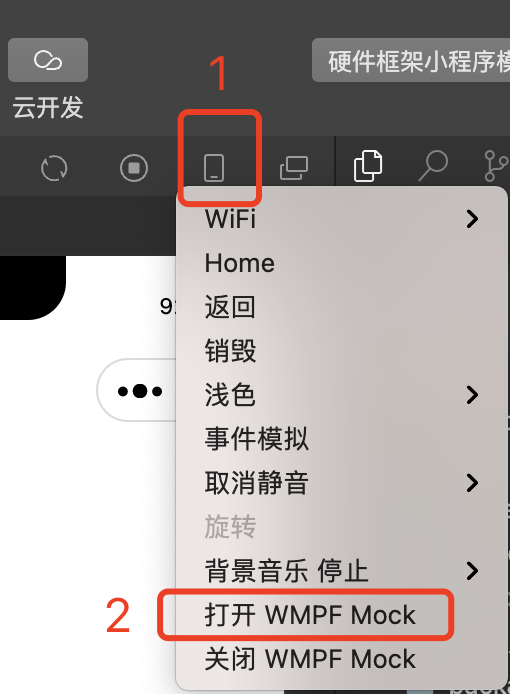
First, open the WMPF Mock panel by following the steps in the figure below.
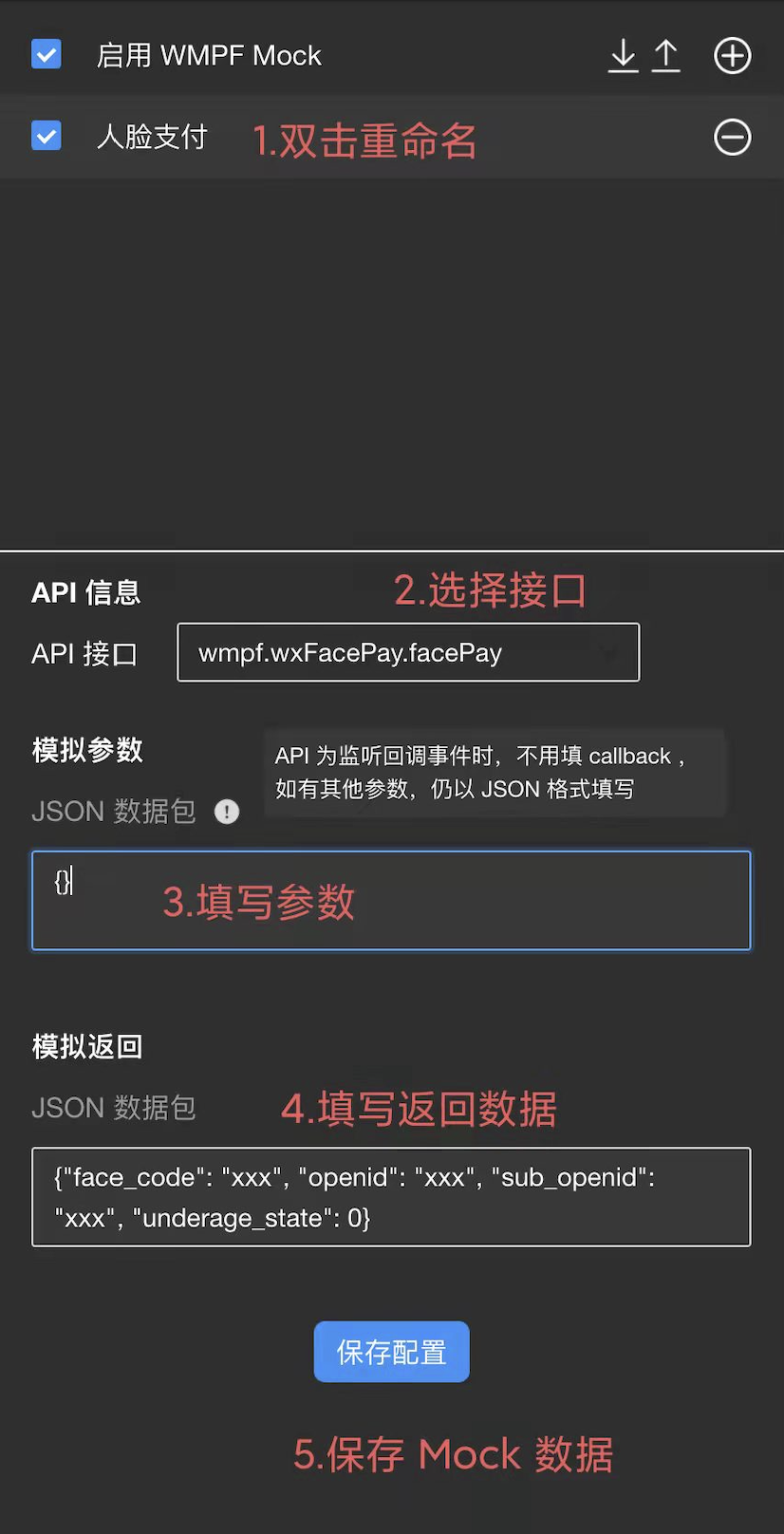
Then, enable the WMPF Mock capability and click "+" to create a new rule.

An example of a rule is shown below:
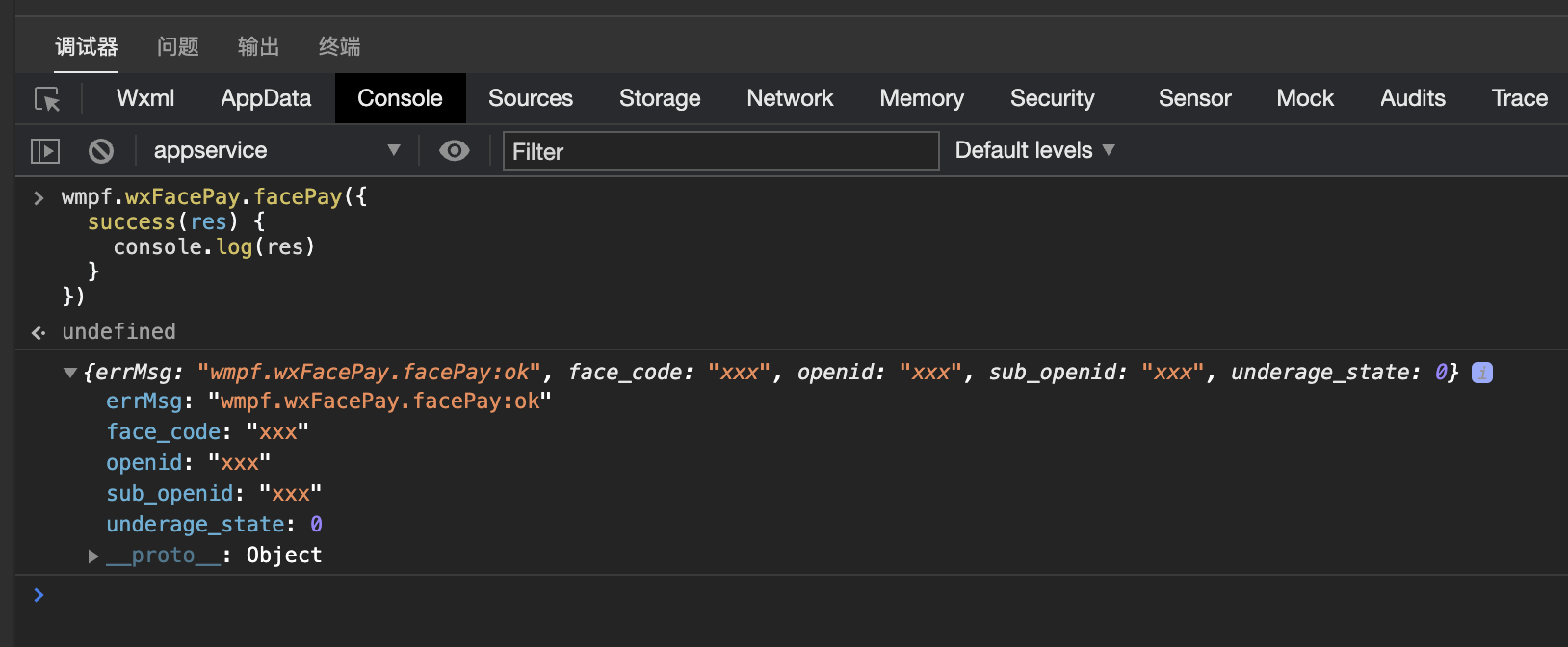
Run the following code:
wmpf.wxFacePay.facePay({
  success(res) {
    console.log(res)
  }
})
This will match the rule above and return the following data:
Importing and Exporting Rules
If you need to share rules with other members in your project, you can export the rule configuration from Mock and send the configuration file to other members for import. The operation entry point is shown in the figure:

Note
- The
wmpf.xxxrelated APIs can only be invoked in the Developer Tools if the "WMPF Mock Plugin" is installed and the "Hardware Framework Mini Program Mode" is switched on. - If multiple rules are configured for an API, the earlier rules take precedence. Once a rule is matched, subsequent rules will no longer be executed.
- When an API is configured to listen for callback events, leave the
callbackfield empty. Any other parameters should still be filled in JSON format. - If the simulated API has no parameters or returns no data, fill in an empty object
{}. - The list of APIs currently supported for custom Mock:
- wmpf.Channel.invoke
- wmpf.Channel.on
- wmpf.wxFacePay.getFaceCode
- wmpf.wxFacePay.facePay
- wmpf.getWmpfPushToken
- wmpf.getDeviceSerialNumber
- wmpf.printer
Real Device Debugging
In WeChat DevTools, WMPF supports the "QR Code Preview Mini Program " and "QR Code Real Device Debugging Mini Program " features.
For Android devices with a camera, you can perform development and debugging by invoking the IPCInvokerTask_LaunchWxaAppByQrCode or LaunchWxaAppByScanInvoker.launchWxaByScanUI interfaces on the WMPF Client side.