
# 得分存档服务
# 功能介绍
基于 RankManager 提供的能力,为小游戏提供统一的用户得分上报与查询服务。开发者通过 RankManager.update 上报分数后,平台会自动记录并维护用户在各自然周期内的最高得分及最新得分,开发者可通过 RankManager.getScore 查询平台已存储的用户分数数据。
# 应用场景
# 场景 1:进度存档
适用类型:关卡制游戏(如闯关、剧情模式等),需要记录玩家已通过的最高关卡、章节进度等。
设计方式示例:将玩法
ID(scoreKey)设为某一模式的“关卡进度玩法”,例如:level_progress;上报时把「当前通过的最高关卡号」作为分数score上报。可选:使用subScoreKey区分不同章节或副本,例如:subScoreKey = 1表示普通模式、2 表示困难模式。通过这种方式,开发者可以在用户回流或换设备时,从平台查询其“最高通关关卡”,实现简易的云端关卡进度存档。
# 上报示意:
// 获取排行榜管理器实例
const rankManager = wx.getRankManager();
// 用户通关到第 10 关,将关卡进度作为“分数”上报
rankManager.update({
  scoreKey: 'level_progress',
  score: 10,          // 当前最高关卡
})
# 查询示意:
// 获取排行榜管理器实例
const rankManager = wx.getRankManager();
rankManager.getScore({
  scoreKeys: ['level_progress'],
  periodType: 4,      // 4:历史最高(适合作为永久进度)
  success: (res) => {
    const record = res.scores['level_progress']
    // record.score 即用户当前已解锁的最高关卡
  }
})
# 场景 2:记录用户历史最高分
适用类型:追求高分的玩法(如无尽模式游戏),需要记录玩家的最好成绩。
设计方式示例:将玩法
ID(scoreKey)设为某一高分玩法,例如:endless_mode;每局结束后,将本局得分作为score上报。查询时使用periodType = 4获取玩家历史最高分;也可以用periodType = 1/2/3分别查询当前日/周/月最高分,用于活动榜单和奖励结算
# 上报示意:
// 用户本局得分为 3200
const rankManager = wx.getRankManager();
rankManager.update({
  scoreKey: 'endless_mode',
  score: 3200,
})
# 查询示意:
const rankManager = wx.getRankManager();
rankManager.getScore({
  scoreKeys: ['endless_mode'],
  periodType: 4,    // 历史最高分
  success: (res) => {
    const record = res.scores['endless_mode']
    // record.score 为用户在 endless_mode 下的历史最高分
  }
})
# 场景 3:展示用户最新得分
适用类型:需要展示“最近一局成绩”或“最近一次结算结果”的玩法,例如PVE模式最近一局战绩等。
设计方式示例:将玩法
ID(scoreKey)对应到某一具体模式,例如:rank_match、story_mode等。每局结算时使用rankManager.update上报本局得分;通过periodType = 5查询“最新得分”,用于展示最近一局结果、最近战绩回顾等,而不必自己在本地或服务端额外维护。
# 上报示意:
// 每局结束上报本局得分
rankManager.update({
  scoreKey: 'rank_match',
  score: 1500, // 本局得分或积分变化后数值
})
# 查询示意:
const rankManager = wx.getRankManager()
rankManager.getScore({
  scoreKeys: ['rank_match'],
  periodType: 5, // 查询用户最新得分
  success: (res) => {
    const record = res.scores['rank_match']
    // record.score 即最近一次上报的分数
    // record.timestamp 为最近一次上报的时间
  }
})
# 接入方法
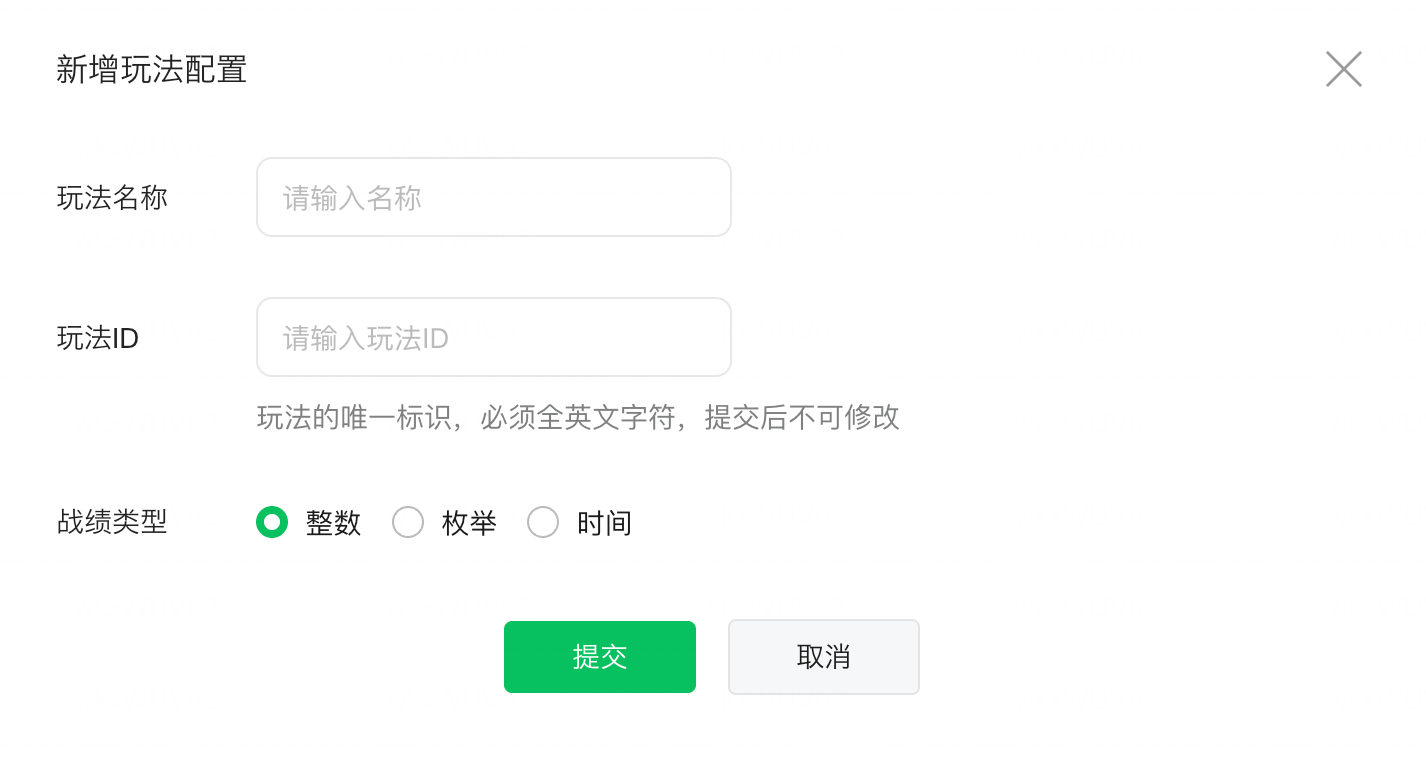
- 完成游戏玩法ID设置
位置:MP-运营功能管理-基础配置-游戏玩法ID设置。
玩法 ID 用于上报用户当局游戏结果,战绩类型支持:数值型、时间型、枚举型。
游戏玩法生效后,除枚举值新增/修改名称外,不支持更改。
- 上报用户得分:RankManager.update
// 获取排行榜管理器实例
const rankManager = wx.getRankManager();
// 上报用户分数
rankManager.update({
  scoreKey: 'score_key', // 在MP配置的玩法ID
  score: 100, // 具体分数值
  success: res => {
  console.log('分数上报成功', res);
  },
  fail: err => {
  console.error('分数上报失败', err);
  },
});
- 查询用户最新得分:RankManager.getScore
const rankManager = wx.getRankManager()
rankManager.getScore({
  scoreKeys: ['score_key'],
  periodType: 5, // 查询用户最新得分
  success: (res) => {
    console.log('分数信息', res.scores)
    // res.scores 格式: { 'score_key': { score: 100, timestamp: 1234567890 } }
  }
})