# 连麦PK组件
主播和观众连麦挑战同小游戏同关卡,让简单的游戏玩法可以产生丰富有趣的互动和看点,进而提高直播间人气、带来更多激活转化 不需要游戏内自带房间对局玩法,将已有单机玩法接入插件即可轻松实现直播间的PK互动
# 流程示意
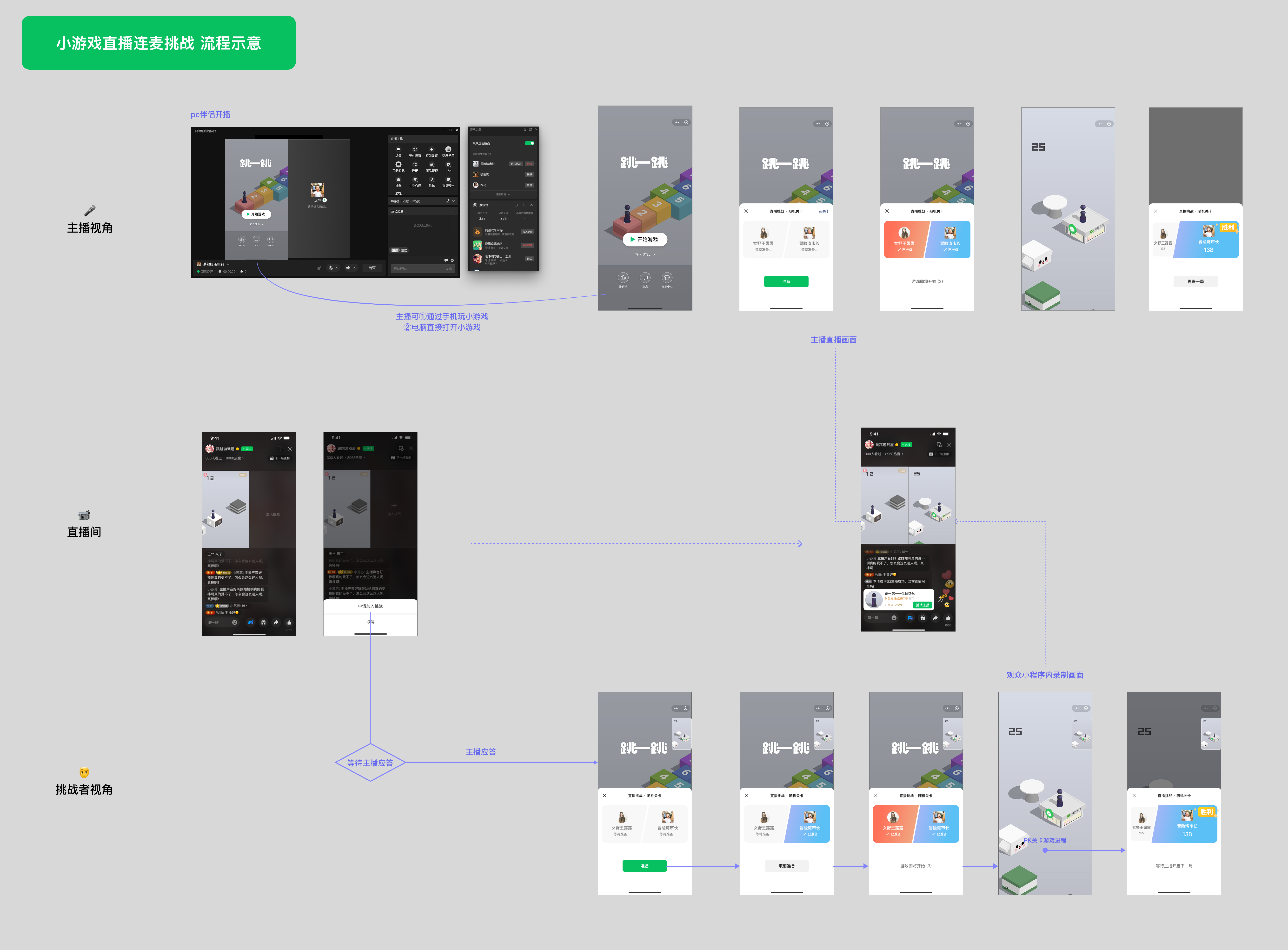
主播需使用pc伴侣开播(*26.6月支持windows版本,预计26.7月支持mac版本)
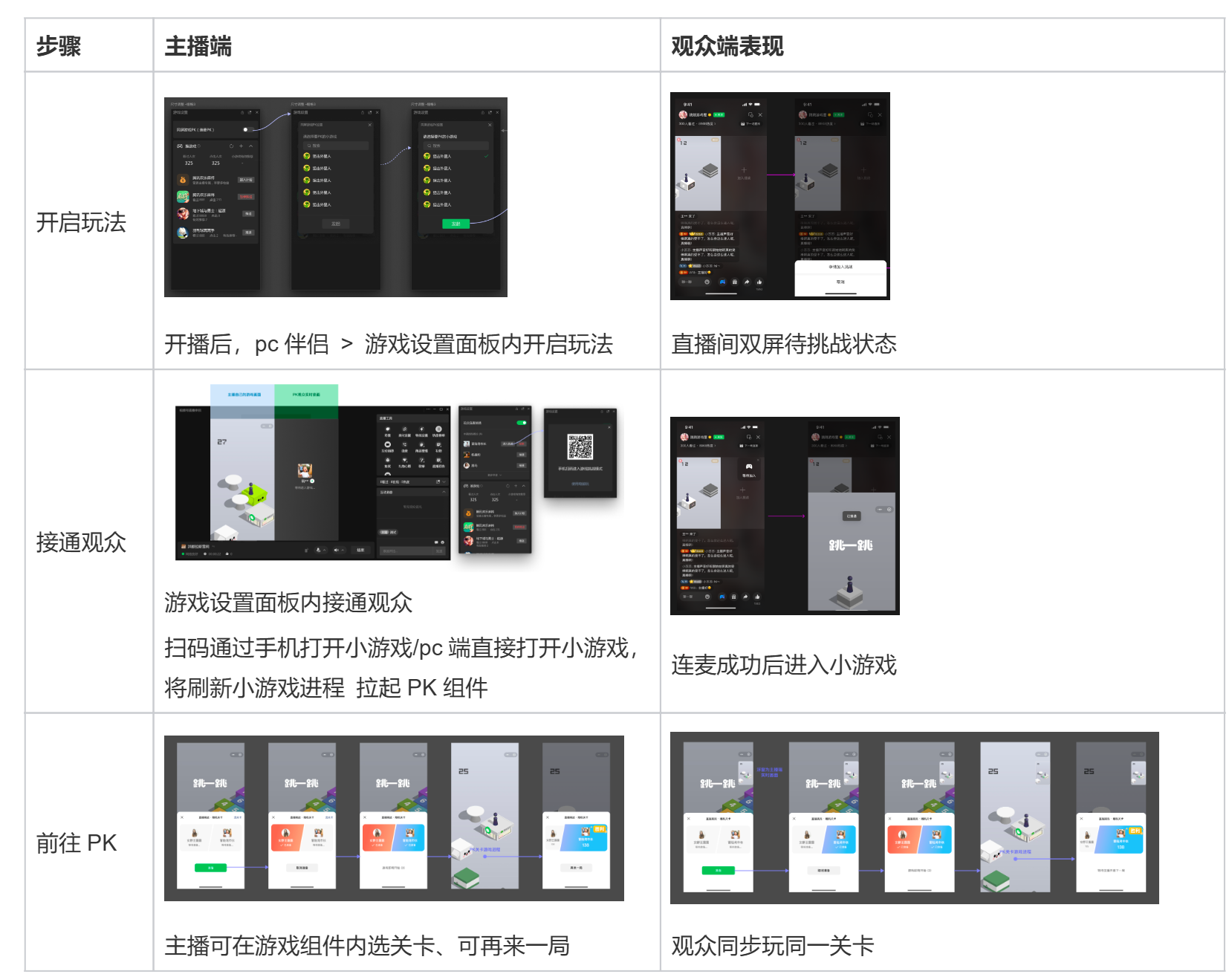
主播在开启玩法的同时,可推送同款小游戏链接到直播间,以转化更多观众试玩游戏,带来更多游戏激活。
# 游戏接入说明
🔌 开发一键接入和常见问题QA Skill:SKILL详情
# 1.插件接入
在game.json中声明使用插件
"plugins": {
  "MiniGameCommon": {
    "version": "latest",
    "provider": "wxaed5ace05d92b218",
      "contexts": [
        {
          "type": "isolatedContext"
        }
      ]
  }
}
在小游戏代码中引用,获取插件对象实例:
try {
  if (typeof requirePlugin !== 'undefined') {
    const createMiniGameCommon = requirePlugin('MiniGameCommon', {
      enableRequireHostModule: true,
      customEnv: {
        wx,
      },
    }).default;
    const miniGameCommon = createMiniGameCommon();
    if (typeof miniGameCommon === 'undefined' || typeof miniGameCommon.canIUse === 'undefined') {
      // 插件初始化失败
      console.error('miniGameCommon create error');
    } else {
      // 插件初始化成功
      GameGlobal.miniGameCommon = miniGameCommon;
      console.log('miniGameCommon create success');
    }
  }
} catch (e) {
  // 基础库版本过低
  console.error(e);
}
获取PK组件并绑定相关事件
if (!GameGlobal.miniGameCommon || typeof GameGlobal.miniGameCommon.getRankManager !== 'function') {
    console.error('[Game] getRankManager not available');
    return;
}

battleInstance = GameGlobal.miniGameCommon.getRankManager({ type: 'liveBattle' });
if (!battleInstance) {
    console.error('[Game] liveBattle RankManager not available');
    return;
}

// 监听挑战开始:payload = { stageName, scoreKey, subScoreKey, roomId }
battleInstance.onChallengeStart((payload) => {
  console.log('[GameLiveBattle] onChallengeStart:', payload);
  // TODO:进入对应关卡
  // 若游戏自有房间逻辑,可结合 payload.roomId 使用
});
对局结束后上传分数
battleInstance.update({
    score: 66,    // number类型
    success: (res) => { console.log('[RankManager] 分数上报成功', res); },
    fail: (err) => { console.error('[RankManager] 分数上报失败', err); },
    // complete始终会触发,res等于success或fail的参数
    complete: (res) => { console.log('[RankManager] 分数上报执行完成', res); }
});
注意:
battleInstance = GameGlobal.miniGameCommon.getRankManager({ type: 'liveBattle' });建议在游戏初始化完成后立即执行,不要加任何前置条件。否则用户先通过非PK模式打开小游戏(如下拉、搜一搜等进入),再由直播PK热启动进入小游戏时,游戏这边的PK半屏逻辑不会触发(半屏没有拉起)。
# 2.管理端配置
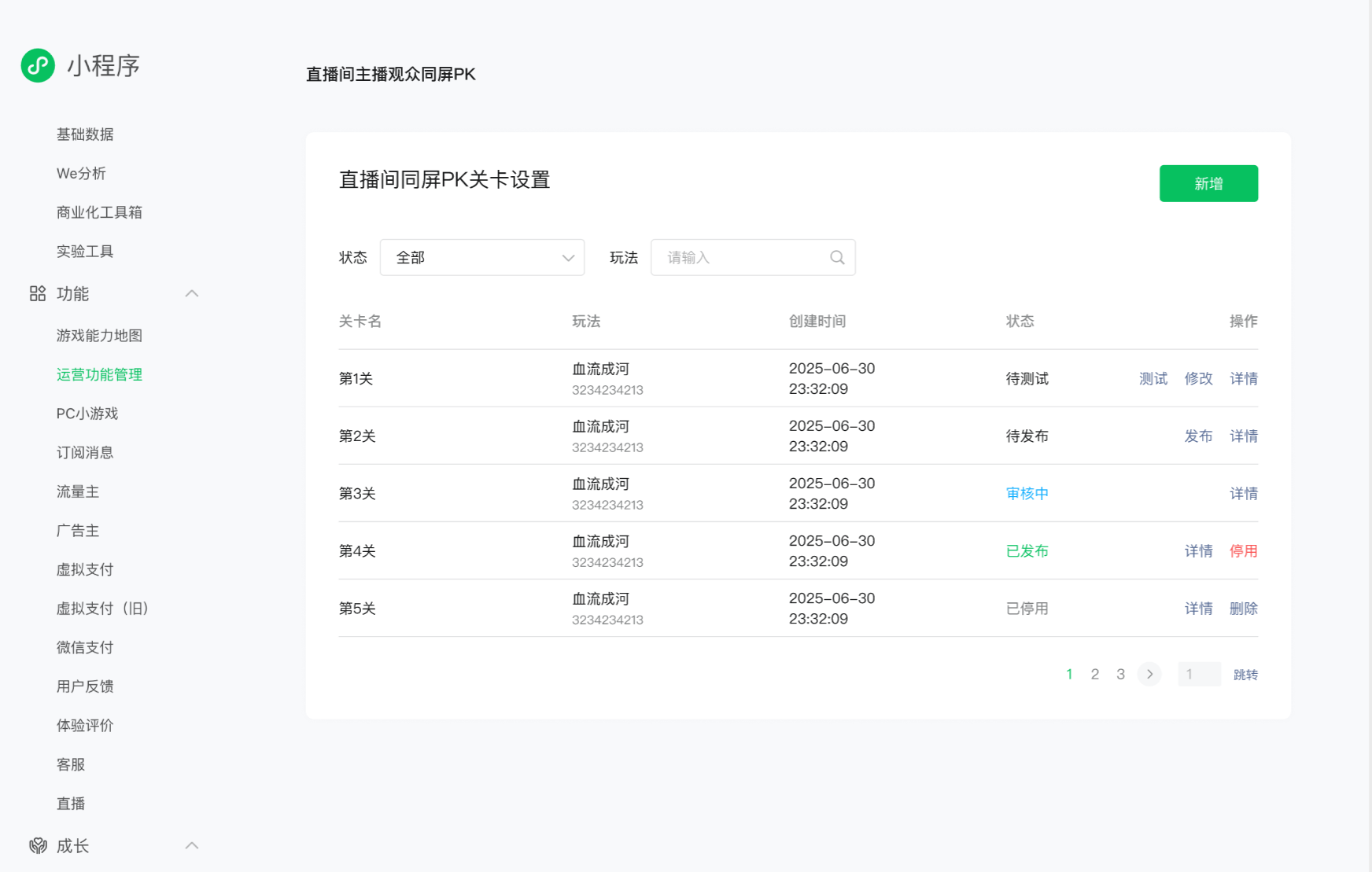
游戏能力地图 > 小游戏直播 > 直播PK玩法
配置一个新的挑战关卡:
关卡名称:将展示在PK关卡选择列表中,供主播选择
玩法:从当前游戏已配置的玩法列表中选择 玩法配置
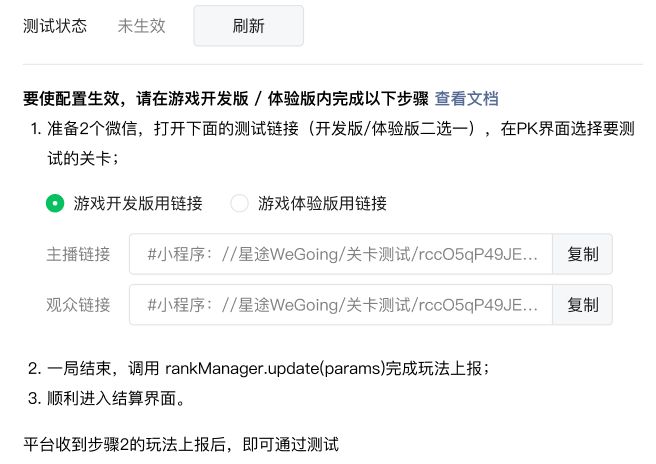
开发及配置完成后,自助测试通过即可上线