
# Features Overview
Since the WeChat guest only makes a request every 12 hours, debugging the weekly update feature can be inconvenient.To facilitate debugging periodic data, the tool provides the following debugging capabilities to developers.
# Tools to pull up cyclical data
Since the WeChat guest only makes a request every 12 hours, debugging the weekly update feature can be inconvenient.
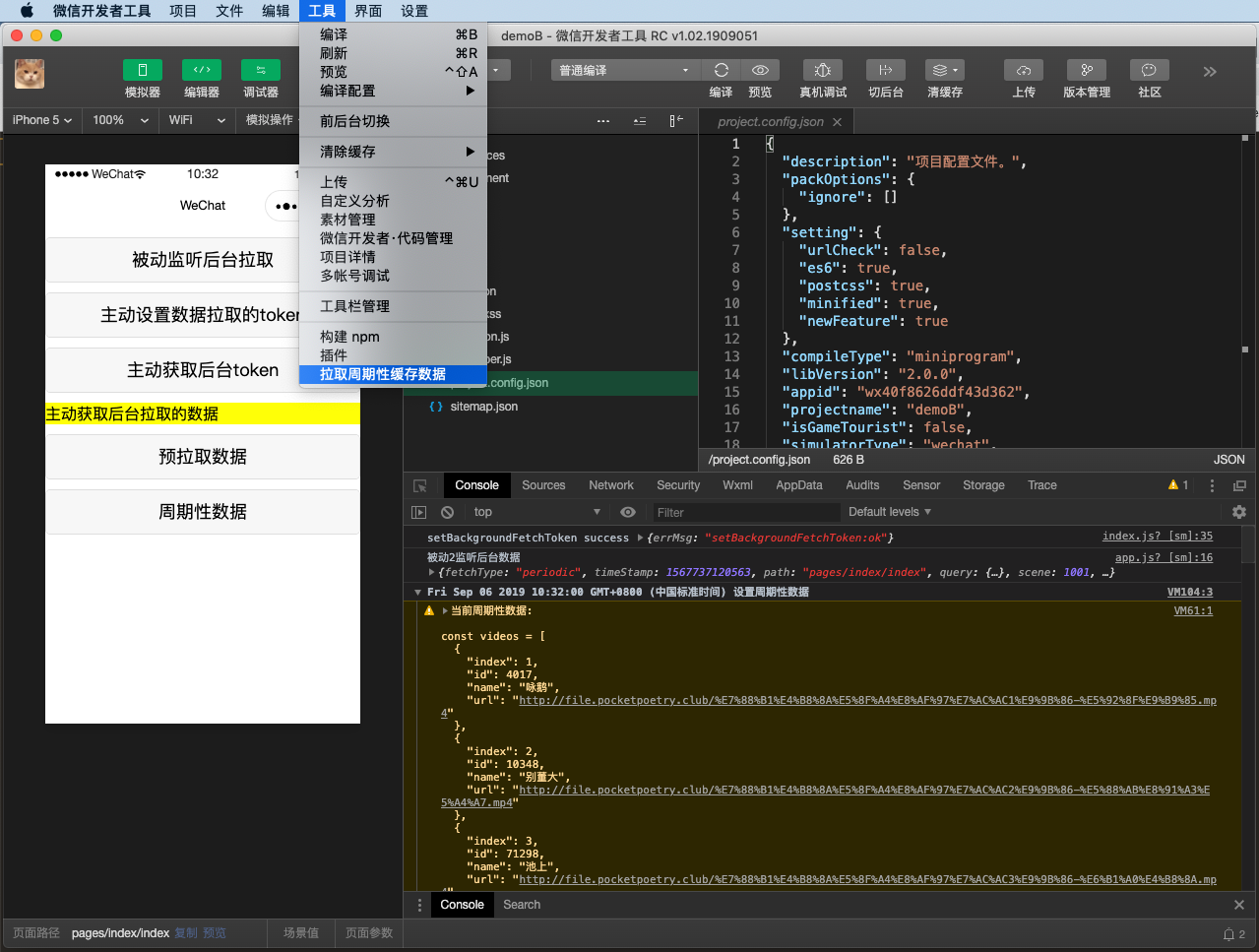
The ability to debug the entire process on a developer tool is now added, with the operating path being click the menu.tool -> pull the cyclical cache data. The developer tool immediately requests the data from the configured data download, as shown in the following diagram:
# Tools to Clear Periodic Data
If you need to clear the tool cache of periodic data, you can do so by clickingto clear the data cacheorto completely clearon the toolbar.
# Real-world debugging triggers clients to pull immediately
For further testing in real-world environments, the developer tool (20190919 and above) provides debugging capabilities that trigger clients to pull periodic data immediately.
By clicking on the panelPeriodic Cache - > Pull Cache, the customer will be notified to pull periodic data.
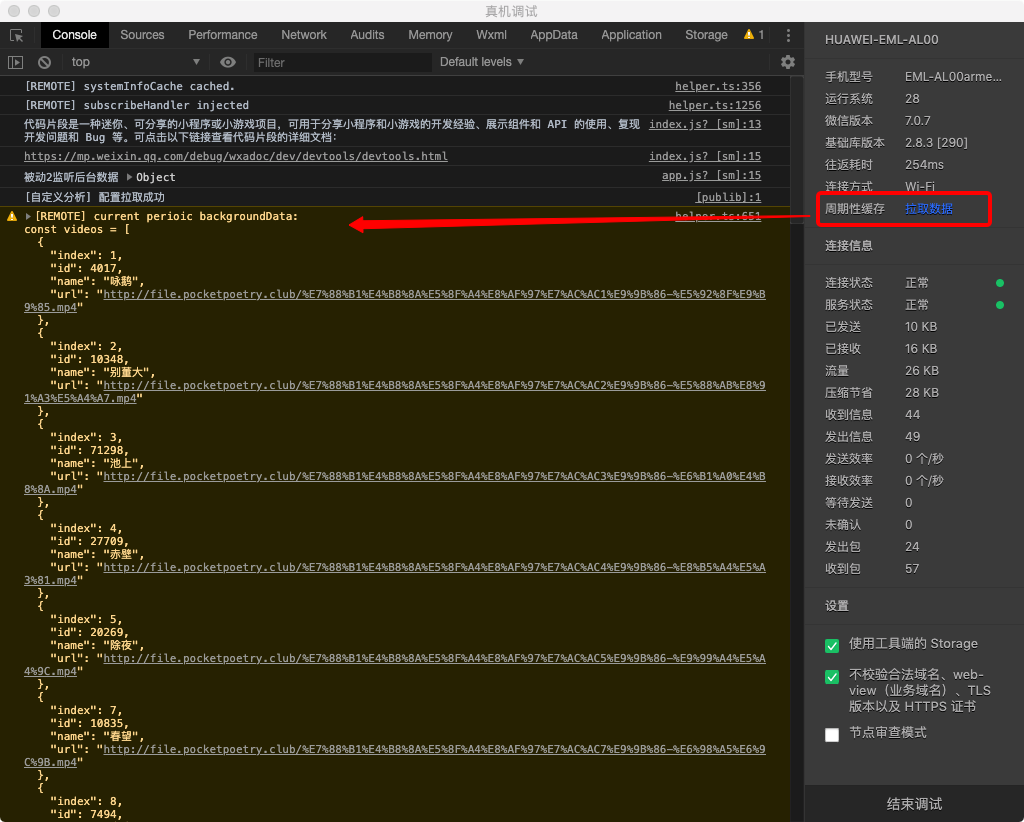
Note: Only Android / iOS 7.0.7 and above can use real debugging to trigger the debugging ability of the guest immediately pull.
# Common errors
# No TOKEN is set
Whentoken not set, maybe you should setBackgroundFetchToken firstAn error message that indicates that Weixin Mini Program does not actively set the TOKEN information needed to pre-pull data.Here you can view the following document weekly data debugging .
# -10007 no permission
When this scenario identifies a permission that is not pulled, you can view the following document for periodic data debugging to configure the ability to update data periodically.