# Weixin Mini Program Device Message
# Skills introduction
Weixin Mini Program Device Message]] is a long-term subscription type Mini Program subscription message and requires device access to be used.
During the use of the device, the user needs to pay attention to certain events that are triggered by the device and require human intervention. For example, security cameras detect abnormalities, equipment supplies are insufficient, equipment fails, and so on.
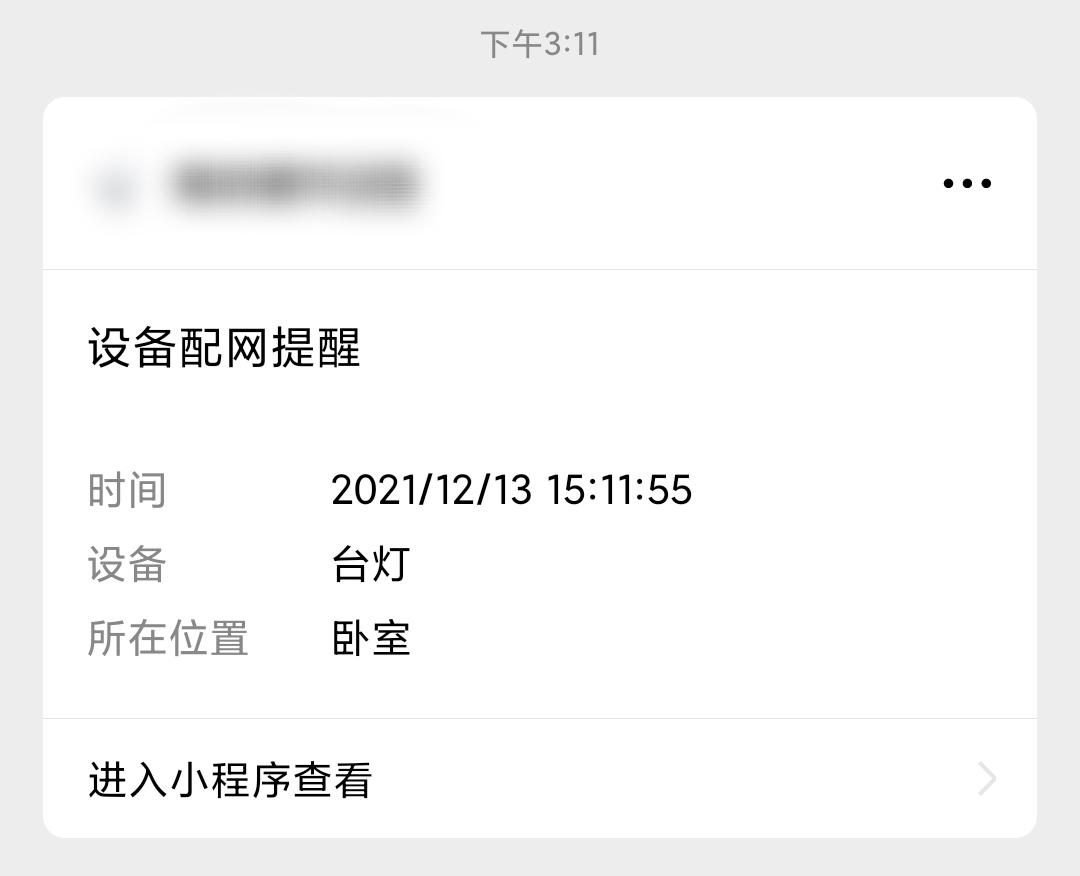
The "Weixin Mini Program device message" capability means that the developer can send these events to the user as a subscription message as long as the user subscribes to notifications within the Mini Program.The product form of the message in WeChat is currently presented as a "service notification."
# Development Process
# 1. Device Access
Weixin Mini Program To use device messaging capabilities, you first need to access the device, as detailed in the Device Access document.
Once the access is complete, the developer gets a model_id assigned by the platform.Model_id corresponds to a device type and is an important credential for calling the Weixin Mini Program device capability related interface.
# 2. Get the template ID
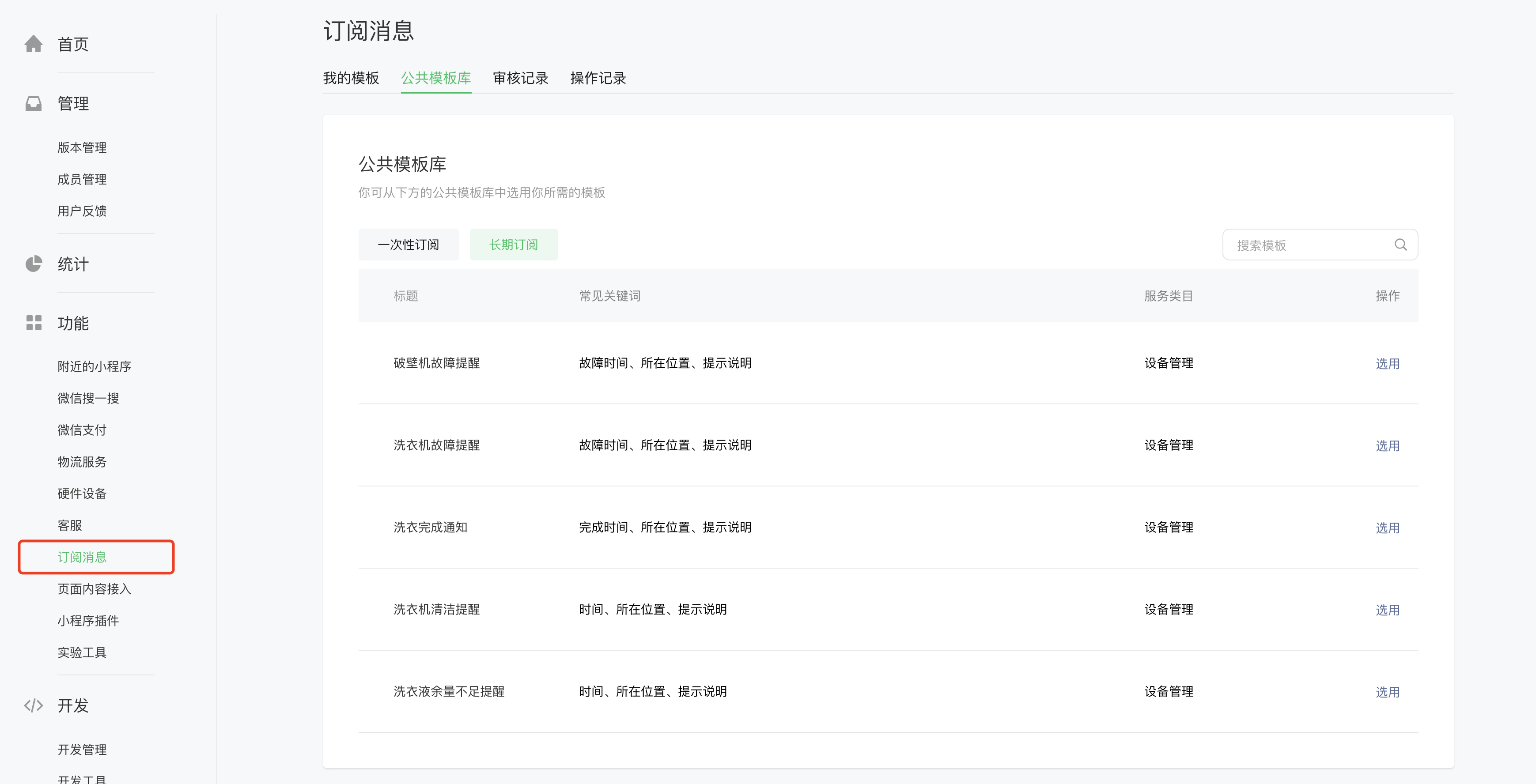
Log in to "Weixin Mini Program Management Background" - "Features" - "Subscription Messages" - "Public Template Library" - "Long Term Subscription" to view the optional device message templates.
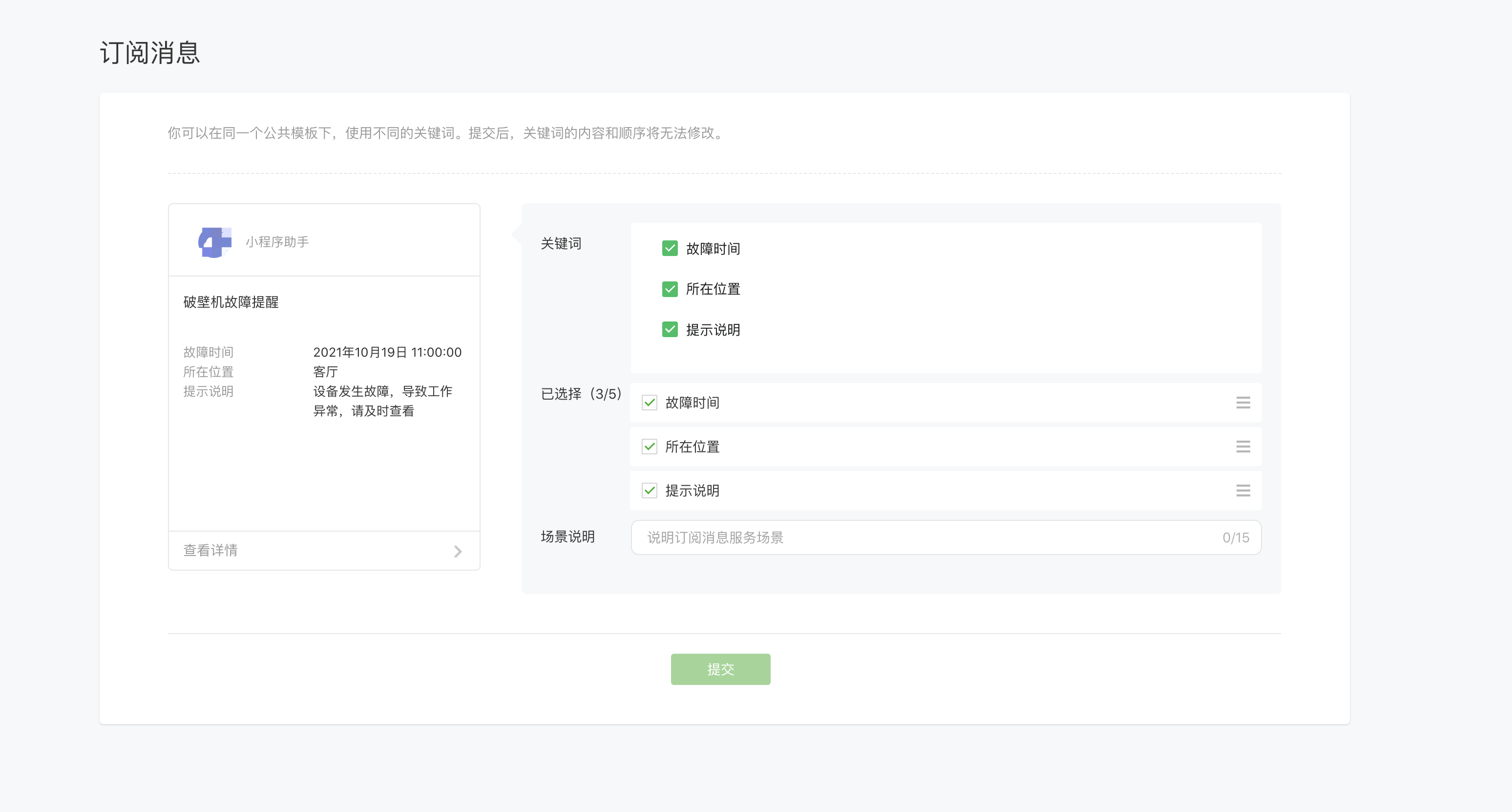
Select the keywords needed in the device message template and submit.
Note: The keyword content of the device message template is generated by the platform and is an enumeration value, and developers cannot customize the content.
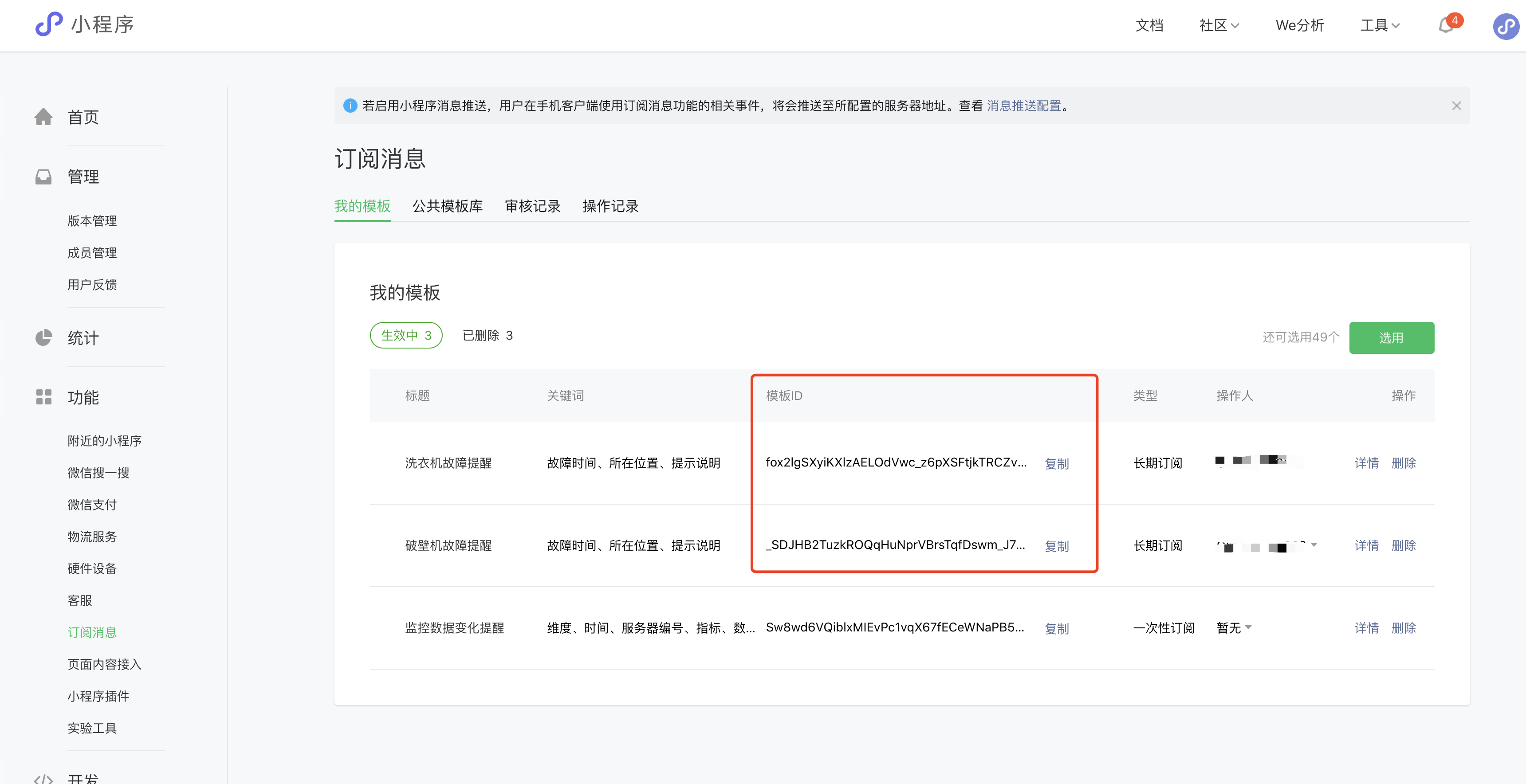
Once submitted, the template ID for the corresponding template can be found in My Templates, each template tagged withtemplate_id.
# 3. Get equipment bills
Gets the snTicket used in the Initiate Subscription step.
See Service Device Ticket Interface hardwareDevice.getSnTicket .
# 4. Launch a subscription
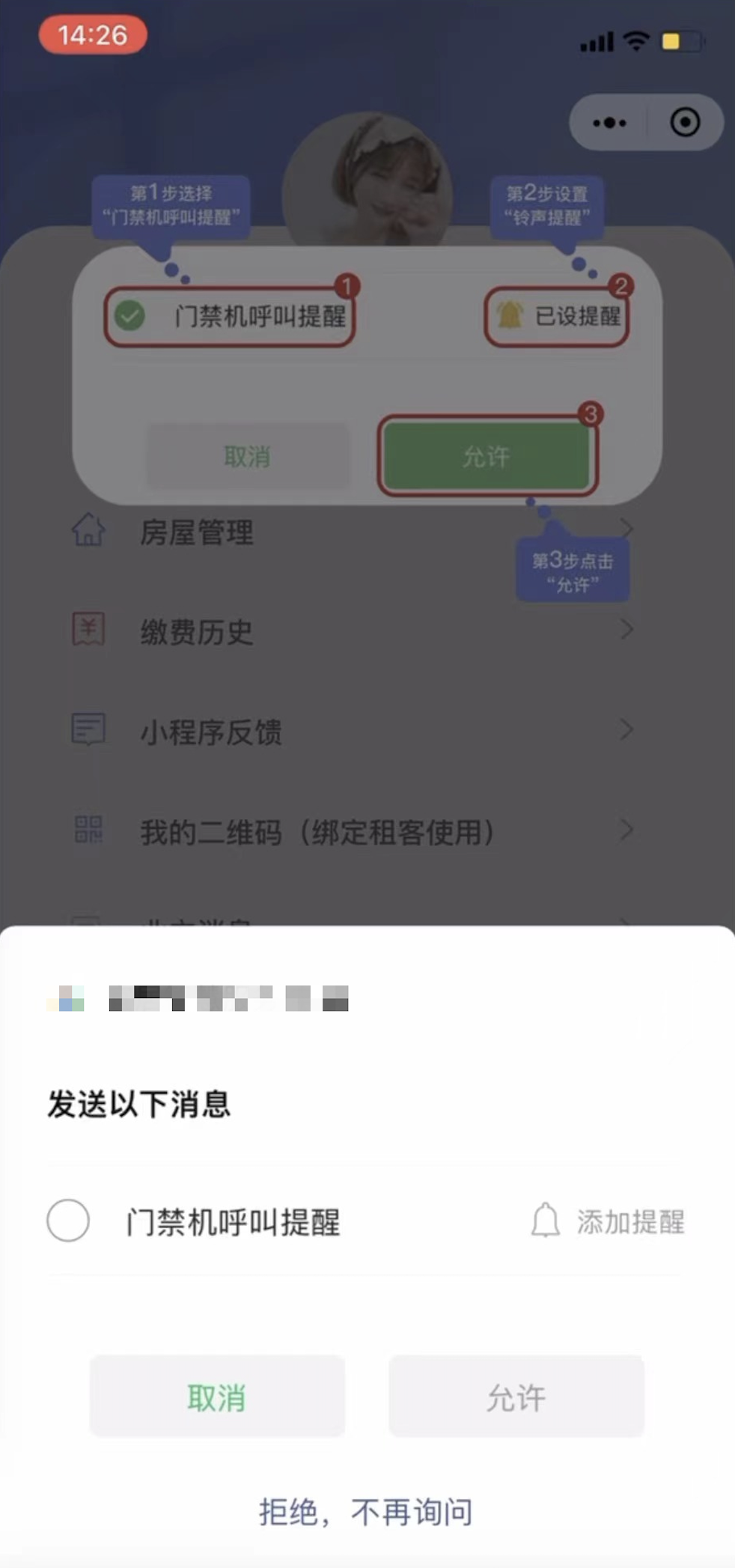
Call wx.requestSubscribeDeviceMessage The following authorization pop-up appears on the interface, and the device message is sent to the user's WeChat session only after the user agrees to subscribe to the message.
Complete device message subscription in Weixin Mini Program
When a user subscribes to a device message, they need to manually click "Add Alert." The device triggers the message before a strong alert state of "bell + vibration" appears, which developers can guide in the front-end interface.
# sample code
wx.requestSubscribeDeviceMessage({
    sn: 'xxxx',
    snTicket: 'xxxxx',
    modelId: 'xxxxx',
    tmplIds: ['xxxxx'],
    success(res) {
        console.log('[wx.requestSubscribeDeviceMessage success]: ', res)
        // { 'QCpBsp1TGJ1ML-UIwAIMkdXpPGzxSfwJqsKsvMVs3io': 'accept' }
    },
    fail(res) {
        console.log('[wx.requestSubscribeDeviceMessage fail]: ', res)
    }
})
# 5. Send device messages
The developer pushes device messages to the user through the WeChat server interface.
See Service Device Message Sending Interface hardwareDevice.sEND .
Service Notifications - Device Messages
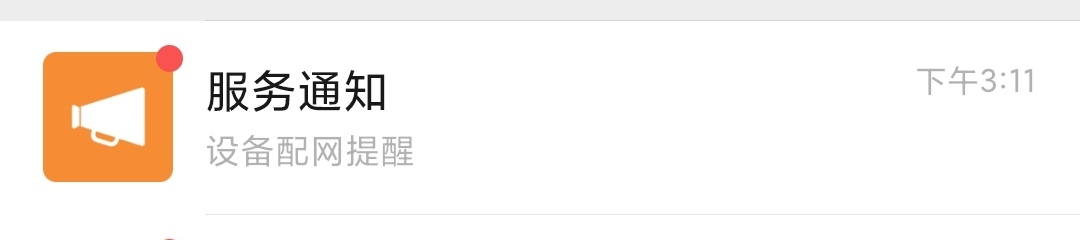
Specific form of device message