The tool provides a plugin for static code dependency analysis, enabling developers to examine the file composition and dependencies within the code package to optimize its size and content.
Runtime Environment
- Download and install developer tools version
1.03.2101150or later. Download link.
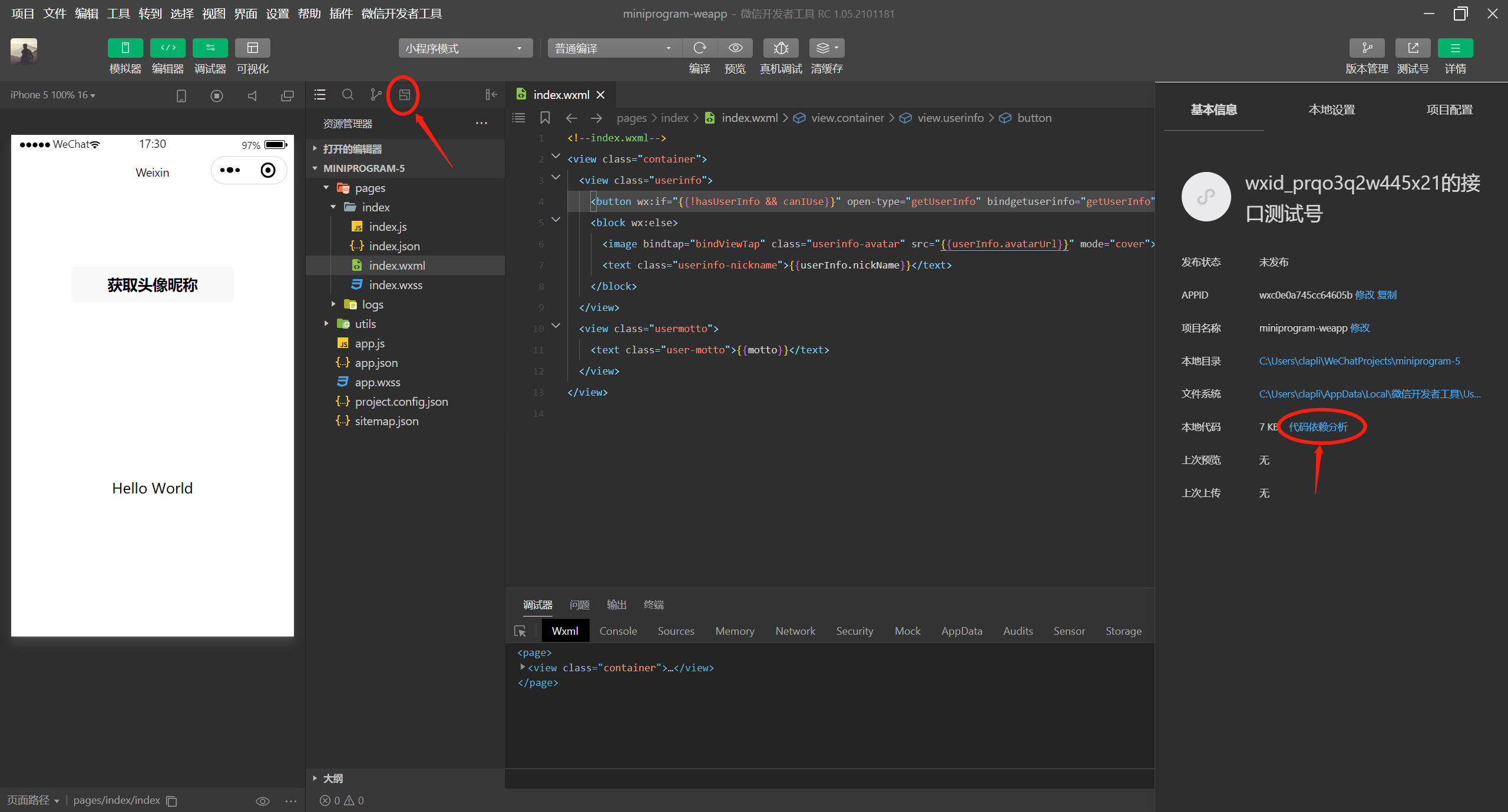
Enable Code Static Dependency Analysis Plugin
Developers can launch the plugin via two entry points: 1. The top navigation bar in the directory tree 2. Project Settings > Local Code > Code Dependency Analysis
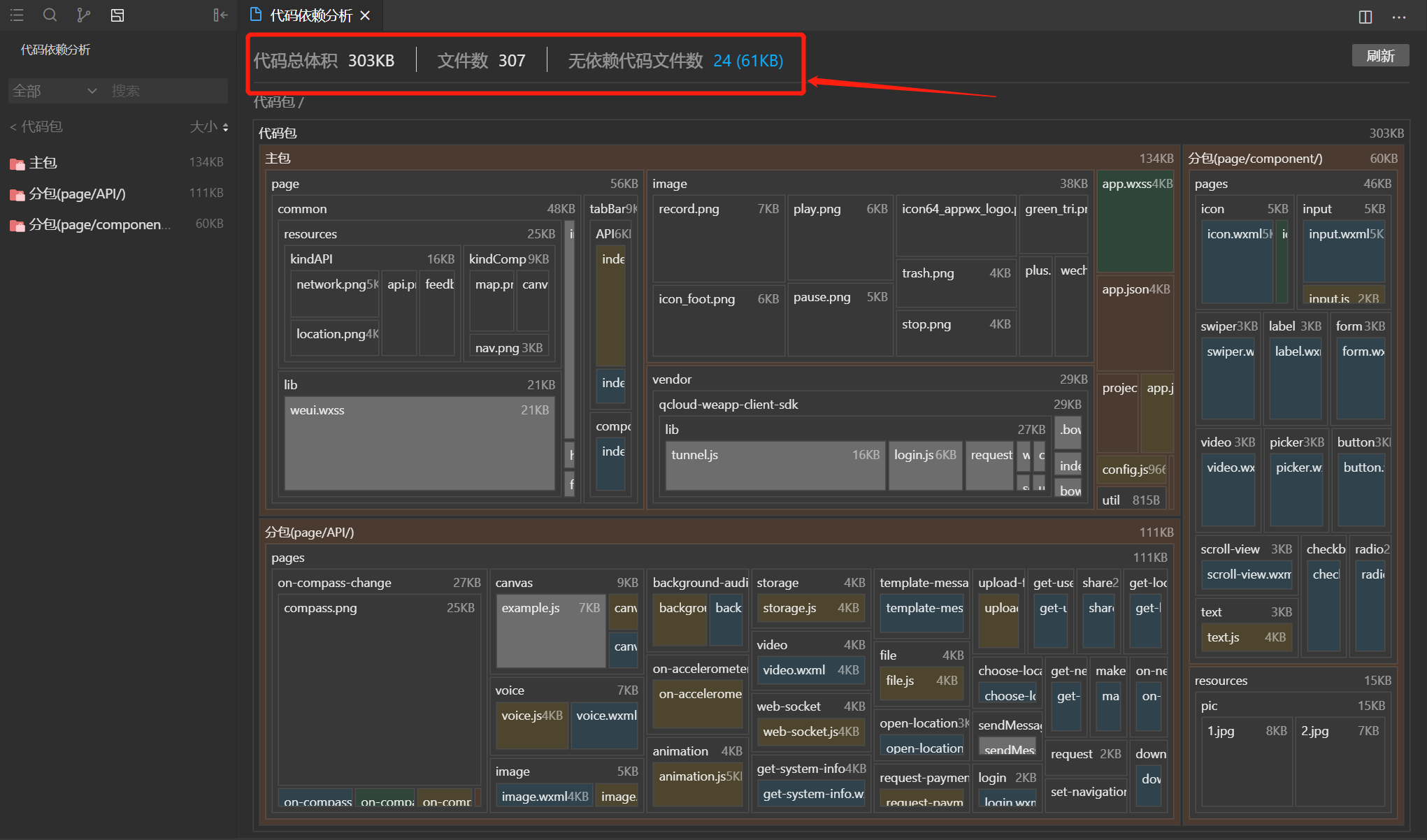
Code Package Composition
After enabling the analysis plugin, you can view the file structure within the project and the corresponding code size, as well as the size of code files that have no dependencies (i.e., are not used).
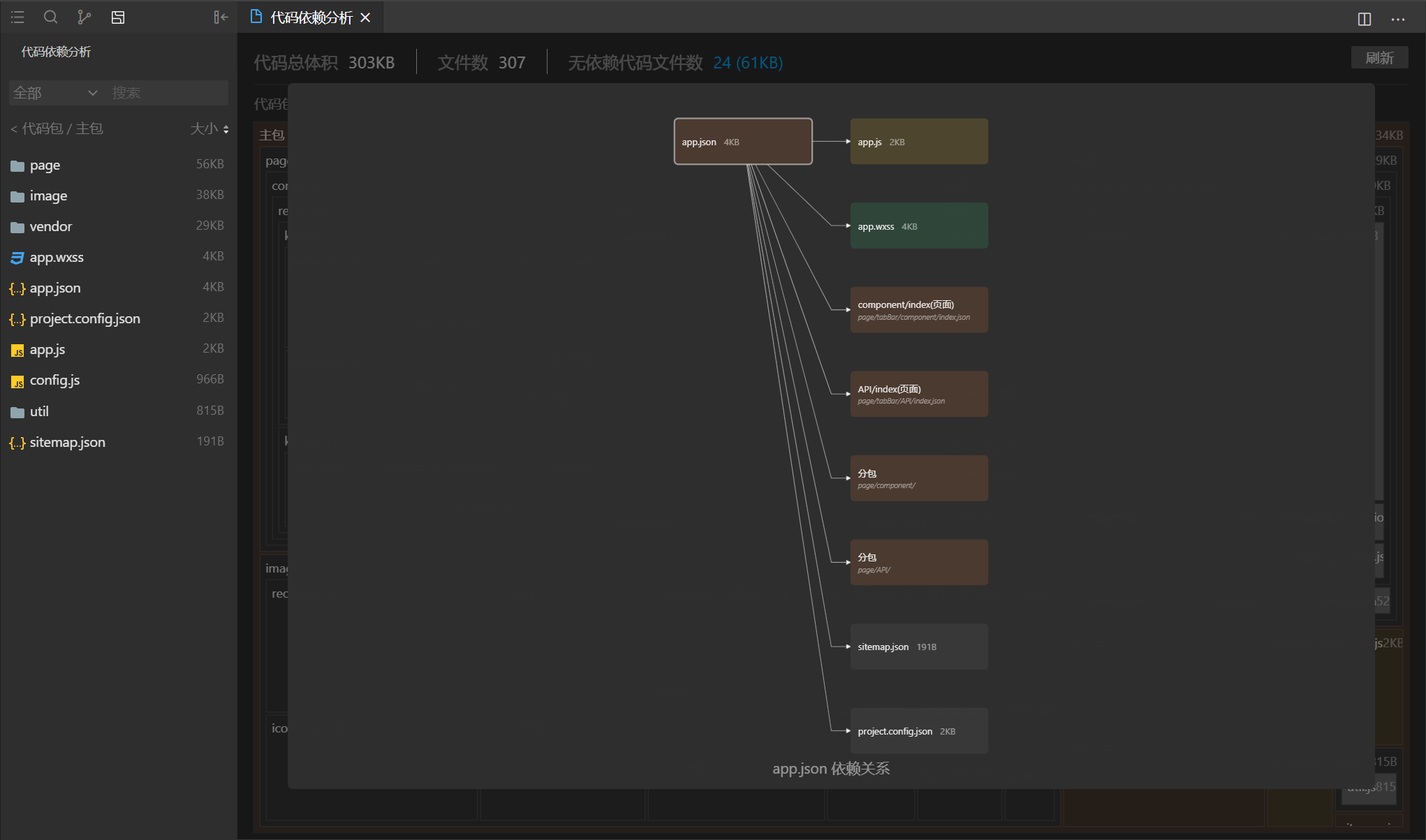
View Code Dependencies
Click any file (except those without dependencies) to view the dependency graph for that code file. Right-click to quickly open the code editor for the corresponding file.
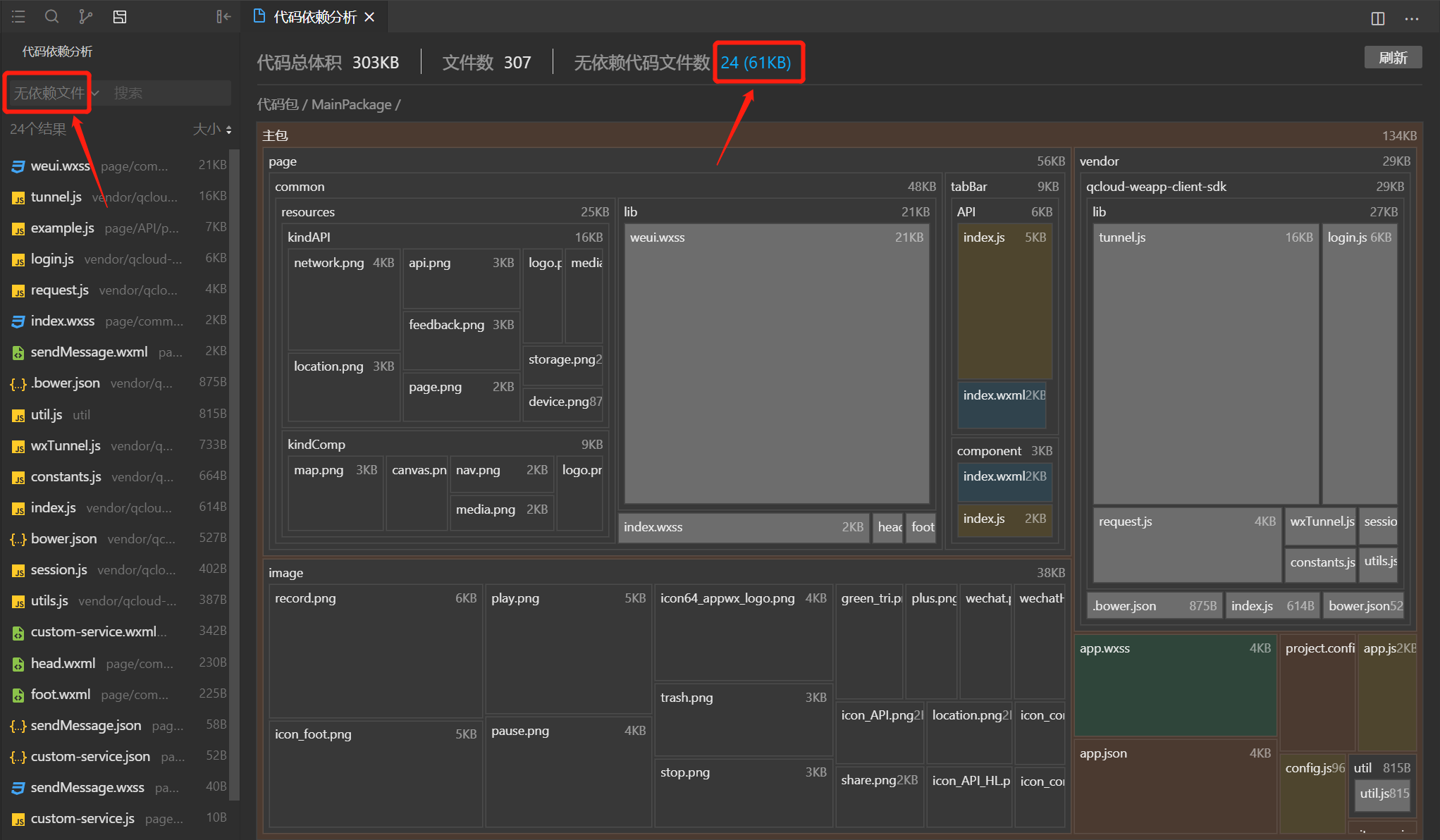
View Files with No Dependencies
Developers can view the status of files without dependencies in the current project by switching the filter condition (selecting files with no dependencies) or using the quick entry point, and optimize code files based on their specific needs.
Retrieving Analysis Data
Starting from version v1.6.1, miniprogram-ci introduces the analyseCode method, which allows you to retrieve JSON data of static code dependency analysis results. For details, please refer to the miniprogram-ci documentation.
Overview
The static code dependency analysis plugin performs dependency analysis on code files (files with .json, .js, .wxml, .wxss, or .wxs extensions) within the code package. Starting from the app.json or game.json entry point, it identifies the dependency relationships among all code files in the project and constructs a file dependency graph. Files with no detected dependencies are marked as dependency-free files. All other files in the code package, such as images, are treated as resource files and are excluded from the dependency analysis.