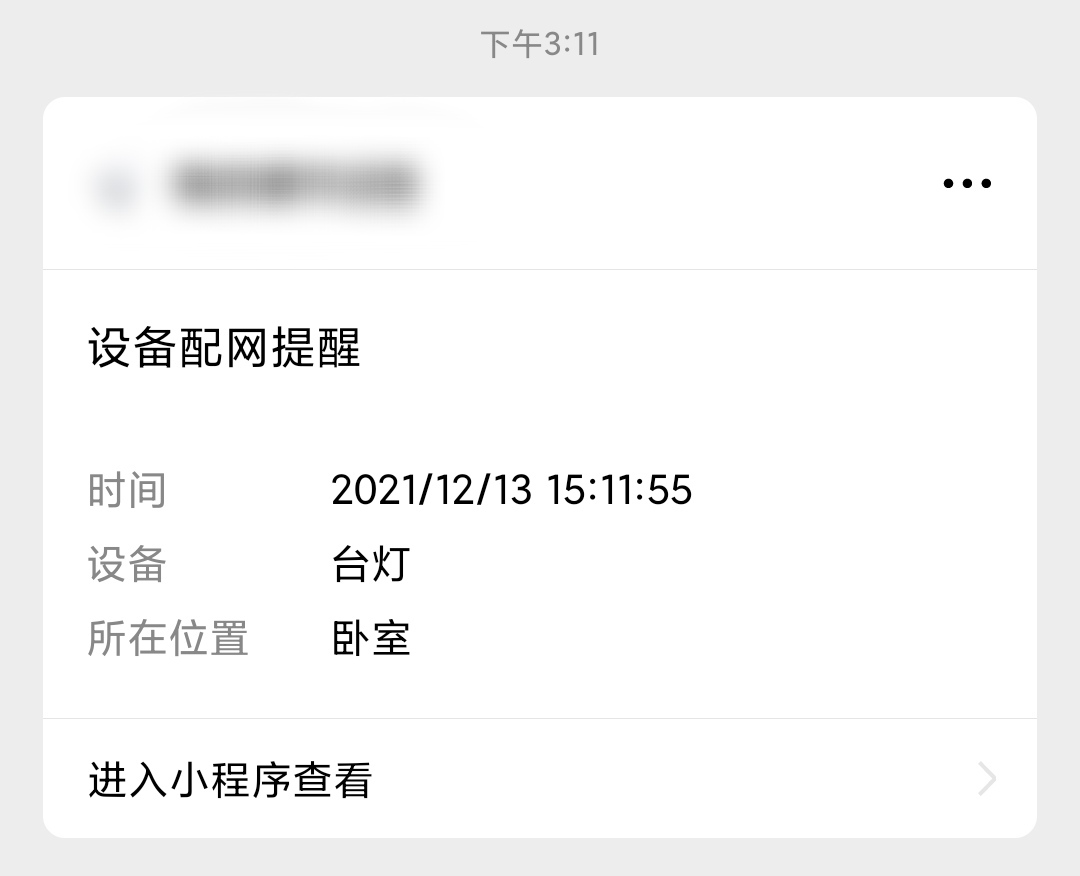
Feature Overview
" Mini Program Device Messages" is a type of long-term subscription "Mini Program Subscription Messages" that requires completing "Device Integration" before use.
While using a device, users may need to monitor specific events triggered by the device that require human intervention. Examples include security cameras detecting anomalies, low device consumables, device malfunctions, and so on.
The " Mini Program Device Messages" feature allows developers to send these events to users in the form of subscription messages, provided the user has subscribed to notifications within Mini Program. Currently, the product format of these messages within WeChat is presented as "Service Notifications".
Development Workflow
1. Device Integration
To use the device messaging capabilities of Mini Program, developers must first integrate the device. See the "Device Integration" documentation for details.
After integration is completed, developers can obtain the model_id assigned by the platform. The model_id corresponds to a specific device type and serves as a critical credential for invoking API endpoints related to the device capabilities of Mini Program.
2. Obtain the Template ID
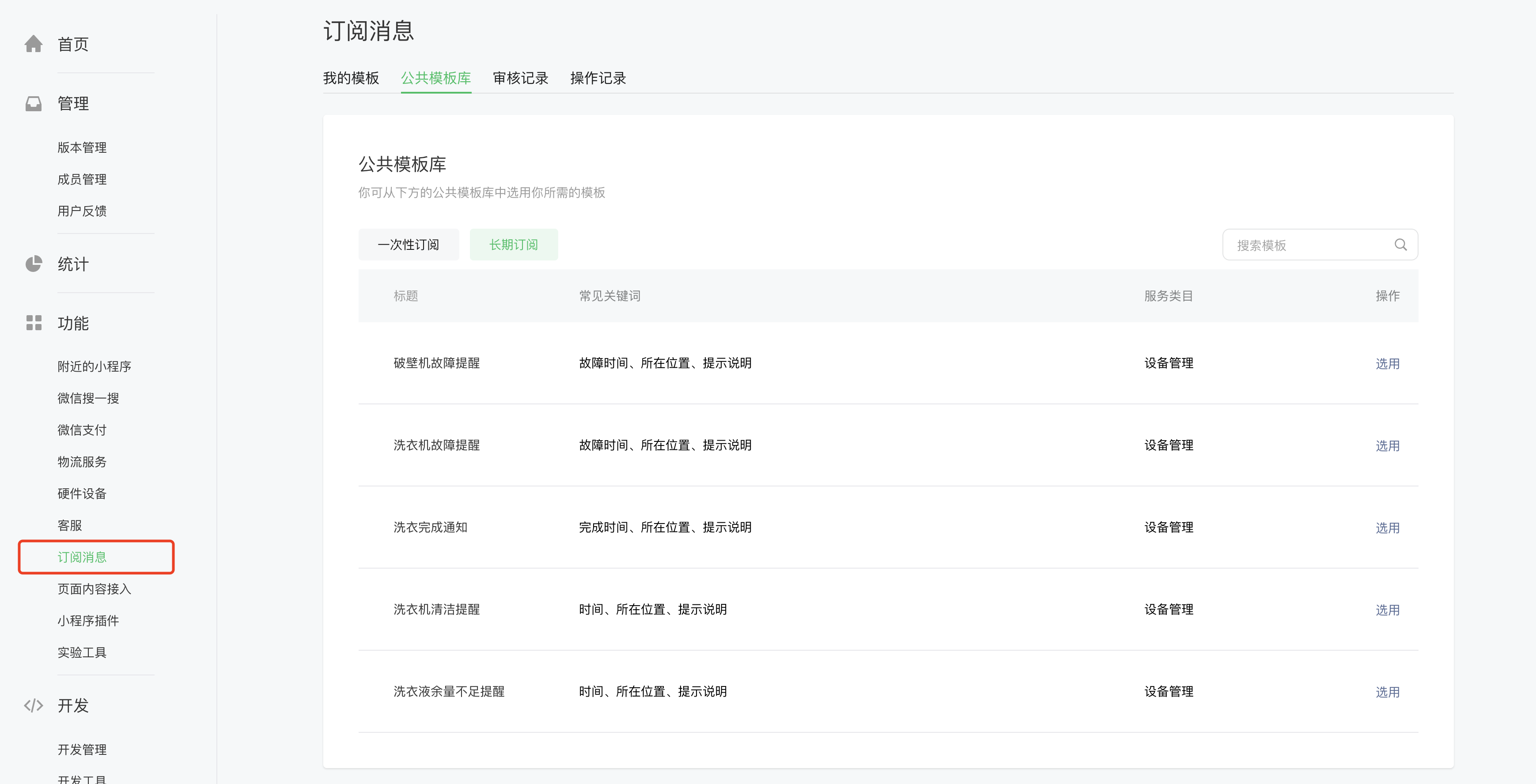
Log in to the " Mini Program Admin Console" - "Features" - "Subscription Messages" - "Public Template Library" - "Long-term Subscription" to view the available device message templates.
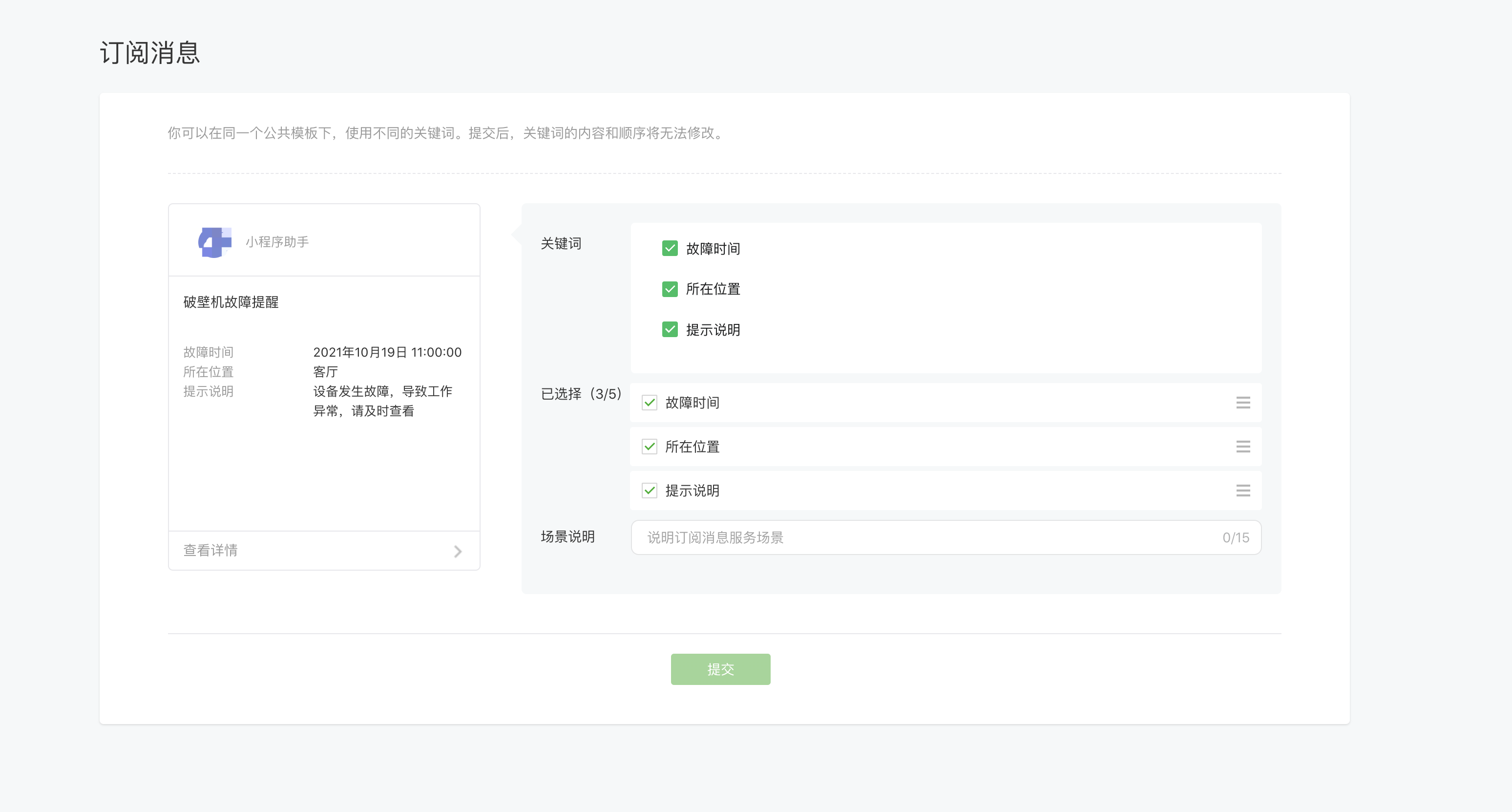
Select the required keywords from the device message template and submit the request.
Note: The keyword content of device message templates is generated by the platform and consists of enumerated values. Developers cannot customize the content.
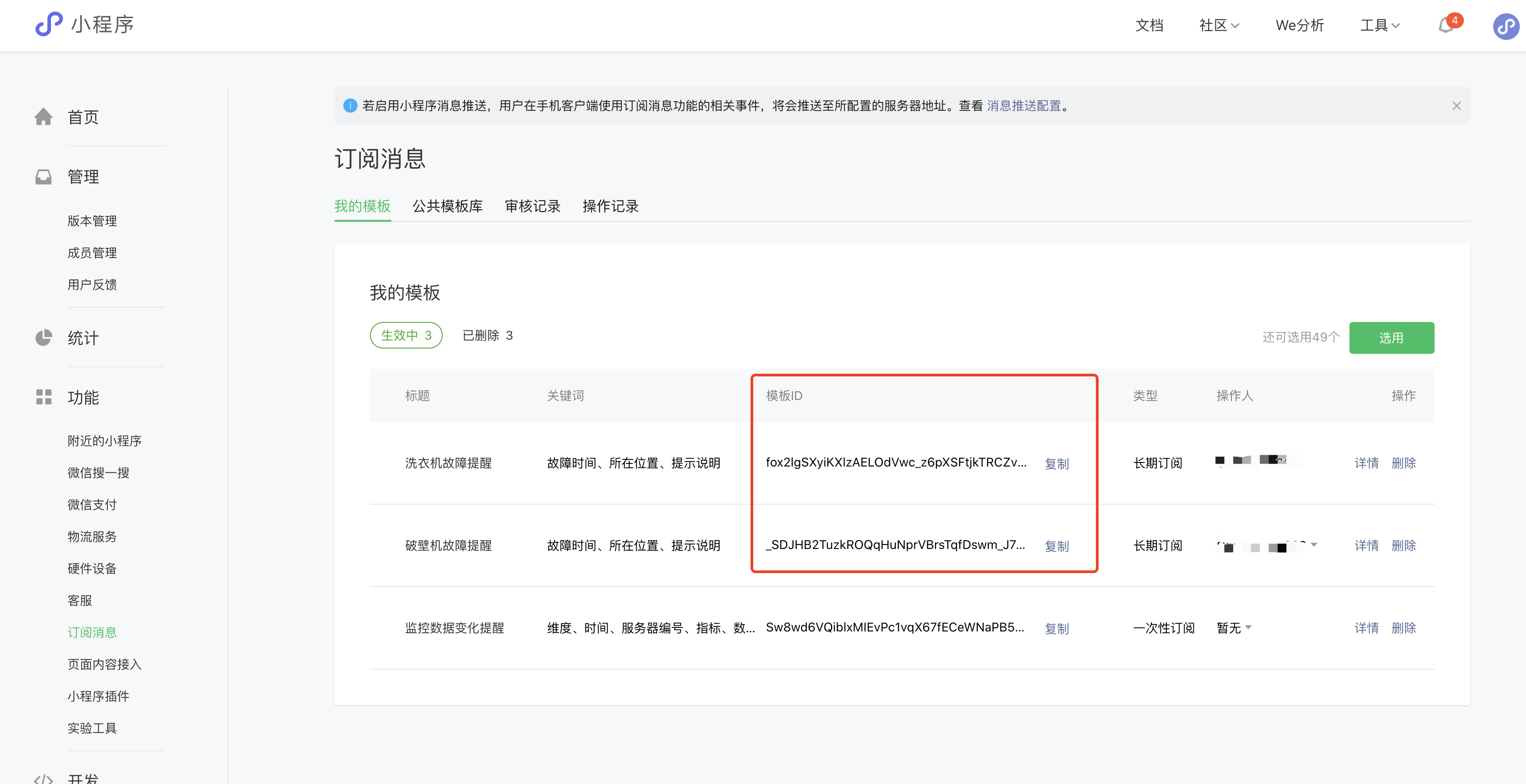
After submission, you can find the template ID of the corresponding template in "My Templates". Each template is identified by template_id.
3. Obtain Device Ticket
Obtain the snTicket for the "Initiate Subscription" step.
See the server-side device ticket API hardwareDevice.getSnTicket for details.
4. Initiate Subscription
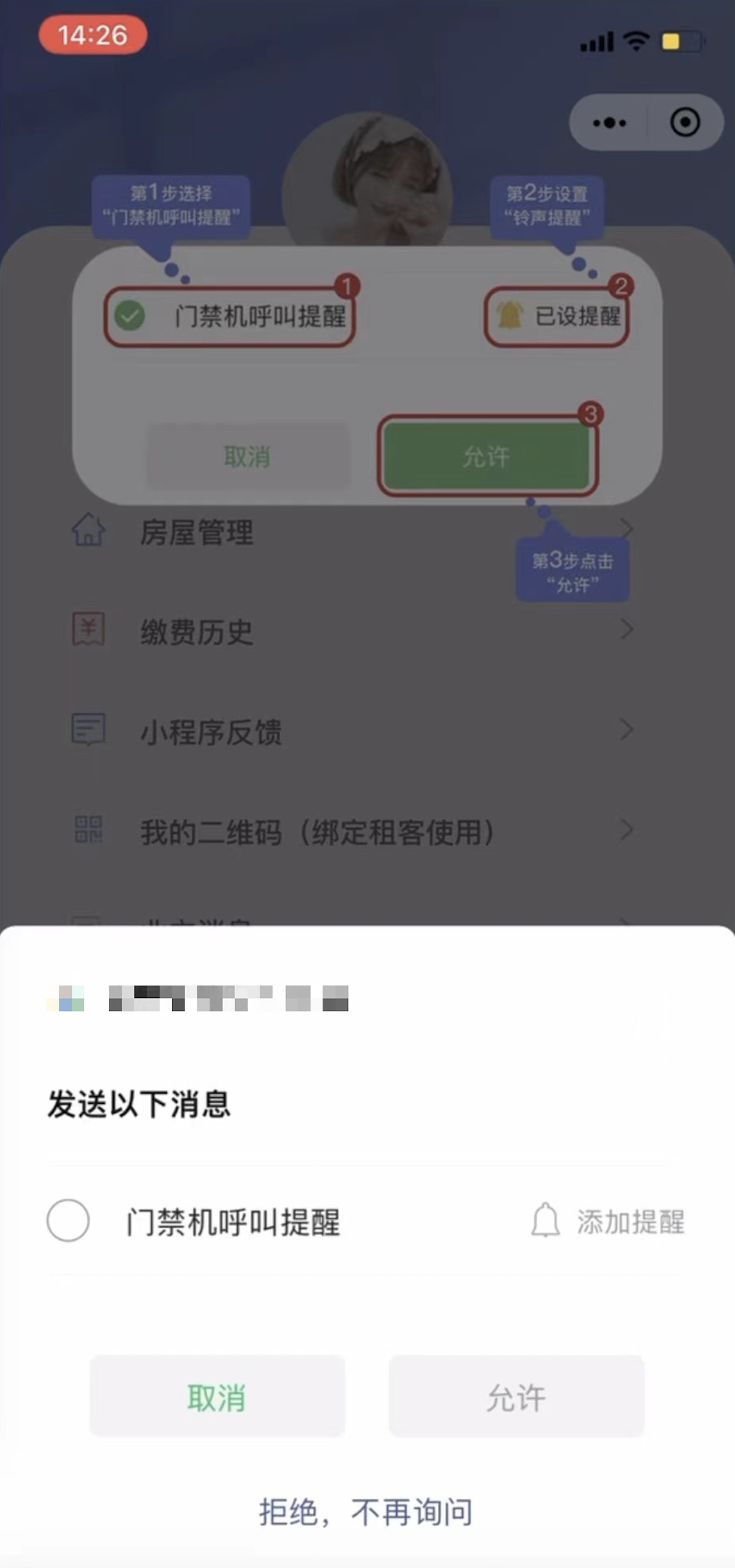
Calling the wx.requestSubscribeDeviceMessage API triggers the following authorization popup. Only after the user agrees to subscribe to messages will device messages be sent to the user's WeChat chat session.
Complete device message subscription within Mini Program
When users subscribe to device messages, they must manually click "Add Reminder." Only then will the strong notification status of "Ringtone + Vibration" appear after the device triggers a message. Developers can guide users in the frontend interface.
Example Code
wx.requestSubscribeDeviceMessage({
    sn: 'xxxx',
    snTicket: 'xxxxx',
    modelId: 'xxxxx',
    tmplIds: ['xxxxx'],
    success(res) {
        console.log('[wx.requestSubscribeDeviceMessage success]: ', res)
        // { 'QCpBsp1TGJ1ML-UIwAIMkdXpPGzxSfwJqsKsvMVs3io': 'accept' }
    },
    fail(res) {
        console.log('[wx.requestSubscribeDeviceMessage fail]: ', res)
    }
})
5. Send Device Message
Developers push device messages to users via WeChat server-side APIs.
See the server-side device message sending interface hardwareDevice.send.
Service Notification - Device Message
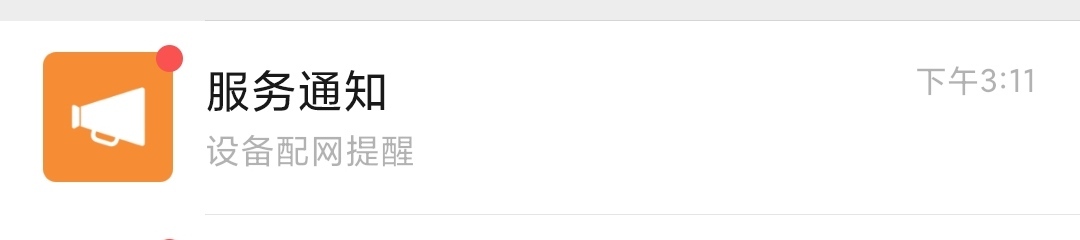
Specific Format of Device Message