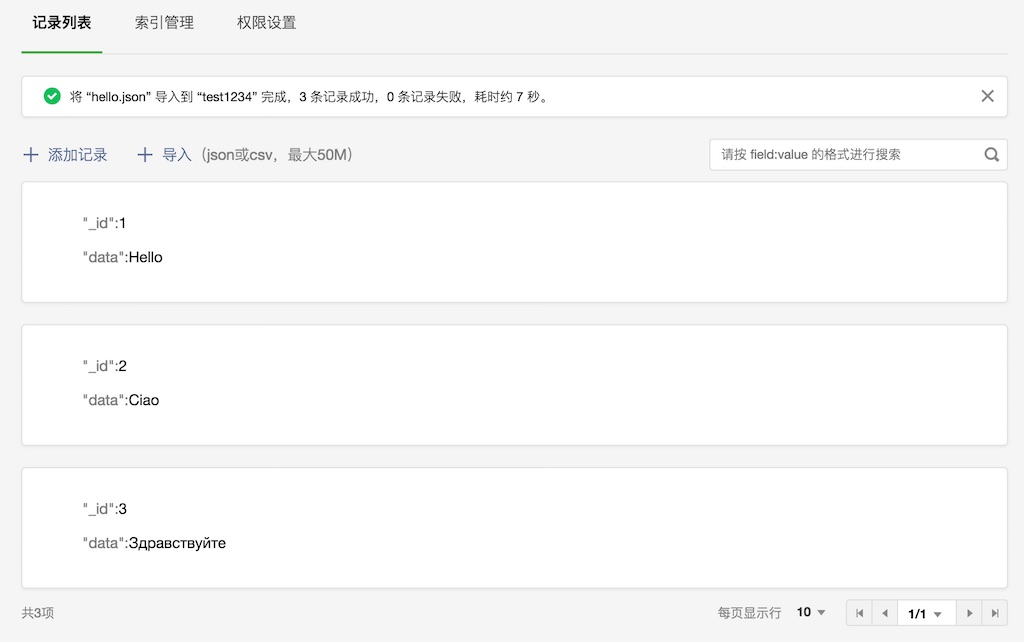
Cloud Development supports importing existing data from files. Currently, only CSV and JSON file formats are supported. There are two methods for importing: via the Cloud Development Console or through HTTP APIs.
Importing via the Cloud Development Console
To import data, open the Cloud Development Console, switch to the "Database" tab, and select the collection to which you want to import data. Click the "Import" button.
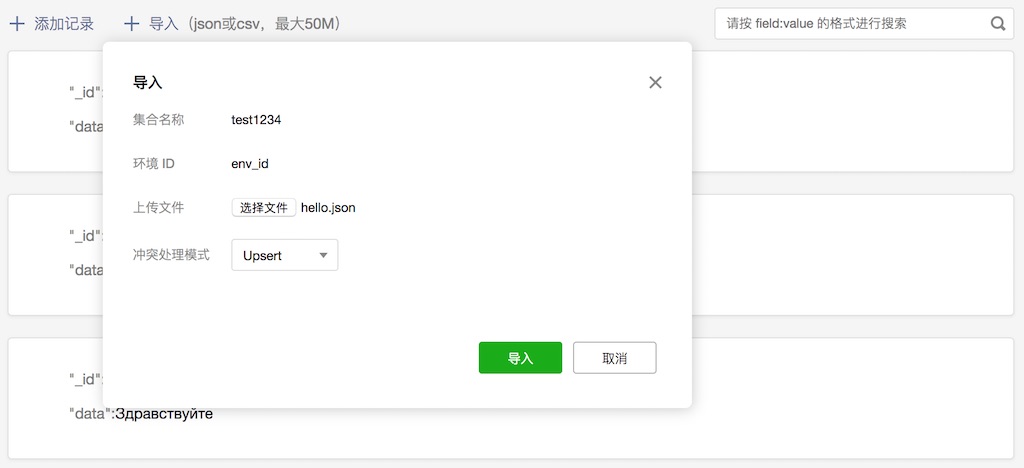
Select the CSV or JSON file to import, choose the conflict handling mode, and click the "Import" button to start the import.
Import via HTTP API
For details, refer to the HTTP API Database Import documentation.
File Format
JSON and CSV files must be encoded in UTF-8, and their content should resemble the MongoDB export format. For example:
JSON:
{
    "_id": "xxxxxx",
    "age": 45
}
{
    "_id": "yyyyyy",
    "age": 21
}
CSV:
_id,age
xxxxxx,45
yyyyyy,21
Please note the following points:
-
JSON data is not an array but resembles JSON Lines, where each record object is separated by
\nrather than commas; -
In JSON data, key names must not start or end with
., such as".a"or"abc.", and must not contain multiple consecutive dots, such as"a..b"; -
Key names must not be duplicated and must be unambiguous. For example,
{"a": 1, "a": 2}or{"a": {"b": 1}, "a.b": 2}are not allowed; -
Date formats must be in ISODate format, for example
"date": { "$date" : "2018-08-31T17:30:00.882Z" }; -
When using the Insert conflict resolution mode, the same file must not contain duplicate
_idfields, or_idfields that are identical to existing records in the database; -
For CSV-format data, the first row is used as the key names for all imported records by default, and each subsequent row is a key-value record corresponding one-to-one with the header row.
Two conflict resolution modes are currently provided: Insert and Upsert. Insert mode always inserts new records during import. Upsert mode checks whether the record exists; if it does, the record is updated; otherwise, a new record is inserted.
After the import is completed, you can view the status of the imported records in the notification message.