Detailed description of test case management in the automated testing panel.
Multi-Level Directory Management
Allows creating multi-level folders for categorized management of test cases
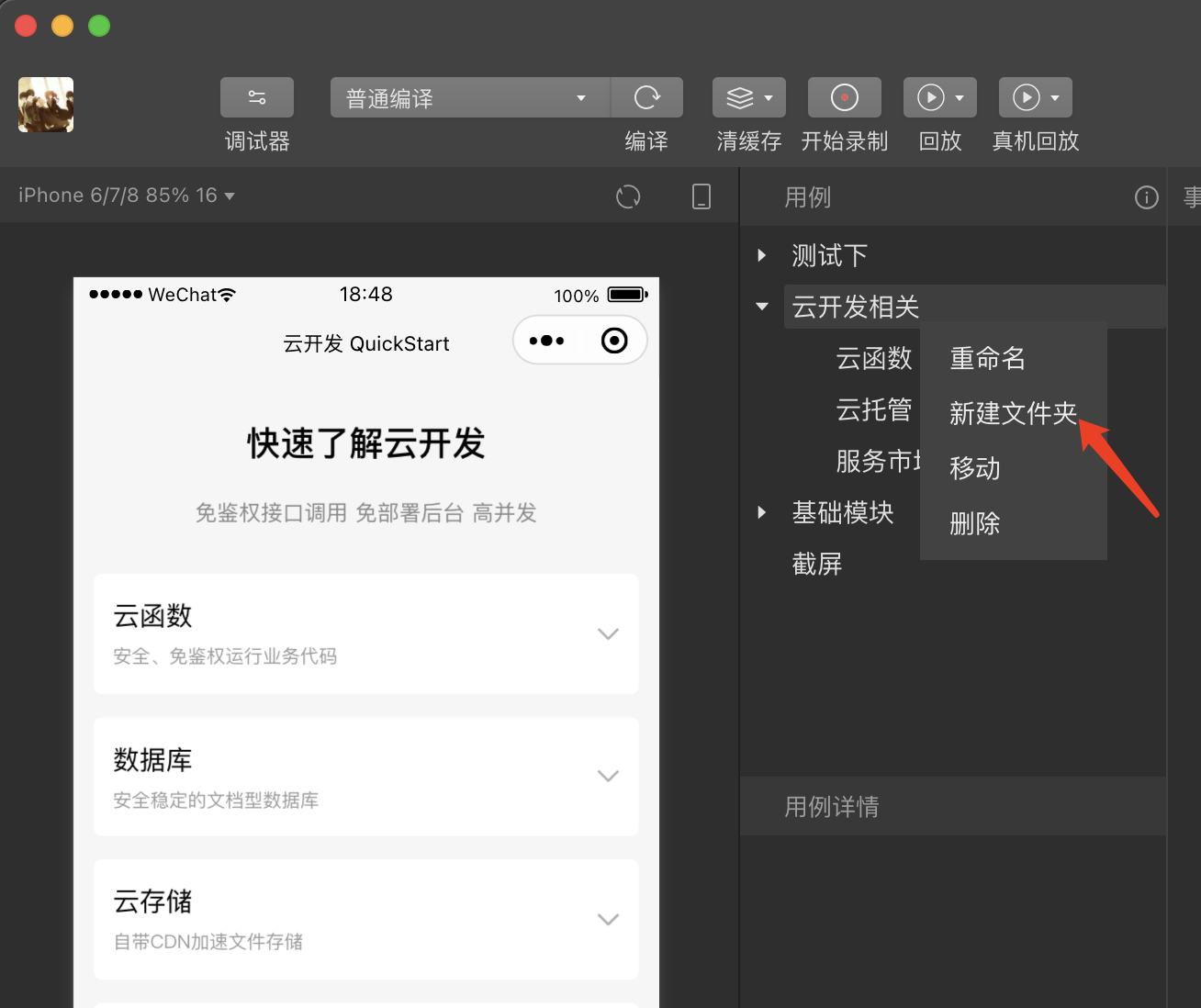
Basic Modules
Use cases for basic features can be inserted into any step to reduce repetitive recording operations. Use cases for basic features support configuring common variables. When in use, the target and text can be modified to improve reusability.
1. Recording Basic Modules
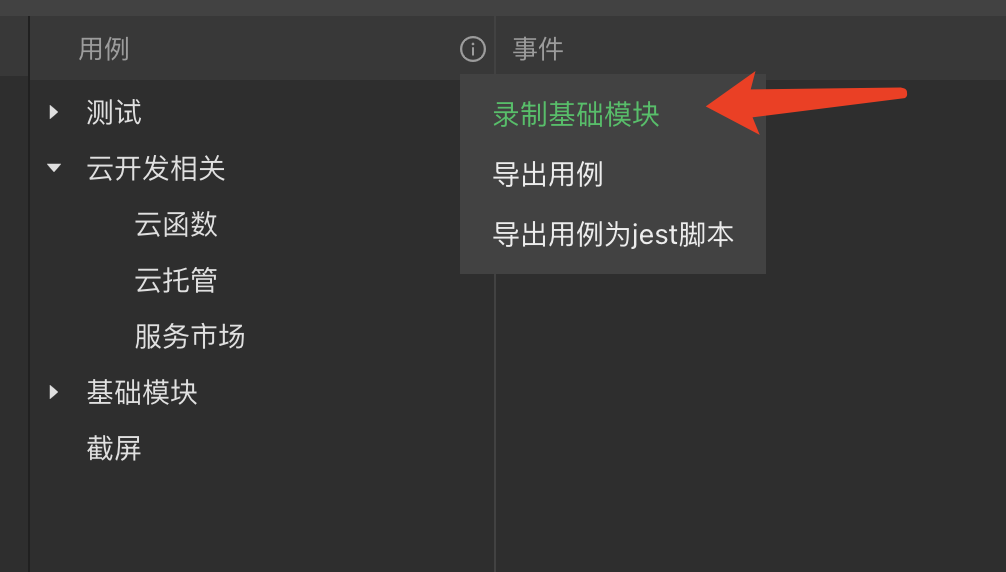 After clicking, record as you would with standard test cases.
Once recorded, the entry is inserted into the "Basic Modules" directory. All test cases under this directory serve as reusable basic modules. Detailed instructions on how to use them are provided below.
2. Set Global Variables
After recording a test case, you can configure global variables to use as slots later.
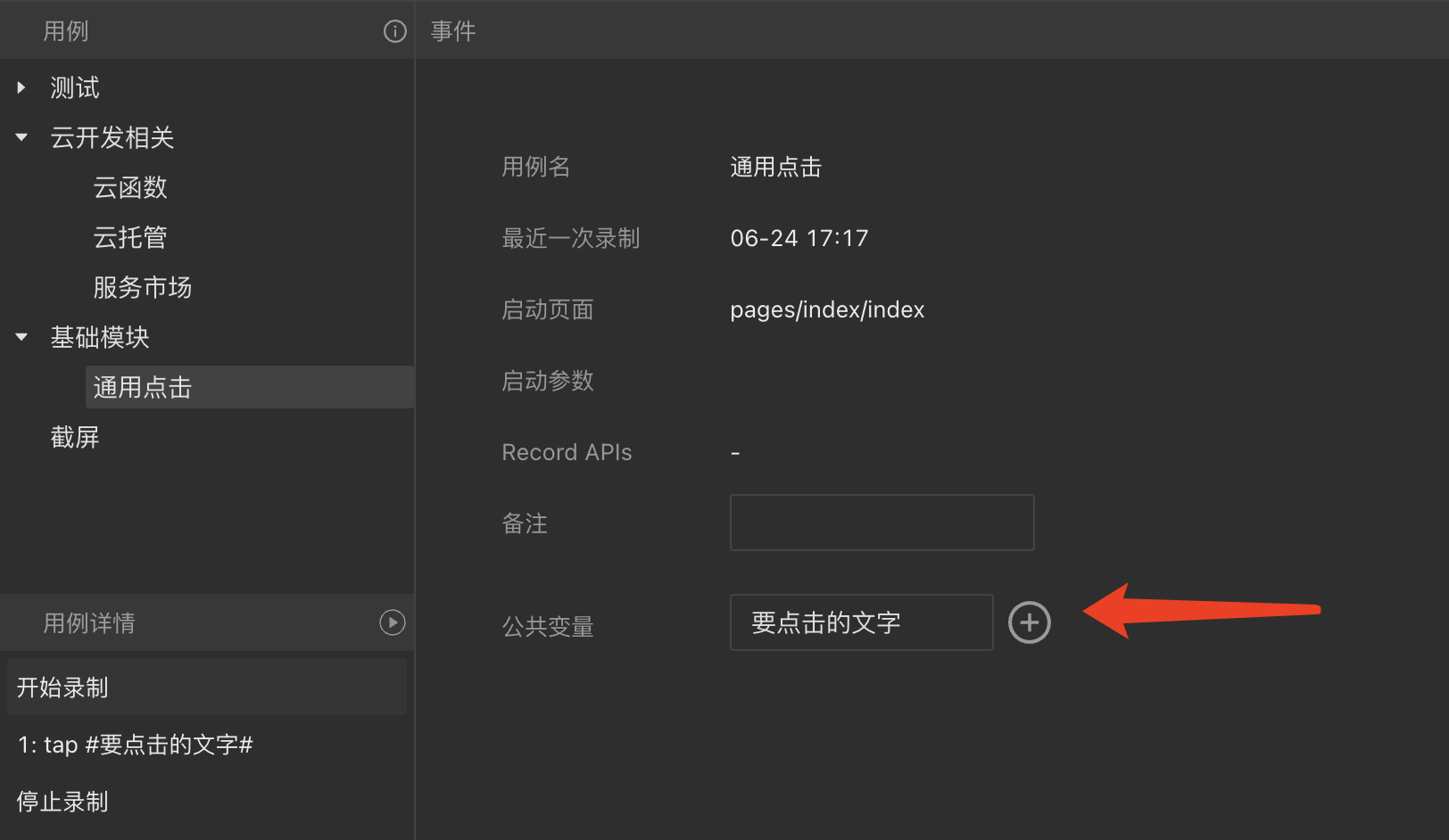 After adding a new variable, you can change the element location method in specific steps to Find by Text, and replace the text content with a global variable placeholder.
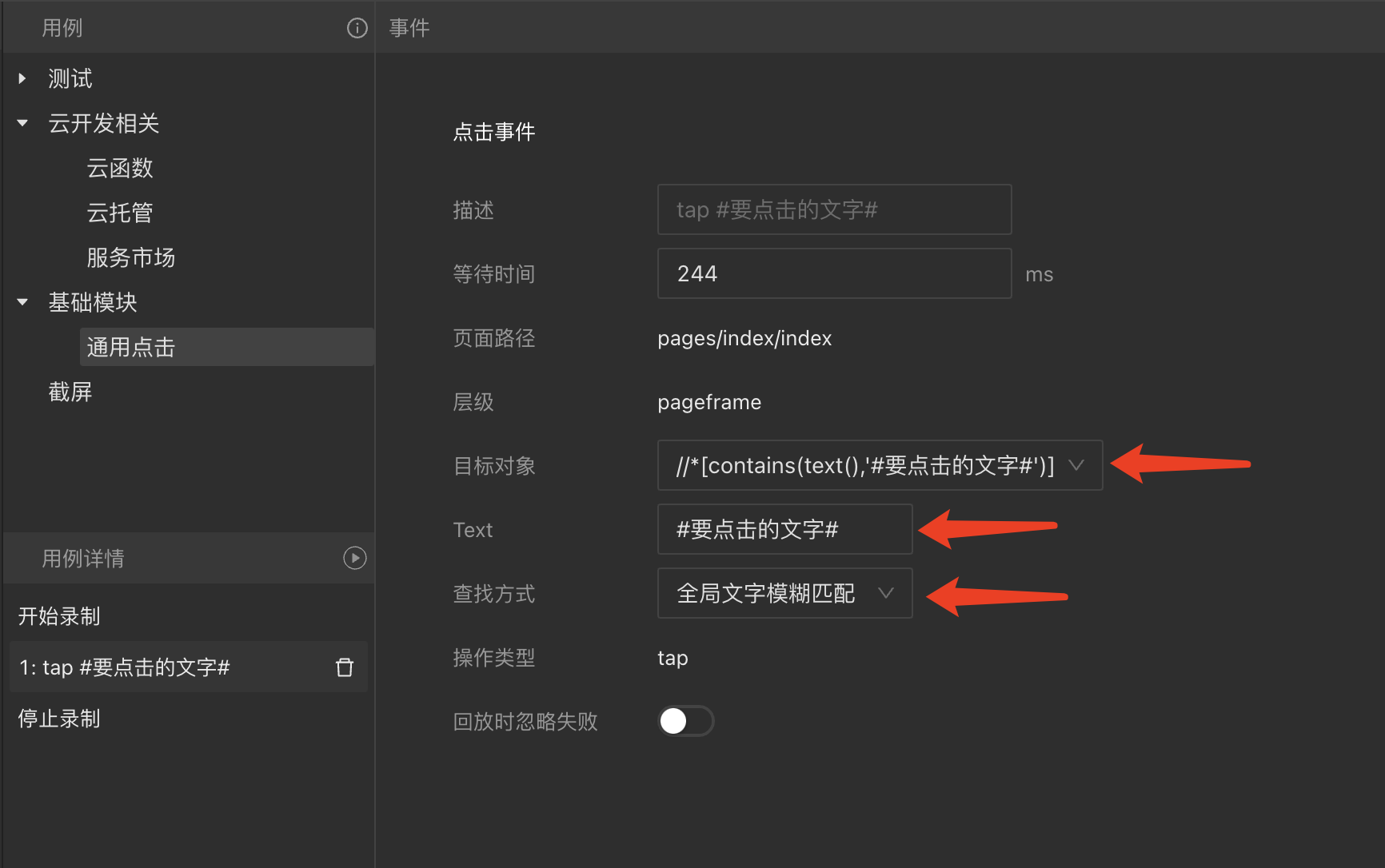
3. Using Basic Modules
You can add basic modules directly to the steps of a regular test case.
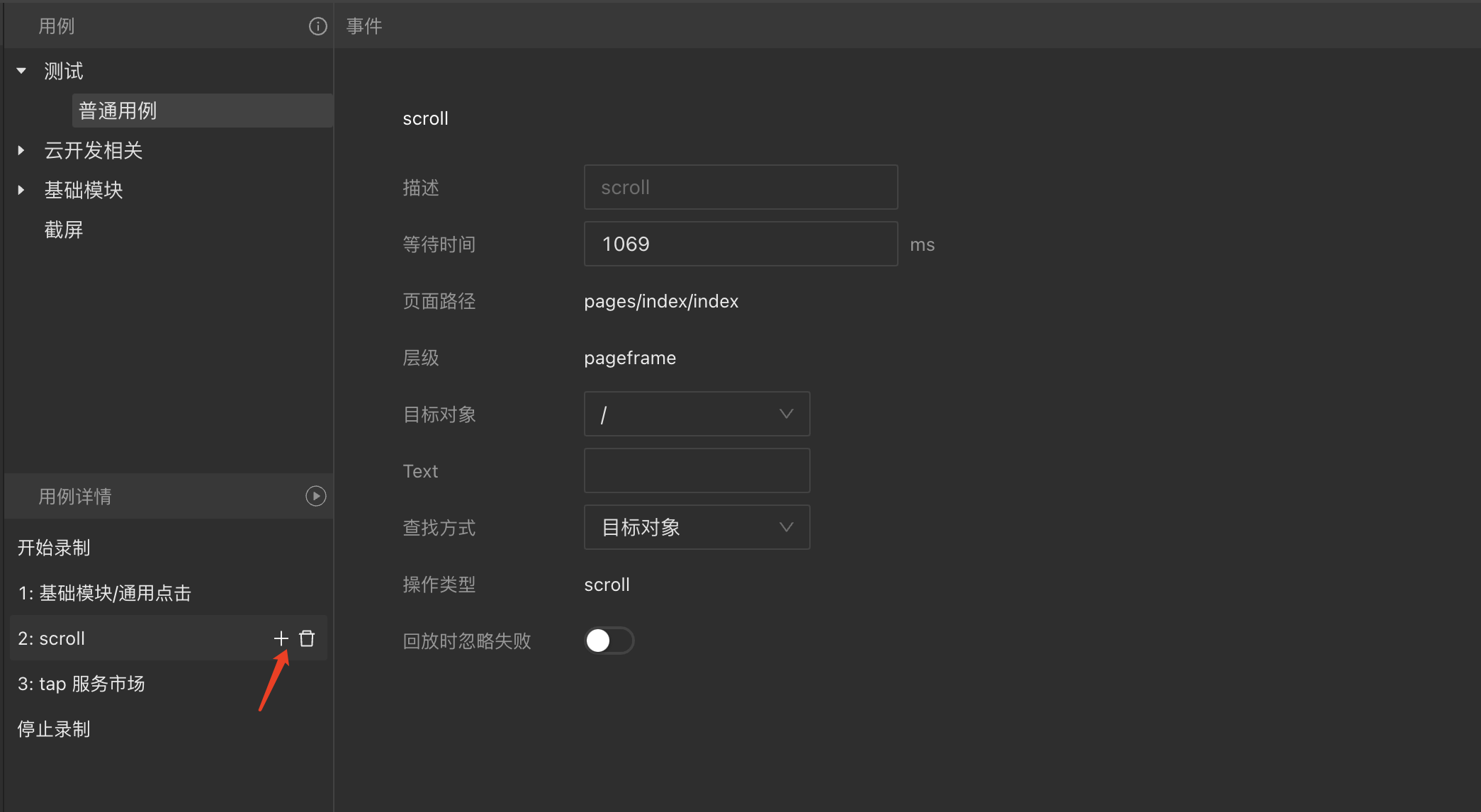 The available basic modules are all the test cases under the Basic Modules directory. After selection, you can specify the value of the public variable for this step.
For example:
set (public_variable target_text) = Service Market
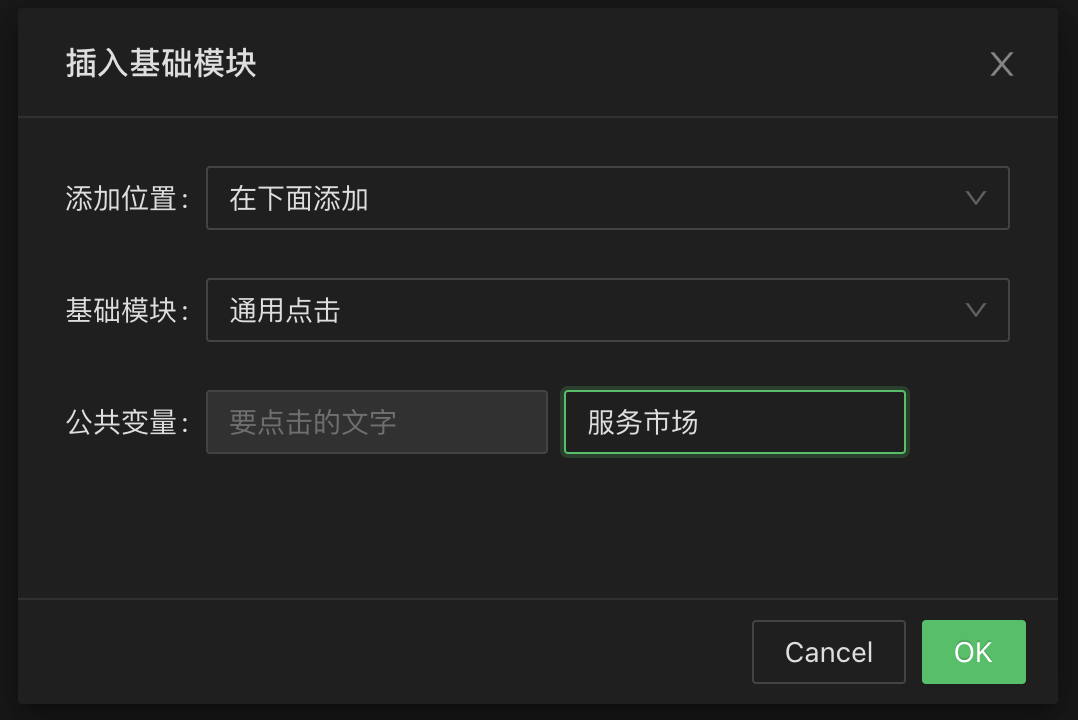 During playback, whenever the execution reaches a step in the basic module that uses this variable, the placeholder content will be replaced with
Service Market.
For instance, the tap #target_text# configured in the second step above will be replaced to find and tap the element whose text content is Service Market.
4. Configuring the Login Module
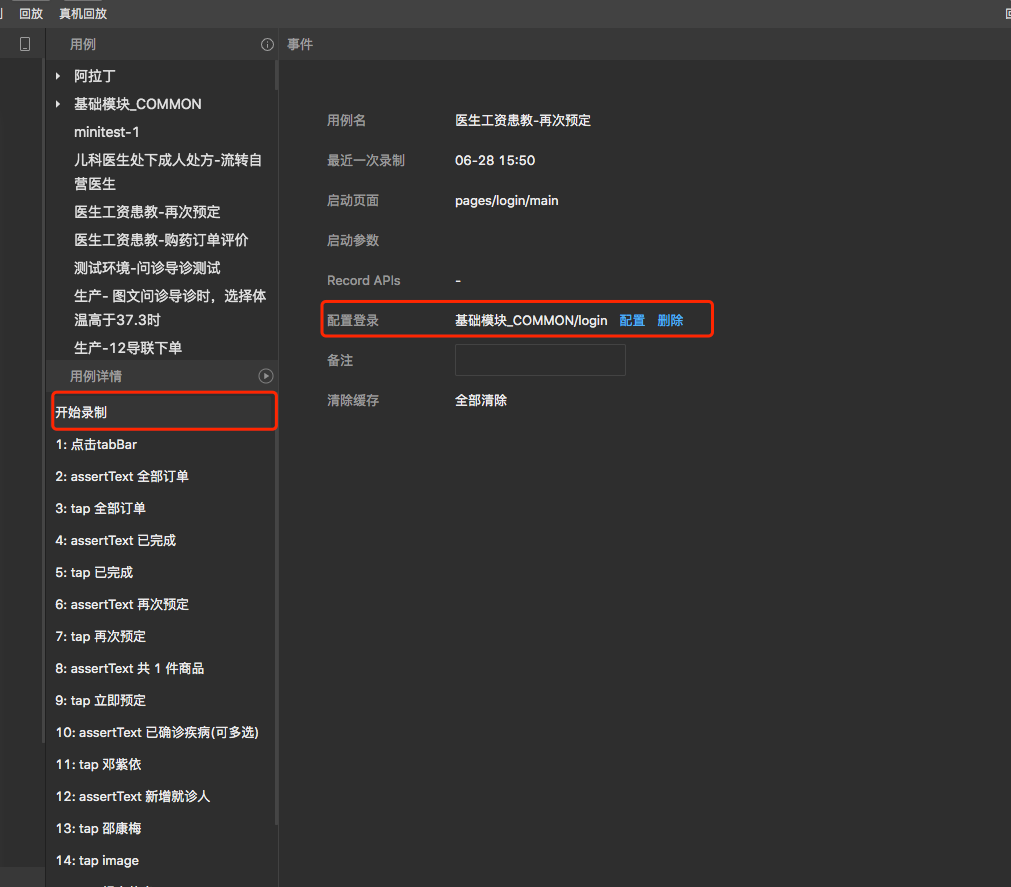
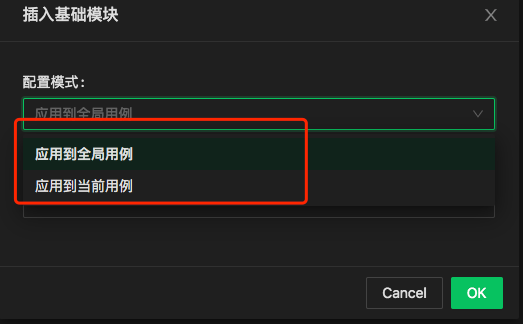
Since most Mini Program require login to access the test page, and login is a prerequisite operation applicable to most test cases, a shortcut for globally configuring the login module is provided. This configuration can be applied to the current case or globally. It only takes effect during replay on the minitest cloud testing platform. This is because local tool-based replay utilizes the cache in the current window and does not require re-login, whereas cloud platform replay requires restarting Mini Program in a completely new environment.
The configuration process is identical to inserting a common module. You can only insert a common module case, and you can choose to apply it globally or to the current test case. After successful configuration, every step in that common module is set to be ignorable, meaning failures will not affect subsequent steps. After configuration, if you no longer wish to use it, you can delete it. You can also delete it globally or for the current case.