WeChat DevTools now supports developing mobile applications for Android and iOS. For an introduction to the multi-platform framework, refer to the Multi-Platform Framework Overview. Before developing multi-platform applications using WeChat DevTools, developers need to understand the following basic concepts:
- The multi-platform framework is designed for developing mobile applications using Mini Program technology and tools. Developers can write code once and compile it separately into Mini Program and multi-platform mobile applications, enabling multi-platform development. This helps enterprises effectively reduce the technical barrier and R&D costs associated with multi-platform app development, while improving development efficiency and experience.
- To develop mobile applications, developers must create a "Multi-Platform Application Account" on the WeChat Developer Platform and bind a Mini Program account under the same entity to this account. This will allow switching to "Multi-Platform Application Mode" in the DevTools to start mobile app development.

Additional Notes:
- For instructions on creating a multi-platform application account and binding the Mini Program account, see Build Your First App.
- You must use the DevTools with version number ≥ 1.06.2306272 to develop multi-platform applications. It is recommended to use the latest version of the DevTools for development.
1. Upgrade to a Multi-Platform Project
After completing account binding according to the instructions above, you can go to WeChat DevTools to upgrade your Mini Program project to a multi-platform project. The steps are as follows:
- Create a project using the Mini Program account bound to the multi-platform application
- Click "Upgrade to Multi-Platform Project". Wait for a moment, and the project upgrade will be completed
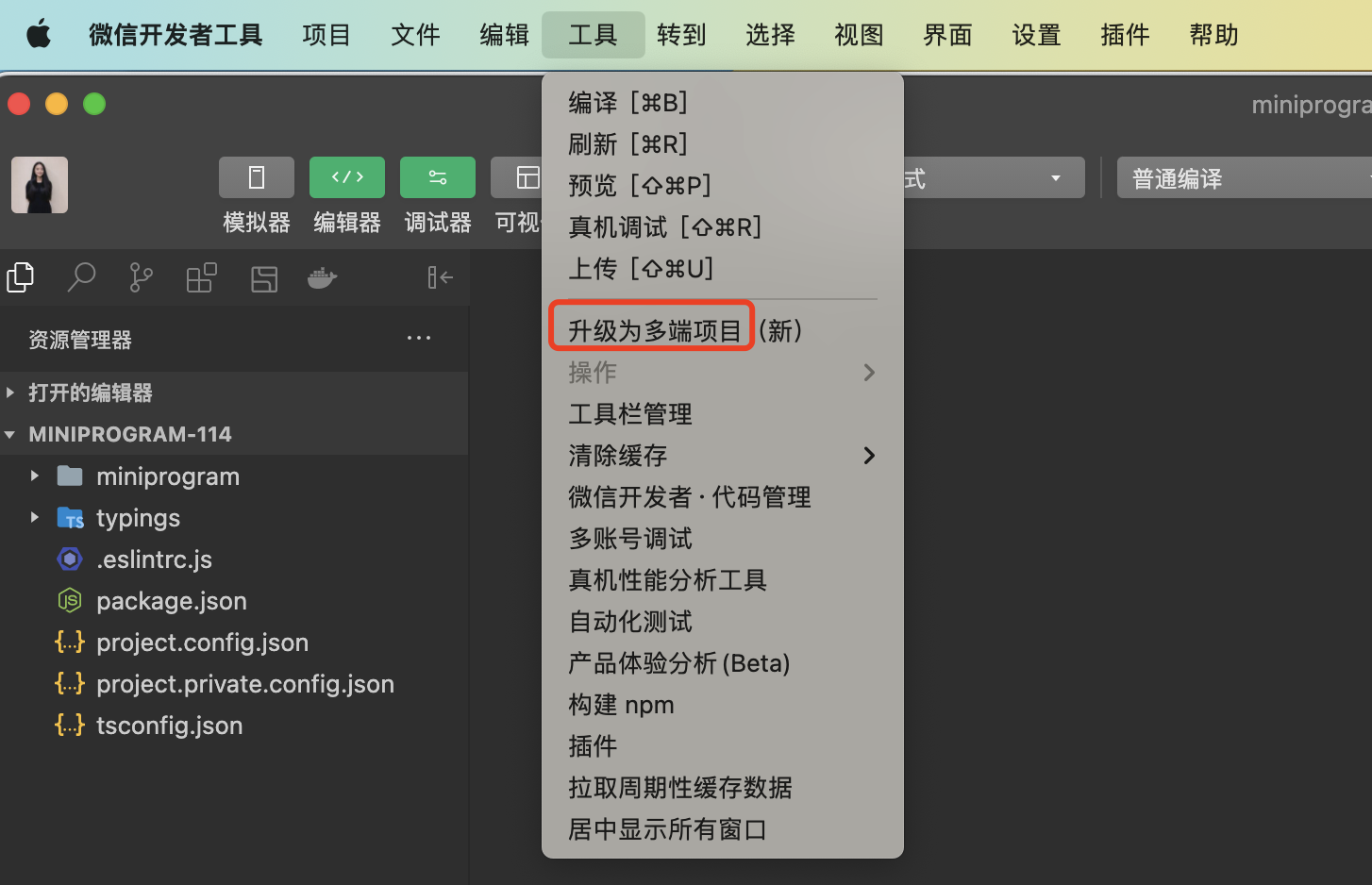
- Once upgraded to a multi-platform project, it automatically switches to "Multi-Platform Application Mode". In this mode, developers can perform development and debugging for multi-platform applications
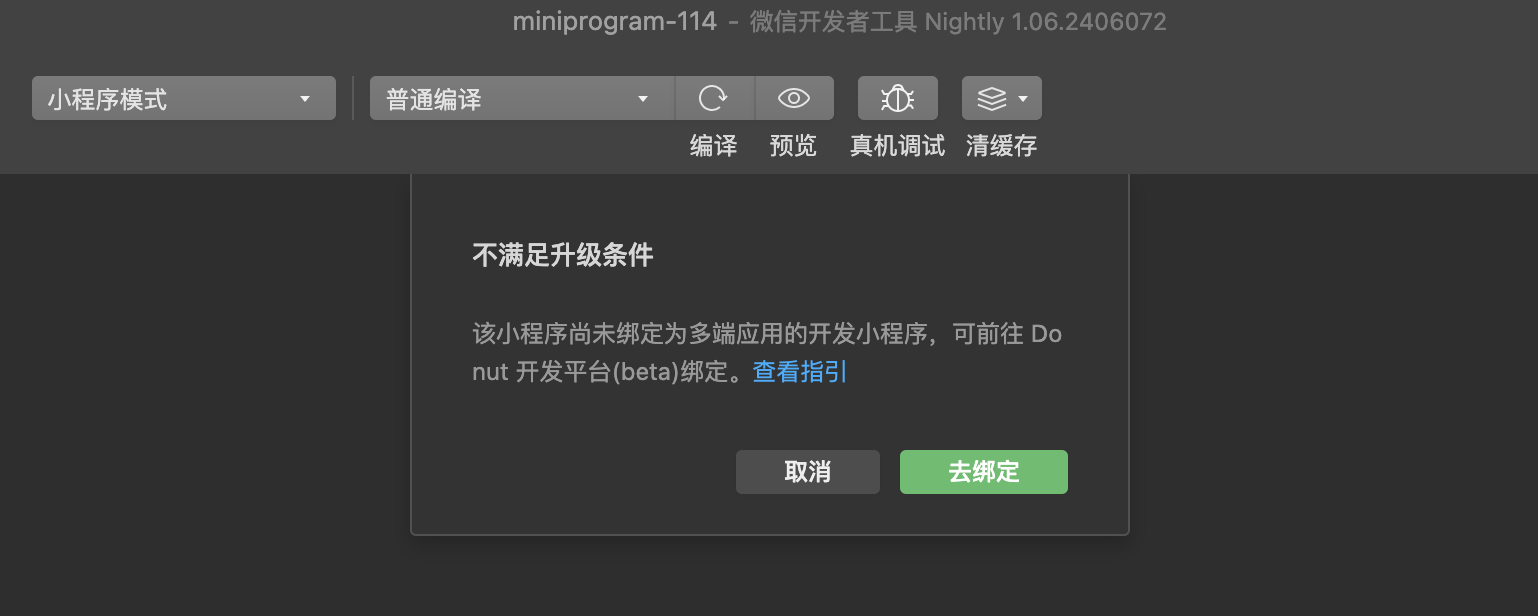
- If your Mini Program is not yet bound to a multi-platform application, clicking "Upgrade to Multi-Platform Project" will display the prompt below. In this case, click "Go to Bind" to quickly navigate to the developer platform for account binding
II. Configuring Multi-End Applications
In the previous steps, you have already upgraded the Mini Program project to a multi-end project. Now, developers can go to project.miniapp.json to configure the multi-end application. The supported configurations are as follows:
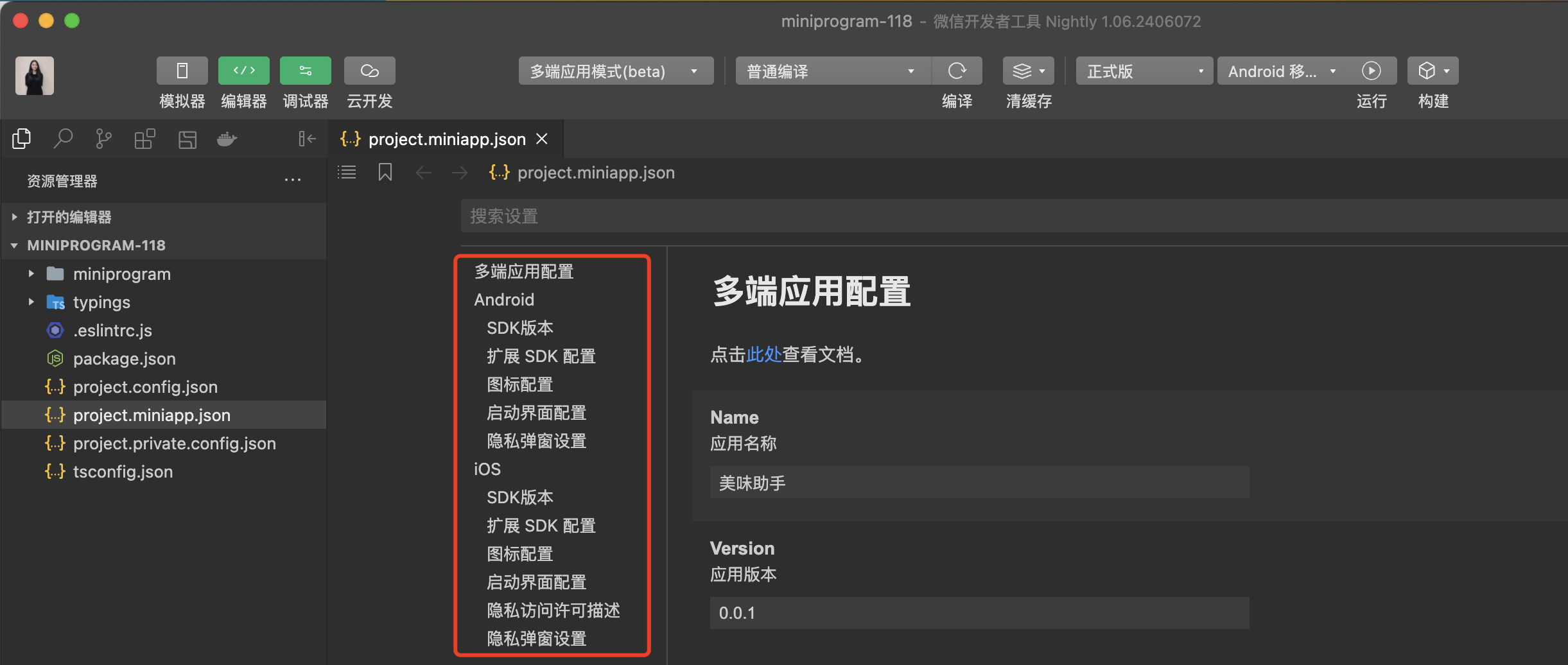
Note: Developers can configure the items above as needed. They are not all required.
3. Running on Simulator and Real Devices
After completing the configuration above, you can write code, compile, and debug on the simulator or real device in the Developer Tools. Follow the guides below:
IV. Building Installation Packages
After development and debugging are completed, developers can build installation packages and submit them to various app stores for review and publication. The relevant operational guides are as follows:
5. Issue Feedback
- If you have any issues related to multi-platform applications, please provide feedback via the Multi-Platform Application Community Forum