To facilitate the use of Cloud Testing services during the development phase, the platform allows you to submit in-development versions for testing. This relies primarily on the preview capabilities of development tools and supports preview versions generated using Robot accounts or real WeChat accounts.
The usage is straightforward:
- Generate a preview version
- Test with a specific developer account in the Cloud Testing service
Generating Preview Versions
1. Generating a Preview Version Using a Robot Account
To generate a preview version using a Robot account, you need to use the Miniprogram-Ci tool. For details, refer to the Documentation.
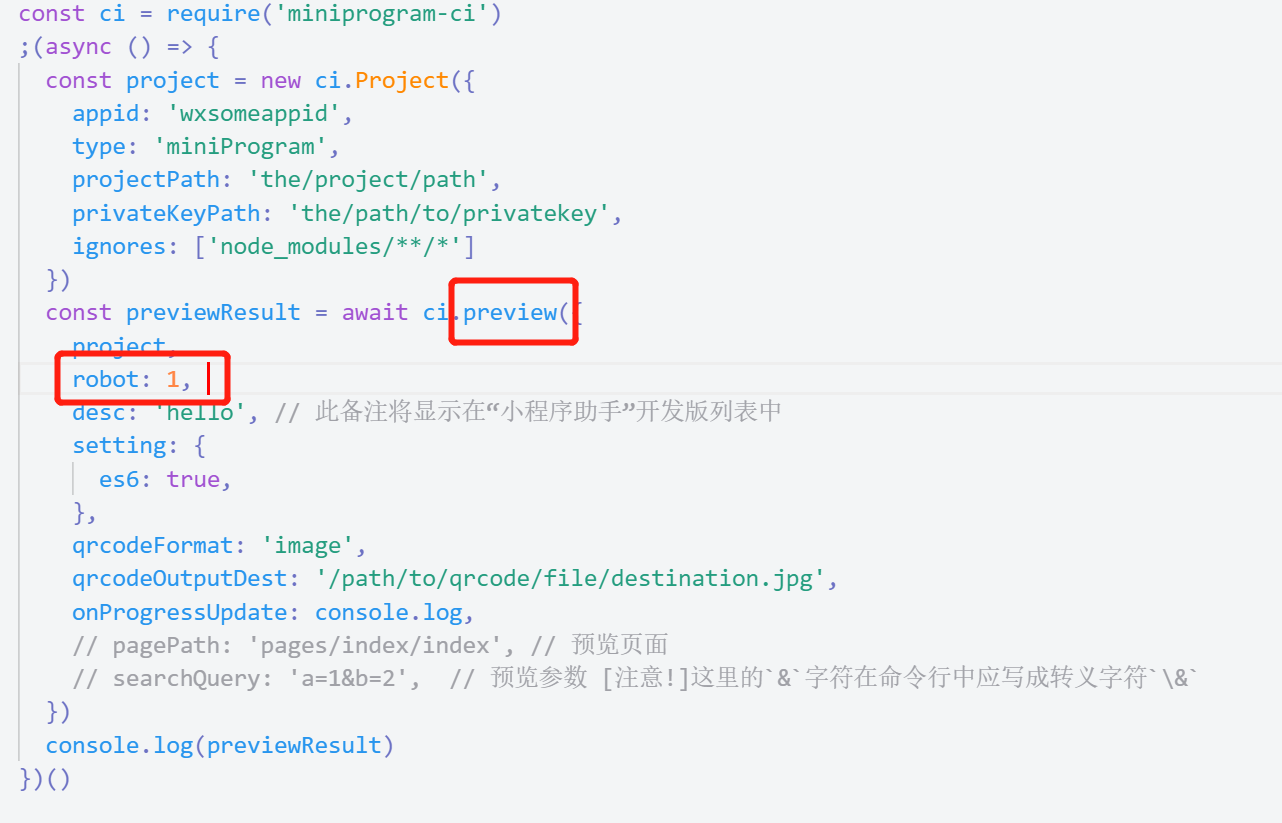
Note: When uploading code, you must use the preview method. For the CI robot account, specify a value between 1 and 10. The corresponding parameter name is robot. The example diagram in the documentation is shown below:
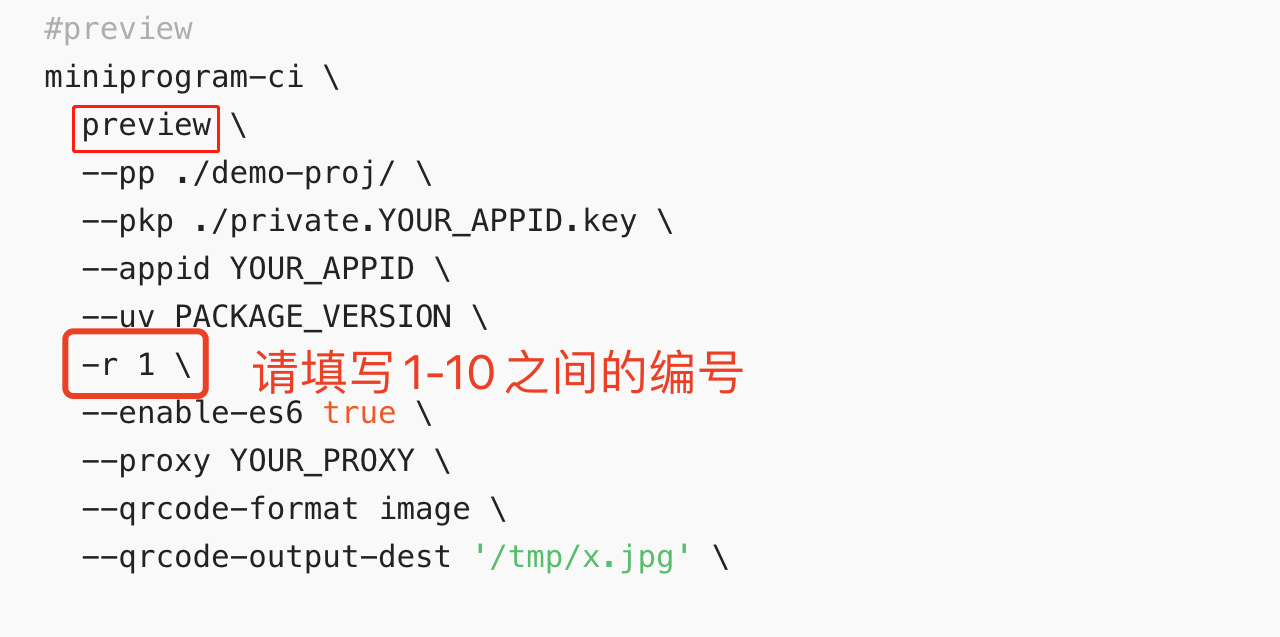
If you are using the command-line tool, the corresponding parameter is -r. The example diagram in the documentation is shown below:
2. Generate a Preview Version Using a Real WeChat Account
When generating a preview version using a real WeChat account, you must first add the WeChat ID to account management. For details, refer to Submit for Testing with a Real Account.
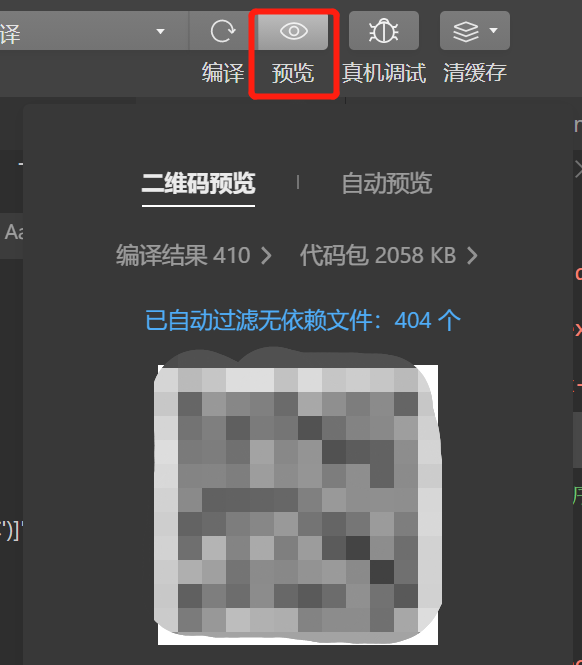
After successful addition, you can click Preview in the developer tool.
Note: Before starting a real-device test that launches Mini Program, if you preview the version again, Cloud Testing will launch the latest preview version. To ensure test stability, it is best not to repeat previews before the test ends.
Submit the Corresponding Account in Cloud Testing Service
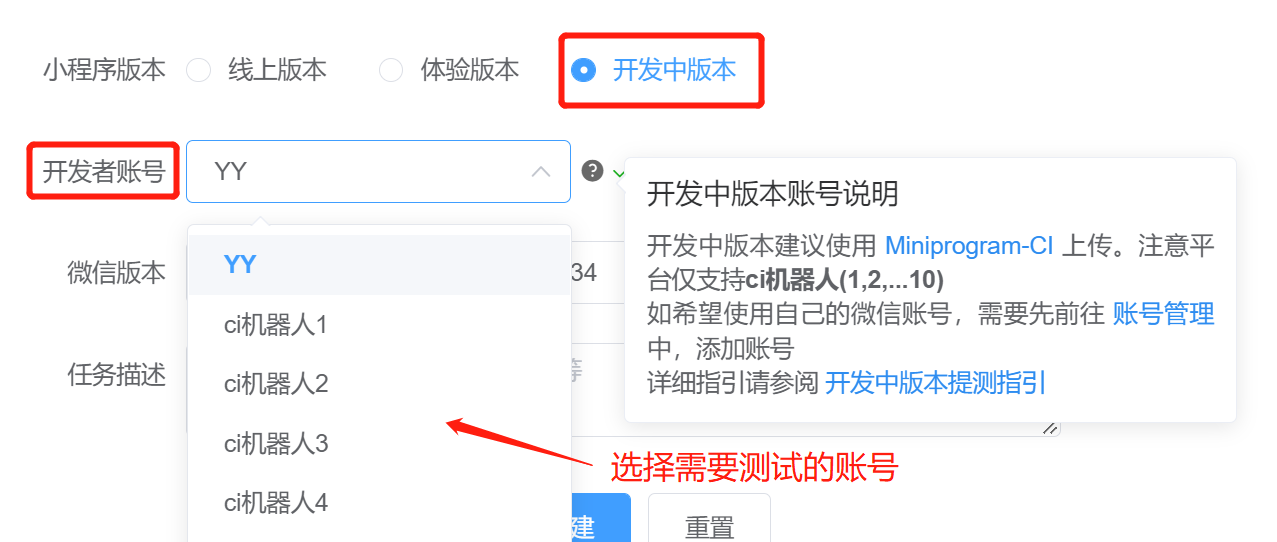
When submitting a task in a Mini Program, set the Mini Program version to In Development. Ensure that you select the correct developer account for testing.
Note that the Cloud Testing Service performs a validation: if the selected developer account does not have a preview version, submitting the test is not allowed.
Need Help
If you have any suggestions or requirements, please visit the Need Help page, scan the QR code to join the official WeCom group for cloud testing, and contact the group owner to provide feedback.