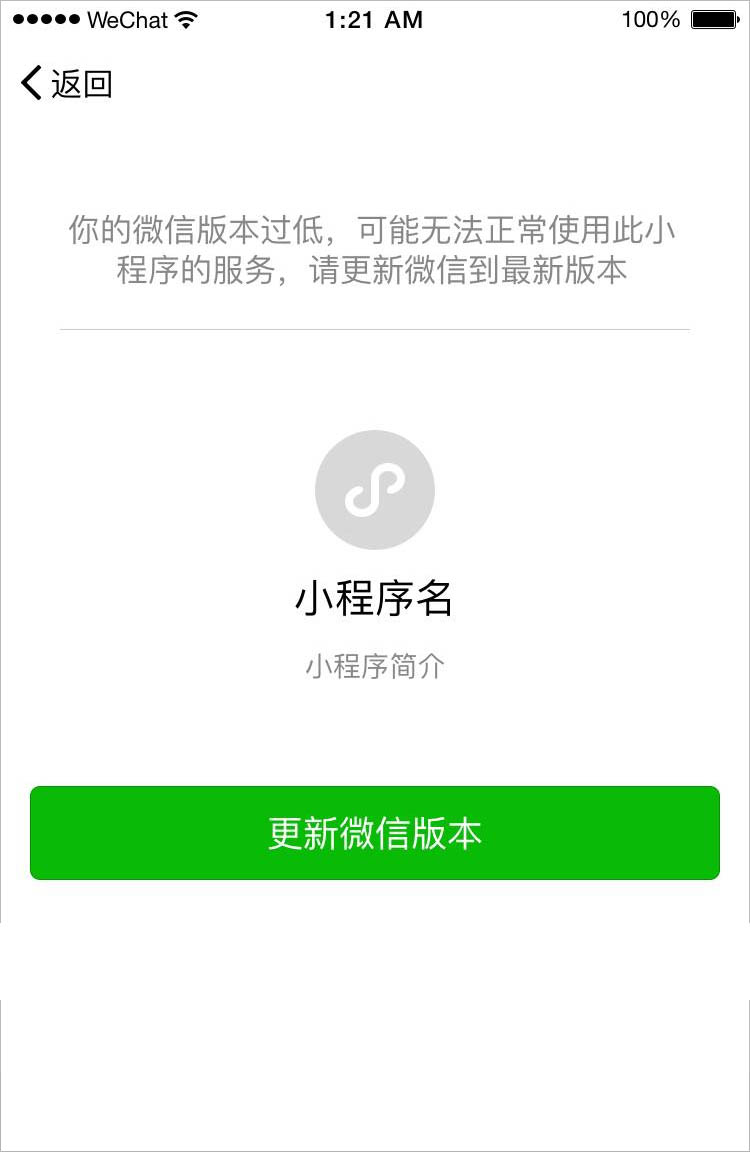
The features of Mini Program continue to expand, but older versions of the WeChat client do not support these new capabilities. Therefore, compatibility measures must be implemented when utilizing these new features.
Developers can ensure compatibility with lower versions using the following methods:
1. Version Comparison
The versioning scheme for the WeChat client and the Mini Program SDK follows the Major.Minor.Patch format (Major version.Minor version.Patch version).
The documentation includes the minimum required SDK version for each feature in the descriptions of components, APIs, and other pages.
Developers can retrieve the version number of the SDK running in the Mini Program by calling wx.getAppBaseInfo. This allows them to implement compatibility logic for lower versions through version comparison.
Version comparison applies to all scenarios. In some specific cases, the methods described later can also be used.
For SDK versions <=2.20.1, please use wx.getSystemInfo or wx.getSystemInfoSync to retrieve the SDK version.
Note: Do not use direct string comparison for version numbers. For example, '2.29.1' > '2.3.0' is false.
The following code provides a reference for version comparison:
function compareVersion(v1, v2) {
 v1 = v1.split('.')
 v2 = v2.split('.')
 const len = Math.max(v1.length, v2.length)

 while (v1.length < len) {
 v1.push('0')
}
 while (v2.length < len) {
 v2.push('0')
}

 for (let i = 0; i < len; i++) {
 const num1 = parseInt(v1[i])
 const num2 = parseInt(v2[i])

 if (num1 > num2) {
 return 1
} else if (num1 < num2) {
 return -1
}
}

 return 0
}

compareVersion('1.11.0', '1.9.9') // 1
const version = wx.getAppBaseInfo().SDKVersion

if (compareVersion(version, '1.1.0') >= 0) {
 wx.openBluetoothAdapter()
} else {
 // If you want users to experience your Mini Program on the latest client version, you can display this prompt
 wx.showModal({
 title: 'Notice',
 content: 'The current WeChat version is too low to use this feature. Please upgrade to the latest WeChat version and try again.'
})
}
2. API Existence Check
For newly added APIs, you can determine whether the user's base library version supports the feature by checking if the API exists. For example:
if (wx.openBluetoothAdapter) {
 wx.openBluetoothAdapter()
} else {
 // If you want users to experience your Mini Program on the latest client version, you can display a prompt like this
 wx.showModal({
 title: 'Notice',
 content: 'The current WeChat version is too old to use this feature. Please upgrade to the latest WeChat version and try again.'
})
}
3. wx.canIUse
In addition to checking the version number directly, you can also use wx.canIUse to determine whether a feature can be used directly in the current base library version. Example:
API Parameters or Return Values
If new parameters are added to API parameters or return values, you can check for them using the following code.
wx.showModal({
  success: function(res) {
    if (wx.canIUse('showModal.success.cancel')) {
      console.log(res.cancel)
    }
  }
})
Components
For components, new components or properties added in newer versions will not be processed in older versions, but they also will not cause errors. If you need to implement fallback handling for older versions in specific scenarios, you can do the following.
Page({
  data: {
    canIUse: wx.canIUse('cover-view')
  }
})
<video controls="{{!canIUse}}">
  <cover-view wx:if="{{canIUse}}">play</cover-view>
</video>
The data file for canIUse is updated with the base library. New features in newer versions may be missed in some cases, so it is recommended that developers test in advance before using them.
Setting the Minimum Base Library Version
Requires WeChat client version iOS 6.5.8 / Android 6.5.7 or higher
To help developers resolve compatibility issues with new features that are not supported by lower versions of the Base Library, developers can set the minimum Base Library version requirement for the Mini Program.
Developers can log in to the Mini Program Admin Console and navigate to "Settings - Basic Settings - Minimum Base Library Version" to configure this setting. Before making changes, developers can view the distribution of Base Library versions used by users who accessed the current Mini Program in the past 30 days. This helps developers understand the versions currently in use by their user base.
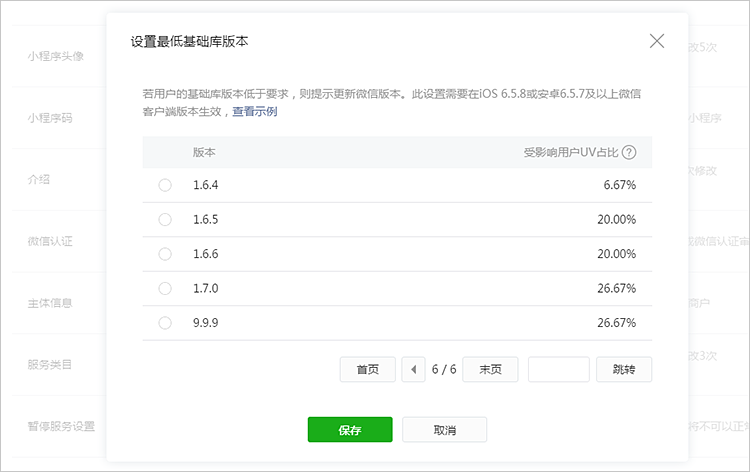
After the setting is applied, if a user's Base Library version is lower than the specified value, they will not be able to open the Mini Program properly and will be prompted to update their client version.