The Cloud Testing service allows users to test with their own real accounts, primarily addressing the following issues associated with virtual accounts:
- Virtual accounts cannot receive SMS verification codes
- If test data already exists in a user's real account, using a virtual account requires migrating the test data, which is cumbersome
Please note the following limitations when using this feature:
- The WeChat account must be a developer or administrator of the Mini Program registered in the WeChat Open Platform
- Accounts have a specific validity period. Currently, it is 30 days. If the account expires or becomes invalid, the user must scan the QR code again to re-authorize.
Steps
-
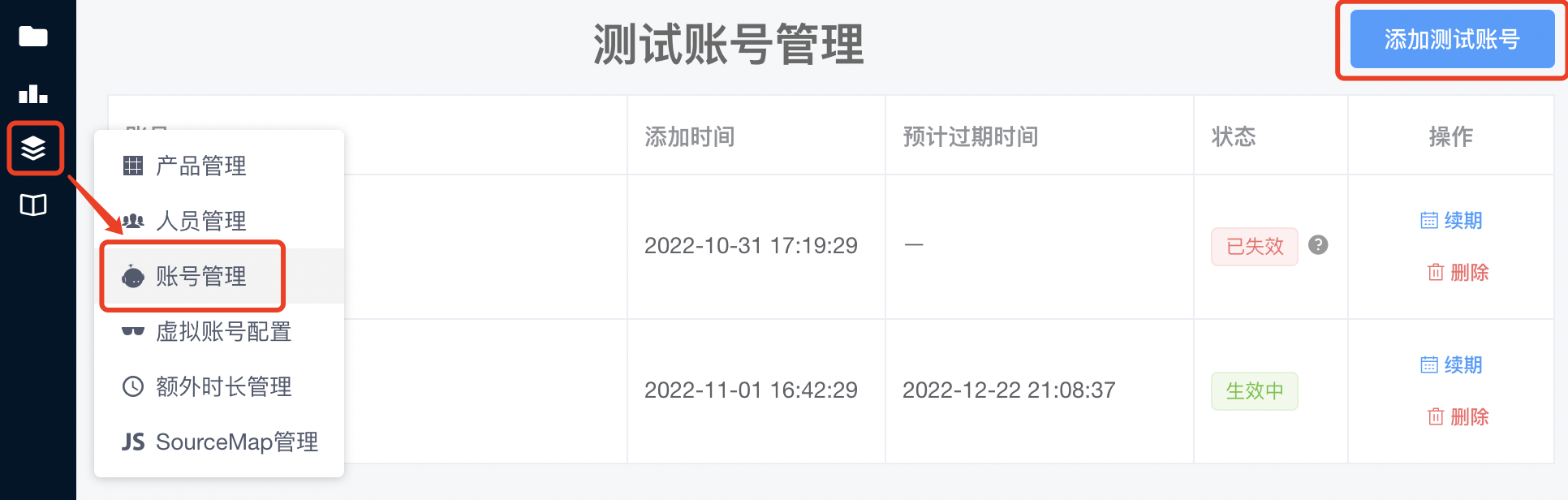
After entering the Cloud Testing service, click Account Management, then click Add Account to scan the QR code and authorize the addition of a WeChat account.
-
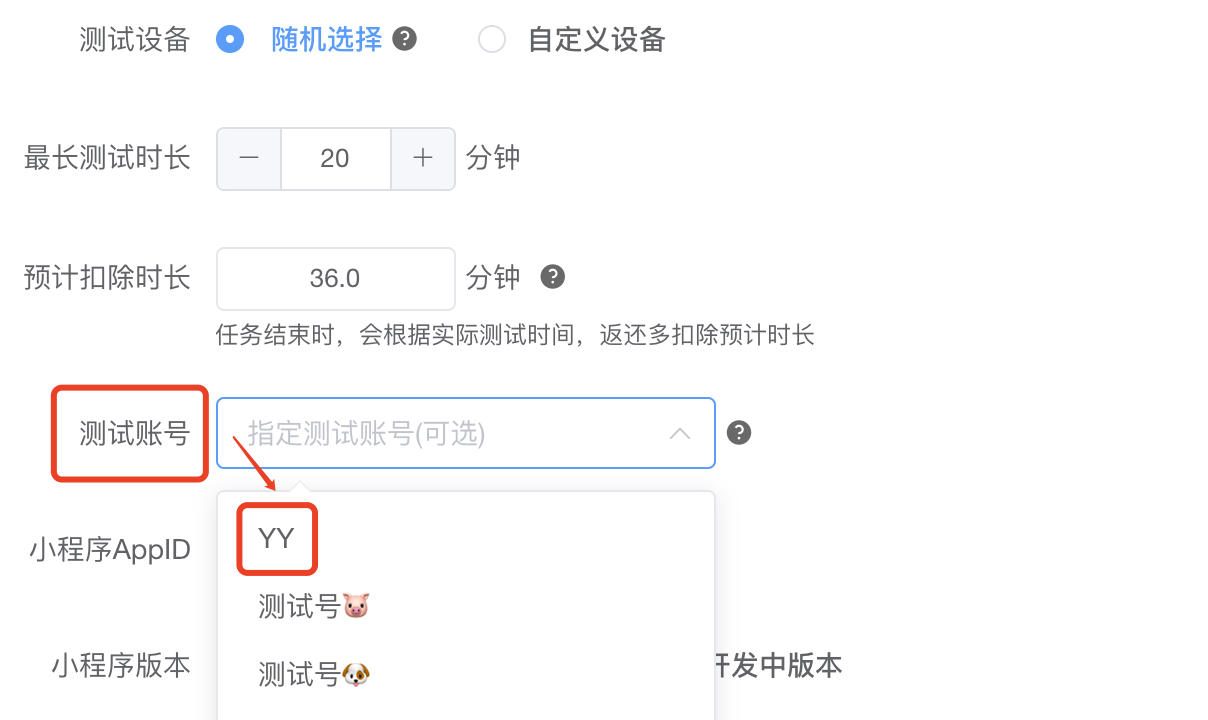
When submitting the test, specify the corresponding real account for testing.
Special Notes
- The same WeChat account can be added to multiple Mini Program projects for use, provided that the user has Developer or Administrator permissions for these Mini Program projects.
- If the same WeChat account is also authorized for testing by other Mini Program projects within the Cloud Testing service, the expiration time of all associated projects will be automatically refreshed.
How to Delete a Real WeChat Test Account
You can delete the account using any of the following methods:
- Go to Account Management in the Cloud Testing Service to directly delete the test account.
- On the WeChat Open Platform, remove the developer or administrator permissions for this account. The Cloud Testing Service automatically syncs member information from the WeChat Open Platform daily at midnight and deletes WeChat accounts that do not have Mini Program permissions.
Need Help
If you have any suggestions or requirements, feel free to visit the Need Help page, scan the QR code to join the official WeCom group for cloud testing, and contact the group owner to provide feedback.