Since the WeChat client initiates a request only once every 12 hours, debugging the periodic update feature can be inconvenient. To facilitate debugging of periodic data, the DevTools provide the following capabilities for developers.
Tool for Fetching Periodic Data
Because the WeChat client initiates a request every 12 hours, debugging the periodic update feature can be inconvenient.
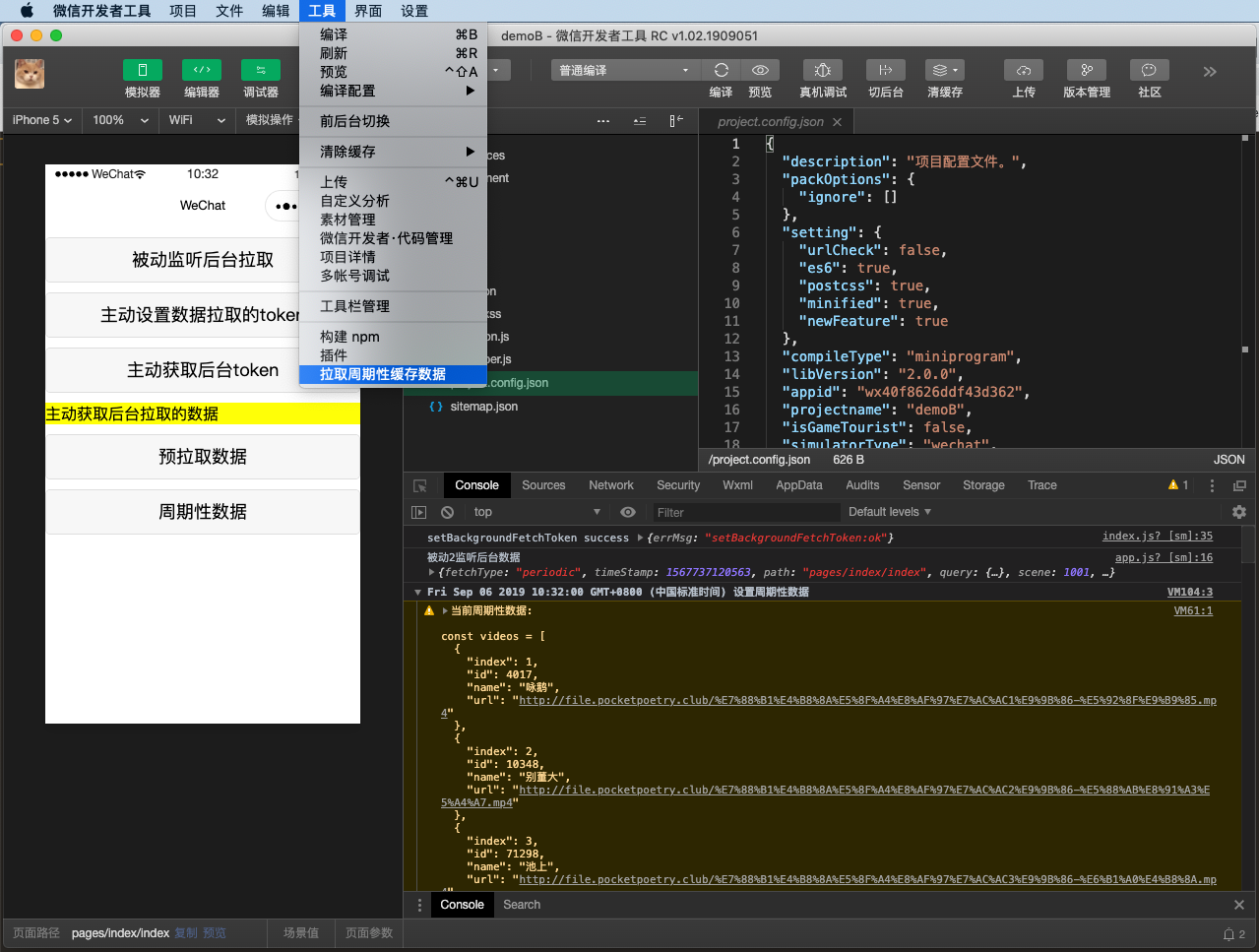
You can now debug the entire workflow in Developer Tools. To do this, navigate to Tools -> Fetch Periodic Cached Data in the menu. Once clicked, Developer Tools will immediately request data from the configured data download URL, as shown in the figure below:
Clear Periodic Data in the Tool
To clear the periodic data cached by the tool, click Clear Data Cache or Clear All in the toolbar.
Triggering Immediate Data Pull on Real Devices
To perform further validation on real devices, the Developer Tools (version 20190919 and above) provide a debugging feature to trigger the client to immediately pull periodic data.
By clicking Periodic Cache -> Pull Cache in the panel, the client will be notified to pull periodic data.
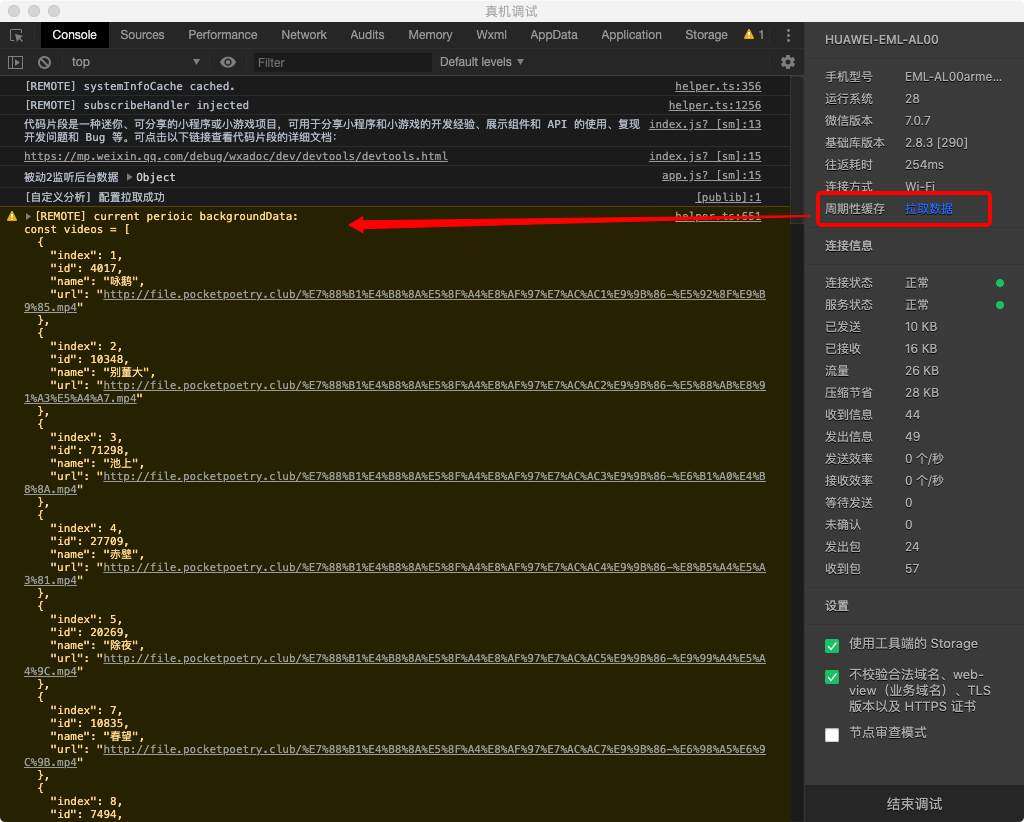
Note: The debugging feature for triggering immediate data pull on real devices is only available on Android/iOS version 7.0.7 and above.
General Error Conditions
TOKEN Not Set
When the error message token not set, maybe you should setBackgroundFetchToken first appears, it indicates that the current Mini Program has not actively set the TOKEN information required for background data fetching. You can refer to the documentation below for Background Data Debugging.
-10007 no permission
If this status appears, it indicates a lack of pull permissions. You can review the documentation Periodic Data Debugging to configure the ability to update data periodically.