To facilitate debugging of data pre-fetching, the tool provides the following debugging capabilities to developers.
Tool Trigger Data Prefetching
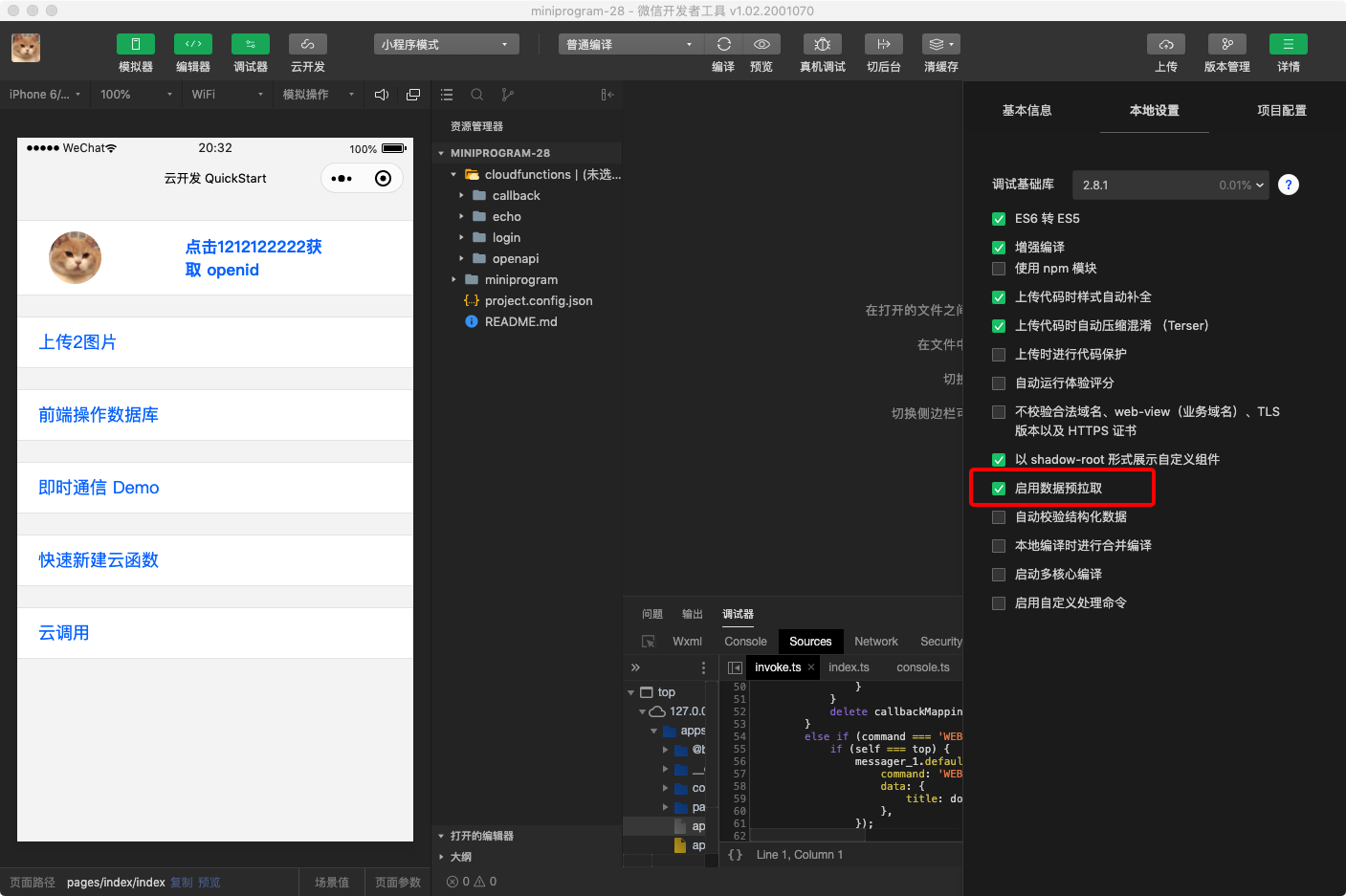
Currently, in the local settings of the new version of Developer Tools (version 1.02.1911202 and above), a new setting Enable Data Prefetching has been added. After enabling this setting, Developer Tools will request data from the user-configured prefetching data download URL during the execution of Mini Program, as shown in the figure below:
Tool: Clear Pre-fetched Data
If you need to clear the pre-fetched data cached by the tool, you can do so by clicking Clear Data Cache or Clear All in the toolbar.
Common Error Scenarios
Token Not Set
If the error message token not set, maybe you should setBackgroundFetchToken first appears, it indicates that the current Mini Program has not actively set the TOKEN information required for background data fetching. For more details, refer to the documentation Periodic Data Debugging.
-10007 No Permission
When this error occurs, it indicates that you do not have permission to pull data. You can refer to the Periodic Data Debugging documentation to configure periodic data update capabilities.