To facilitate developers in querying relevant development documentation during the development process, WeChat Developer Tools has introduced a new documentation search feature.
Runtime Environment
- Download and install Developer Tools version 1.02.1910242 or later. Download Link.
Documentation Search Panel
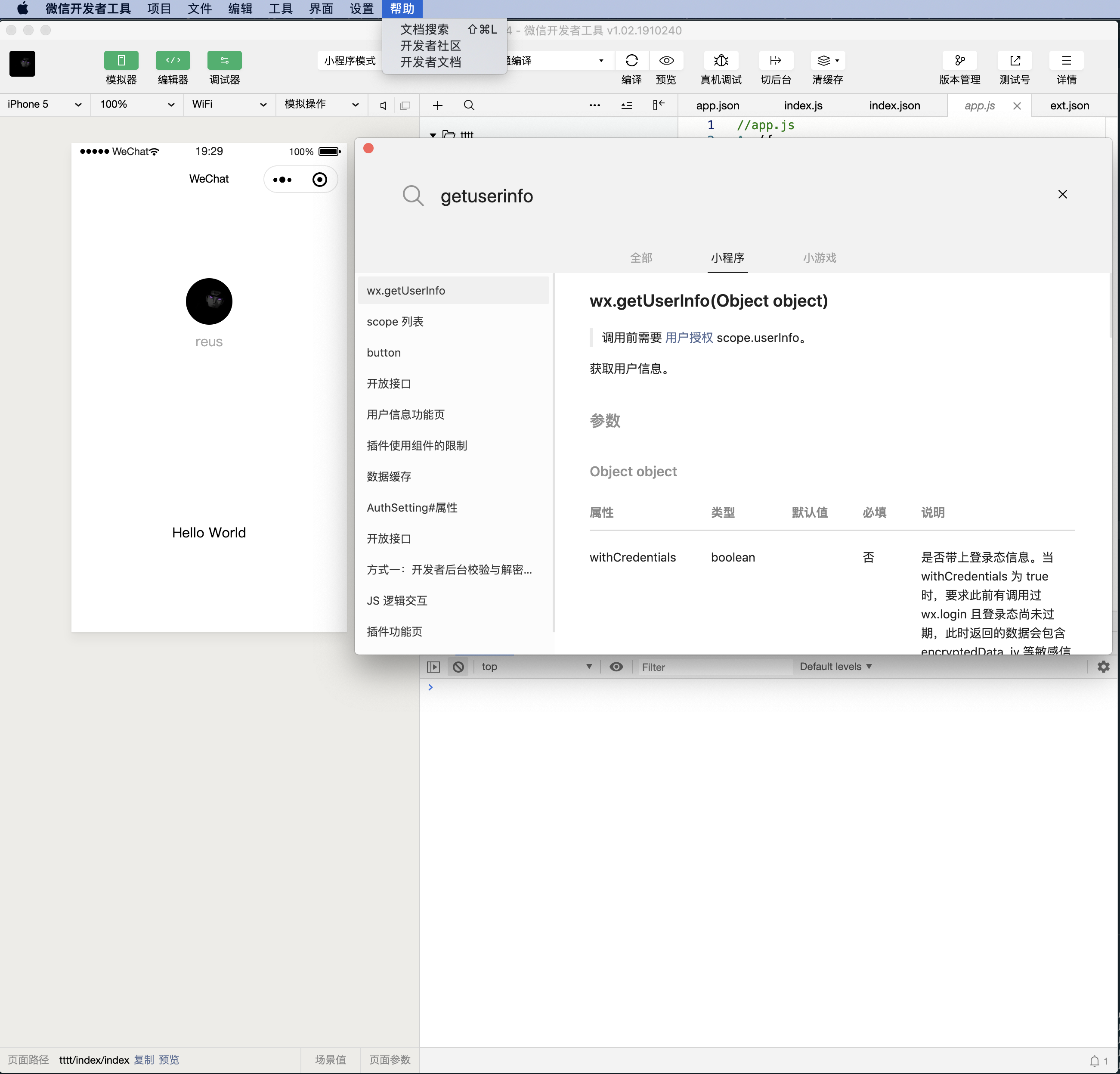
Developers can invoke the Documentation Search Panel in the following ways to search for and view documentation.
- Developers can access the Documentation Search Panel via the Help entry in the toolbar of WeChat Developer Tools.
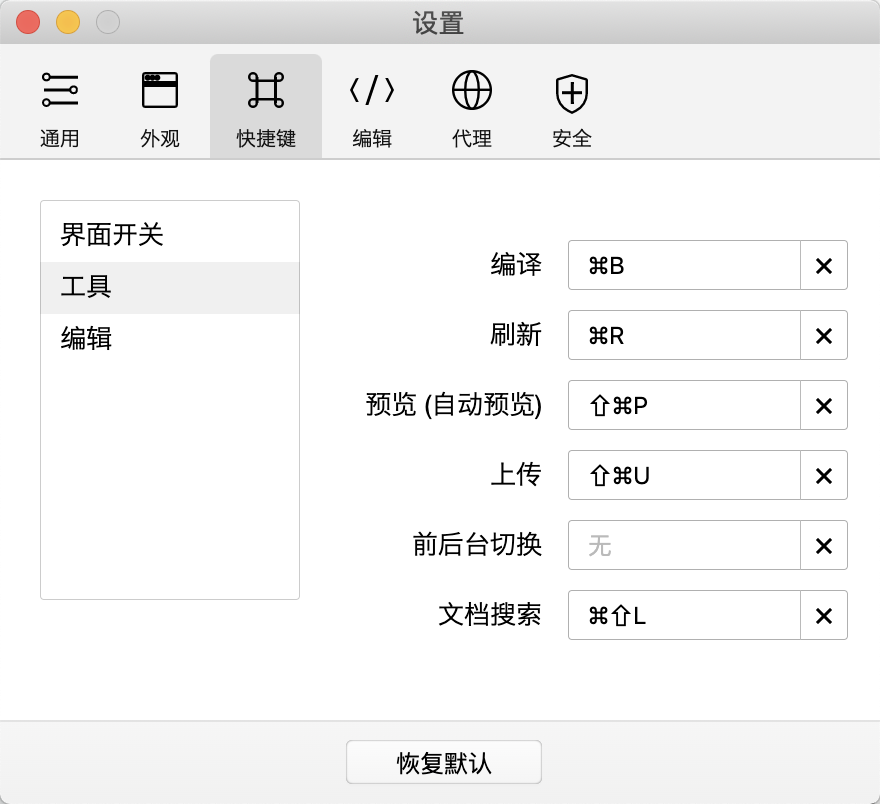
- Developers can invoke the Documentation Search Panel using keyboard shortcuts.
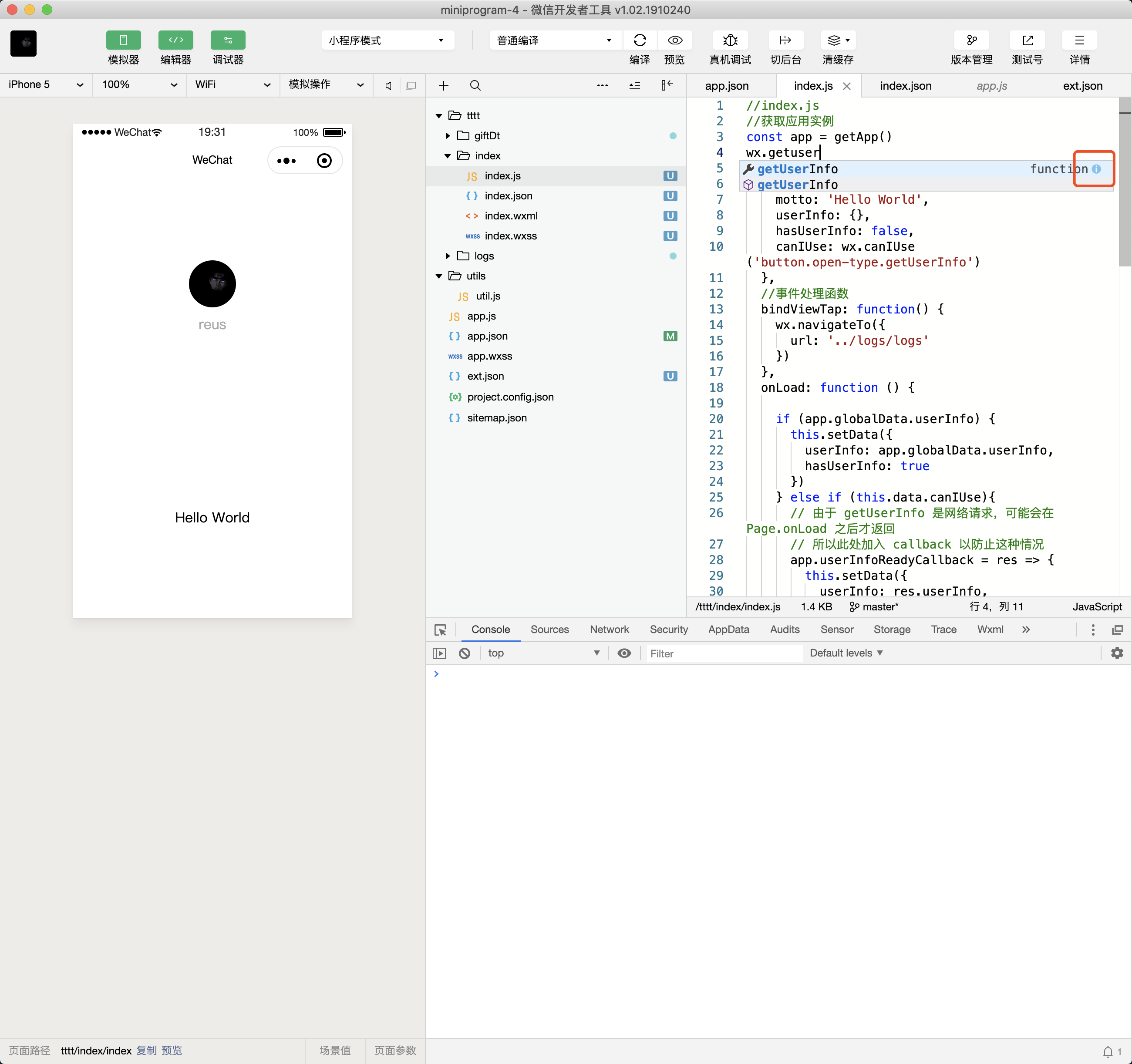
- When writing code, developers can click the hint button to invoke the Documentation Search Panel.
Document Search Scope
Currently, the document search feature only supports searching for related content under the development categories for Mini Program and Mini Games. To search for content related to Official Accounts, Open Platform, and Intelligent Dialogues, please visit WeChat Open Documentation.