To meet the needs of different developers, Mini Program provides 2 ways to open Video Account videos:
-
Redirect to open Video Account video: No entity restrictions.
-
Embed Video Account video:
- From base library version 2.25.1 to 2.31.1, Mini Program must belong to the same entity or a related entity as the Video Account video.
- From base library version 2.31.1 onwards, non-individual entity Mini Program can embed Video Account videos from different entities or unrelated entities.
Retrieve Parameters
finderUserName
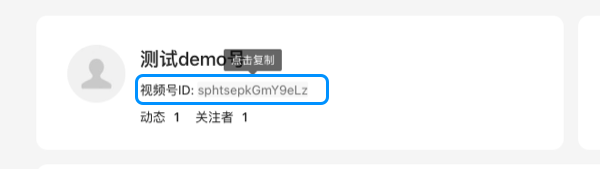
Represents the Video Account ID. To obtain the Video Account ID, you need to log in to Channels Assistant. You can view your Video Account ID on the homepage.
feedId
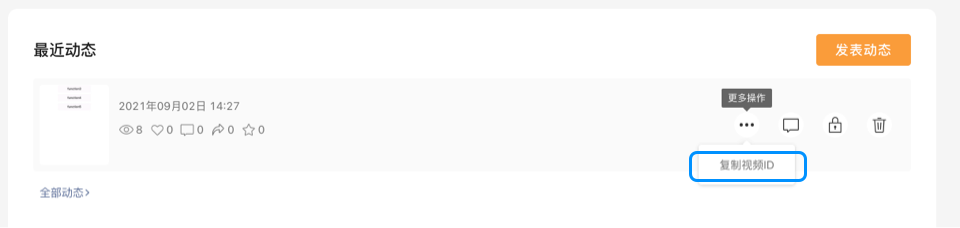
The unique identifier for a Channels video. To obtain the feedId of a video, you must log in to Channels Assistant. You can copy the feedId corresponding to each video you have published in the "Content Management" module.
feed-token
Supported since Base Library 2.31.1
Represents the identifier for videos from Channels accounts that do not belong to the same entity. Non-individual entities Mini Program can embed videos from non-same-entity Channels accounts in Mini Program using the channel-video component.
Follow these steps to obtain the feed-token:
-
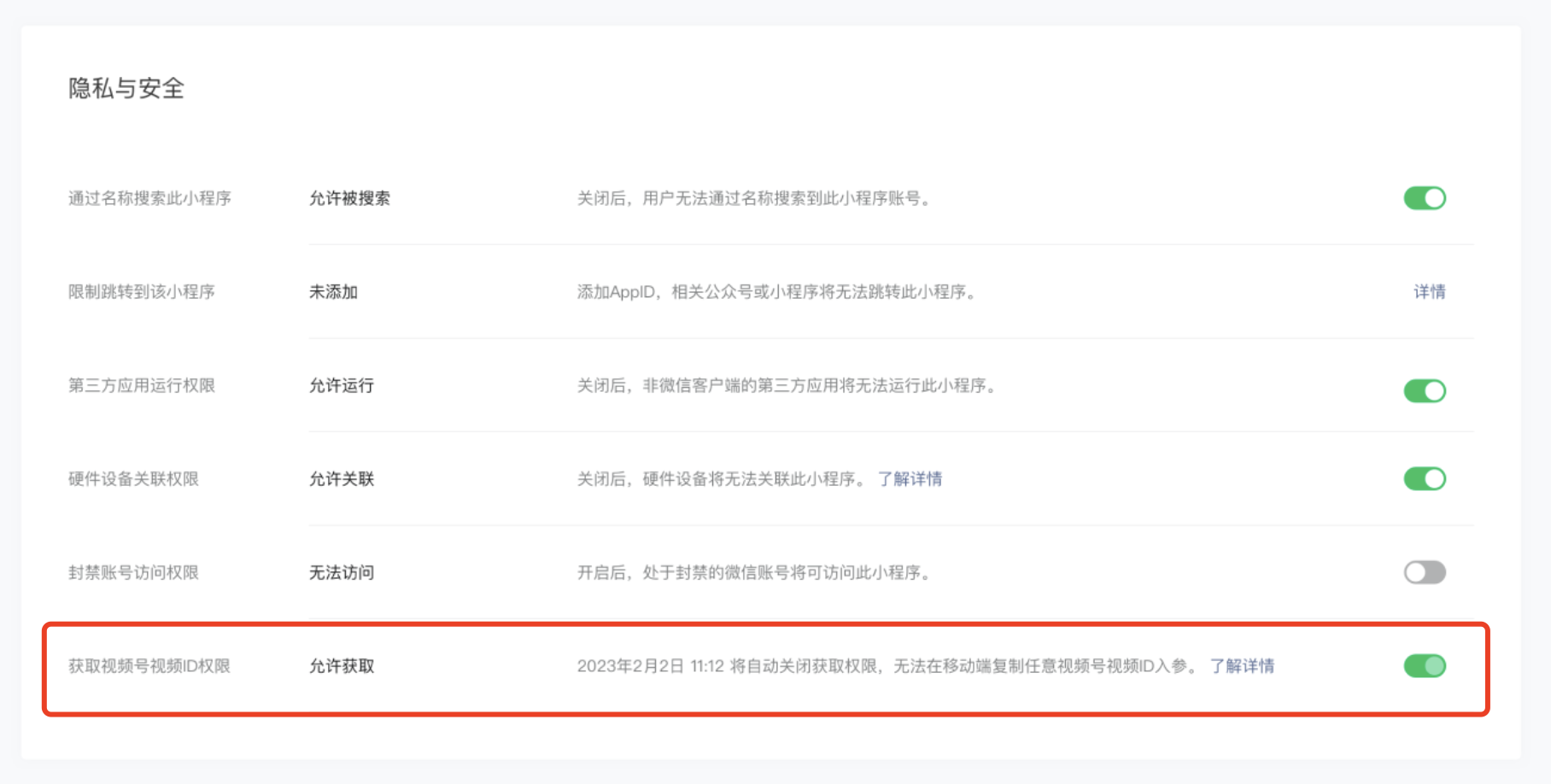
Log in to the MP Platform, navigate to "Settings - Basic Settings - Privacy & Security", find "Channels Video ID Permission", and turn on the switch.
-
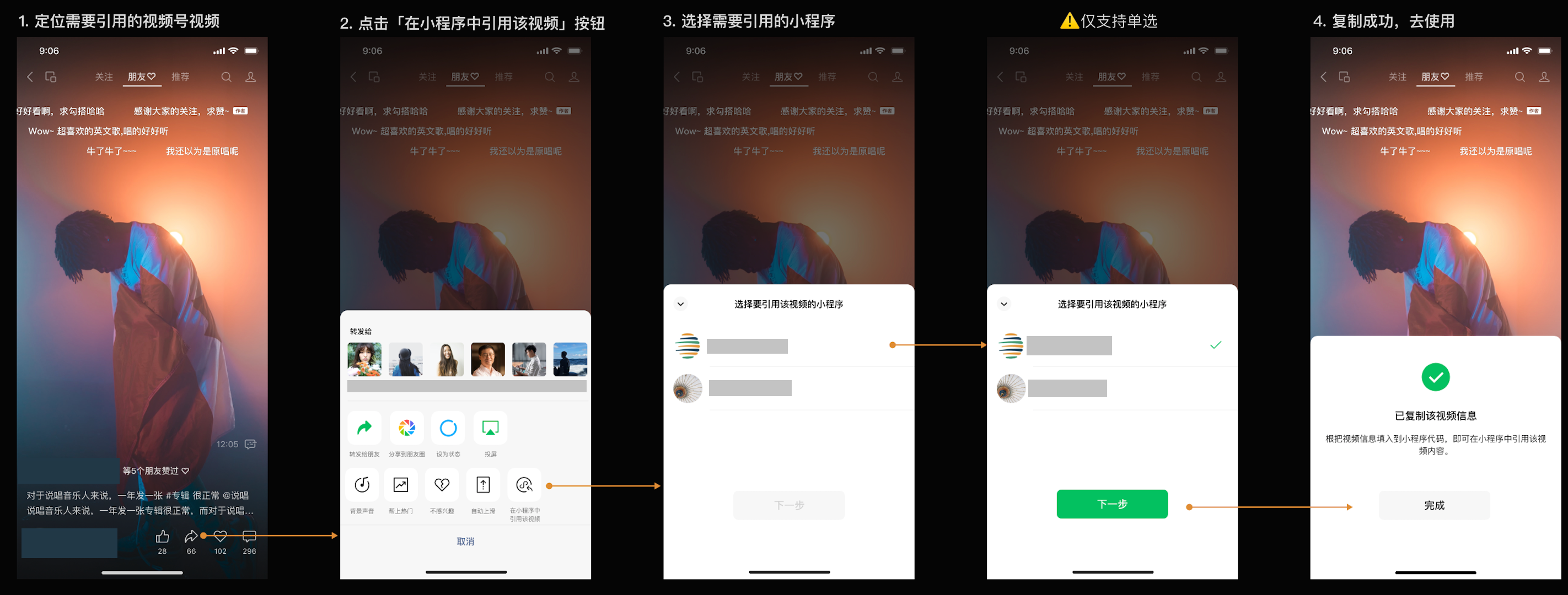
On the mobile end, find the Channels video you want to embed, and copy its feed-token. See the screenshot below:
When using this capability, developers should note the following:
-
Time Limit: The setting takes effect within 24 hours after the switch is turned on. Once it expires, the entry for "Reference this video in Mini Program " will no longer be displayed on the mobile end. To continue obtaining it, the switch must be turned on again.
-
Scope of Effect: The state of the switch is only effective for the current operator. That is, the operator in Step 1 and Step 2 must be the same person. If Developer A turns on the "Channels Video ID Permission" switch on the MP Platform, only A can copy the feed-token of the Channels video on the mobile end. Other developers in the same Mini Program will not see the "Reference this video in Mini Program " entry on their mobile devices.
Usage
Open Video Account Video by Redirecting
Supported from Base Library 2.19.2
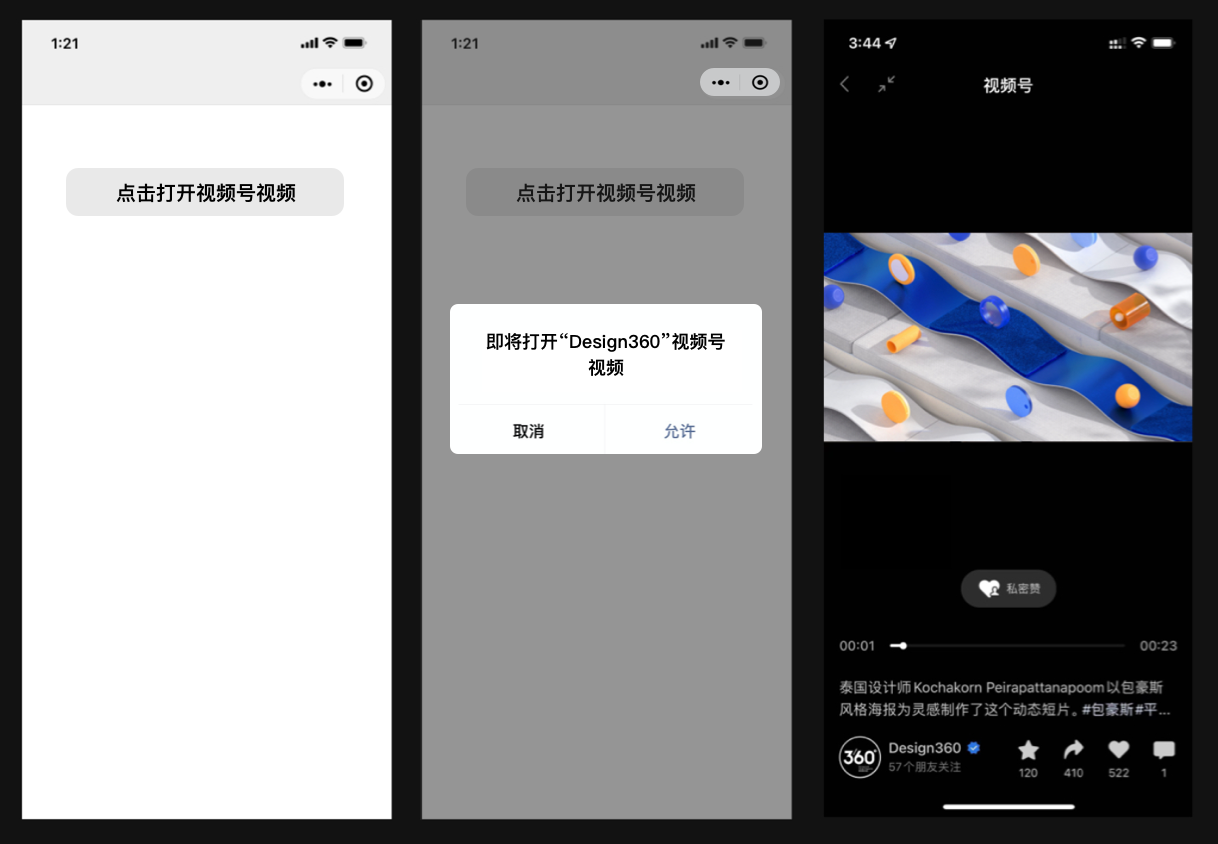
Mini Program can redirect to the video page of a specified Video Account to watch the video via the wx.openChannelsActivity API, with no entity requirement.
Embedding Video Account Videos
Supported since base library 2.25.1
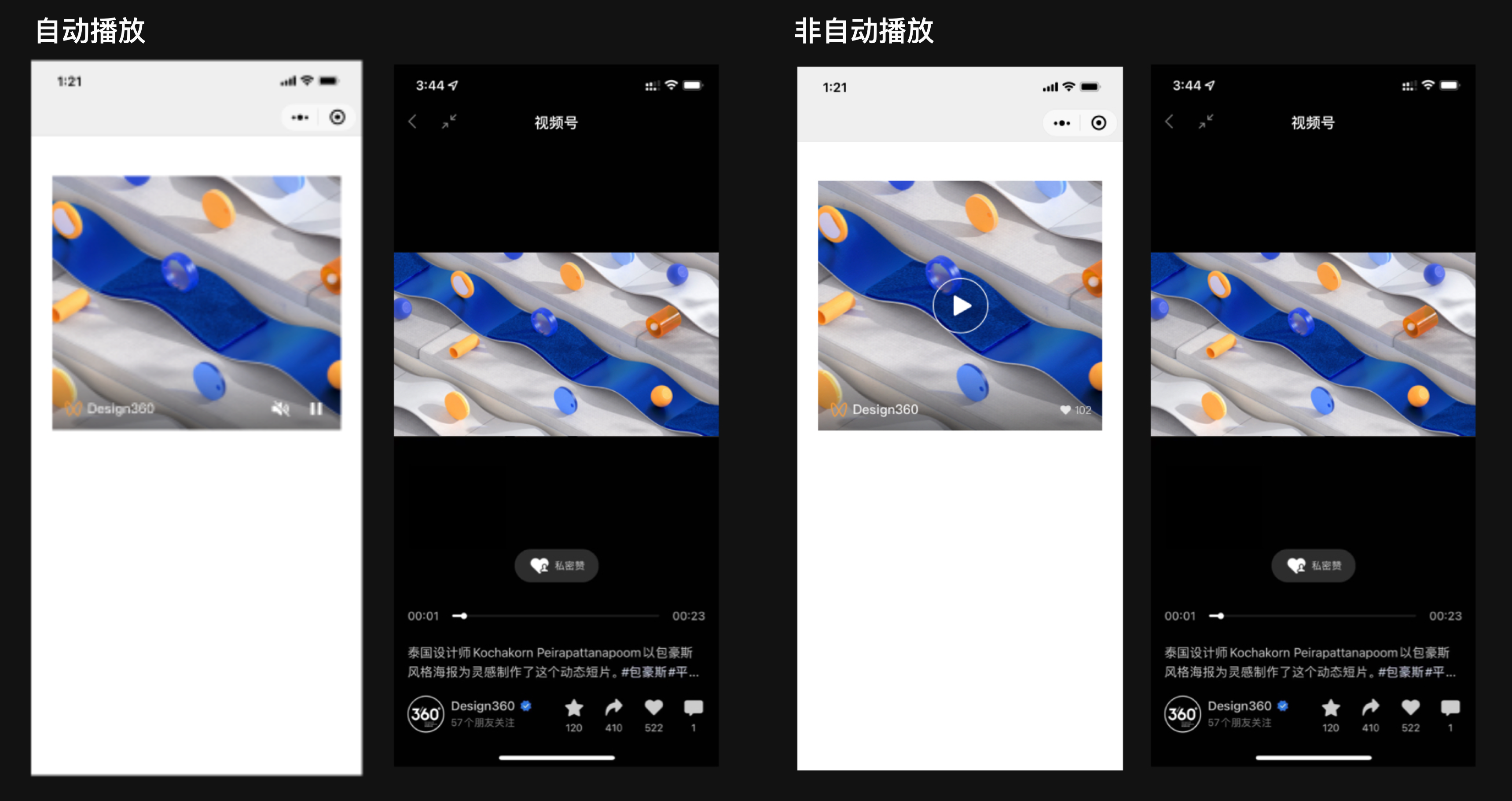
Mini Program can embed Video Account videos in Mini Program using the channel-video component, and supports opening the corresponding Video Account video without a pop-up. When using this component, note the following:
- There are no qualification requirements for invoking the component.
- Pure image Video Account content is not supported.
- Prior to base library 2.31.1, only Video Account videos from the same entity as or related to Mini Program can be referenced. From base library 2.31.1 onwards, non-individual Mini Program entities support embedding Video Account videos from entities that are neither the same as nor related to the Mini Program entity.
Subject Verification
Subject Information Query
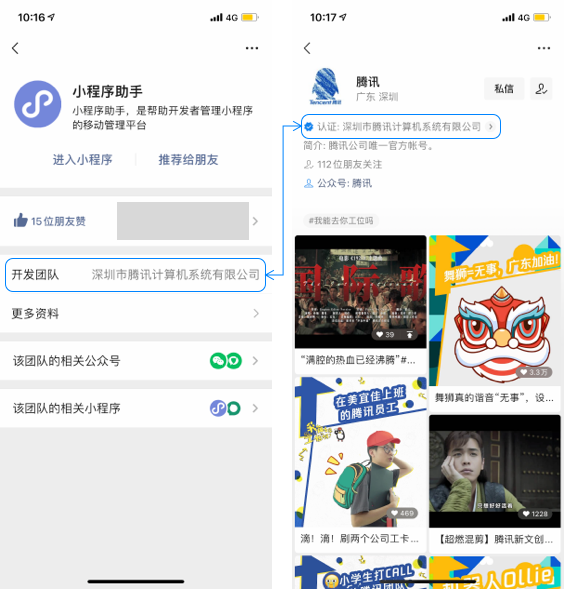
The subject information for a Mini Program can be queried via the Mini Program Profile page > Development Team. The subject information for a Video Account can be queried via the Video Account homepage > Verification.
Subject Determination Logic
If the subject of Mini Program is identical to that of the Channels account, the relevant APIs can be invoked.
If the subject of Mini Program differs from that of the Channels account, the following three conditions must be met simultaneously to invoke the relevant APIs:
- Mini Program is bound to a WeChat Open Platform account.
- The relationship between Mini Program and the WeChat Open Platform account is either the same subject or an associated subject.
- The subject of the WeChat Open Platform account includes the subject of the Channels account in its list of associated subjects.
For the associated subject application process, please refer to: https://kf.qq.com/faq/190726e6JFja190726qMJBn6.html