On a physical device, to view the log output from the console API and additional debugging information, you need to select "Open Debug" from the menu accessed by tapping the button in the top-right corner of the screen. Mini Program /Mini Program will terminate and restart; after reopening, a vConsole button will appear in the bottom-right corner. Tapping the vConsole button opens the log panel.
The content displayed in the vConsole for Mini Program and Mini Programs differs slightly. In the image below, the left side shows the Mini Program vConsole, and the right side shows the Mini Program vConsole.
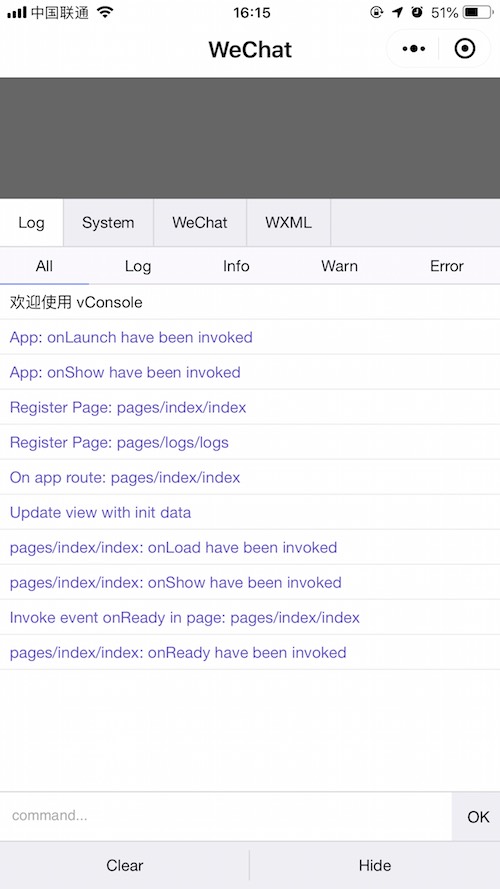
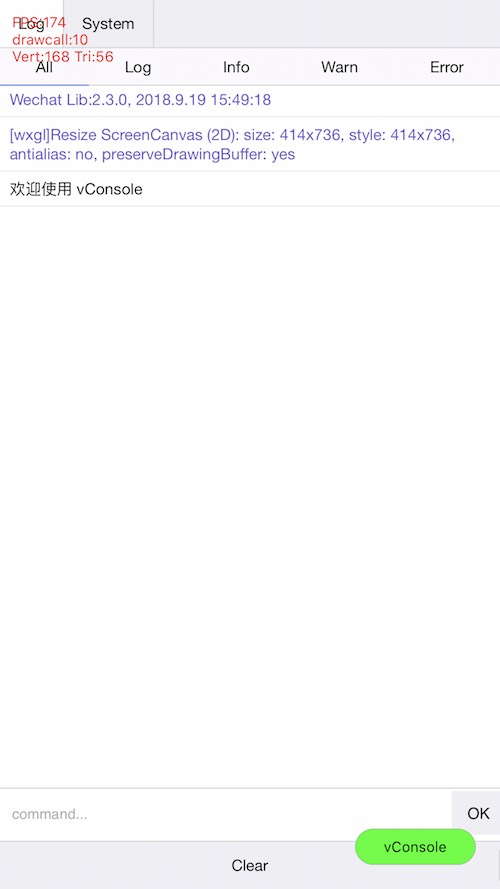
vConsole Usage Guide
Due to limitations in the implementation mechanism, log content output by developers using the console API is converted into JSON strings before being transmitted to vConsole. As a result, the content displayed in vConsole has certain limitations:
- Except for
Number,String,Boolean, andnull, other types are treated asObjectand display Enumerable properties within the object and its prototype chain. InfinityandNaNare displayed asnull.undefined,ArrayBuffer, andFunctiontypes cannot be displayed.- Objects with circular references cannot be printed.
let a = {}
a.b = a
console.log(a) // In versions earlier than 2.3.2, it prints `An object width circular reference can't be logged`
For the issues mentioned above, Mini Program /Mini Games have implemented some specific handling when using vConsole
- In versions 2.3.2 and above, printing objects with circular references is supported. Attributes of objects with circular references display the reference path, where
@indicates the object itself.
const circular = {x: {}, c: {}}
circular.x = [{promise: Promise.resolve()}]
circular.a = circular
circular.c.x0 = circular.x[0]

console.log(circular)
// "{a: '<Circular: @>', c: {x0: '<Circular: @.x[0]>'}, x: [{promise: '<Promise>'}]}"
-
In versions 2.3.1 and above, all types of data can be displayed. The library performs a conversion on the log content, and the converted content is wrapped in
<>. For example: -
<Function: func> -
<Undefined> -
<Infinity> -
<Map: size=0> -
<ArrayBuffer: byteLength=10>-... -
In versions 2.2.3 to 2.3.0,
ArrayBufferandFunctiontypes can be displayed, andundefinedis printed as the string'undefined'.
Note: It is recommended to avoid printing logs with overly complex structures or excessive length (such as sprites or material objects in game engines) in non-debugging scenarios, as this may cause additional overhead. To prevent exceptions, log content exceeding a certain length will be replaced with <LOG_EXCEED_MAX_LENGTH>. In such cases, developers need to trim the log content.