Capture or select images or videos from the phone gallery.
Notes
- The iOS SDK version must be ≥ 1.0.18
- The Android SDK version must be ≥ 1.0.10
- Before using this interface, you must check "Media SDK" in WeChat DevTools under
project.miniapp.json. If the platform is iOS and the iOS SDK version is >= 1.3.11, you must also check both "Video SDK" and "Image SDK" within "Media SDK".

-
Before using this interface, you must configure the "Android Permission Description" or iOS "Privacy Information Access Description" for album read, camera, and microphone permissions in WeChat DevTools under project.miniapp.json. In other words, this interface can only be invoked after obtaining album read, camera, and microphone permissions.
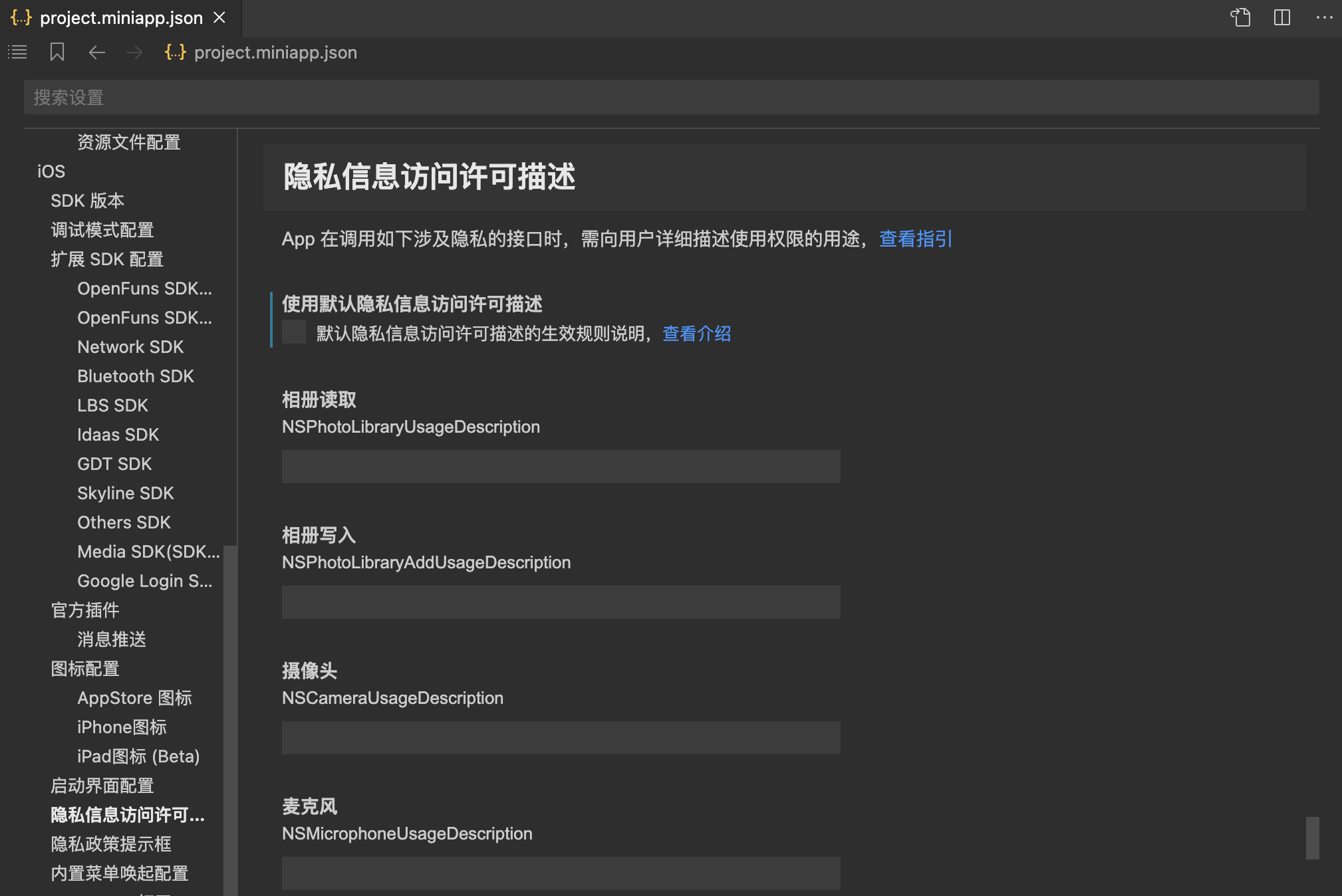
-
Note: If the targetSdkVersion for Android is configured as 33 or higher, you must add the following three permission descriptions in project.miniapp.json (if these three configurations are not available in your DevTools, please upgrade to the latest nightly version)
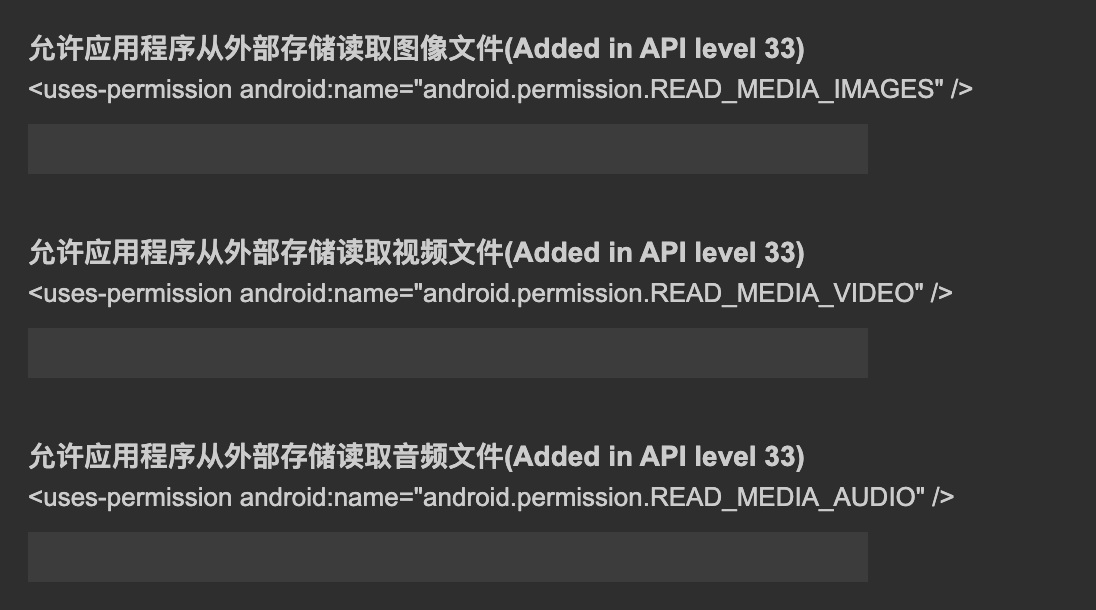
Parameters
Object Object
|
Attribute |
Type |
Default Value |
Required |
Description |
|
count |
number |
9 |
No |
The maximum number of files that can be selected. Before Base Library 2.25.0, up to 9 files are supported. From 2.25.0 onwards, up to 20 files are supported. |
|
mediaType |
Array.<string> |
['image', 'video'] |
No |
File type |
|
| Valid Values |
Description |
| image |
Allows taking photos or selecting images from the album only |
| video |
Allows taking videos or selecting videos from the album only |
| mix |
Allows both videos and images, but does not allow selecting both videos and images simultaneously |
|
|
sourceType |
Array.<string> |
['album', 'camera'] |
No |
Source for selecting images and videos |
|
| Valid Values |
Description |
| album |
Select from album |
| camera |
Use camera to take photos |
|
|
maxDuration |
number |
10 |
No |
Maximum recording time for videos, in seconds. The range is from 3s to 60s. No limit for album selection. |
|
sizeType |
Array.<string> |
['original', 'compressed'] |
No |
Whether to compress the selected file. Only valid when mediaType is image |
|
camera |
string |
'back' |
No |
Only takes effect when sourceType is camera. Specifies whether to use the front or back camera |
|
| Valid Values |
Description |
| back |
Use the back camera |
| front |
Use the front camera |
|
|
success |
function |
|
No |
Callback function for a successful API call |
|
fail |
function |
|
No |
Callback function for a failed API call |
|
complete |
function |
|
No |
Callback function for the end of the API call (executed regardless of success or failure) |
object.success Callback Function
Parameters
Object res
|
Attribute |
Type |
Description |
|
tempFiles |
Array.<Object> |
List of local temporary files |
|
|
Structure Attribute |
Type |
Description |
|
tempFilePath |
string |
Local temporary file path (local path) |
|
size |
number |
Size of the local temporary file, in bytes |
|
duration |
number |
Video duration |
|
height |
number |
Video height |
|
width |
number |
Video width |
|
thumbTempFilePath |
string |
Temporary file path of the video thumbnail |
|
fileType |
string |
File type |
|
| Valid Value |
Description |
| image |
Image |
| video |
Video |
|
|
|
type |
string |
File type. Valid values include image, video, mix |
Sample Code
wx.chooseMedia({
  count: 9,
  mediaType: ['image','video'],
  sourceType: ['album', 'camera'],
  maxDuration: 30,
  camera: 'back',
  success(res) {
    console.log(res.tempFiles[0].tempFilePath)
    console.log(res.tempFiles[0].size)
  }
})