To help developers create Mobile Application accounts on the WeChat Open Platform more efficiently, enabling them to use capabilities such as WeChat Login and WeChat Sharing in their Apps, we now support reusing the basic Mini Program account information associated with a multi-platform application to quickly create a Mobile Application account on the WeChat Open Platform. Detailed instructions are as follows.
1. Prerequisites
-
A WeChat Open Platform account has been registered. If you have not yet registered, click here to complete registration. When registering, ensure the entity information submitted matches the entity information of the space to which the Multi-Platform App belongs.
-
The Multi-Platform App has been bound to a Mini Program account.
-
The avatar, nickname, and description of the bound Mini Program account are complete; its status is normal, and it has been published and released.
The "Create Mobile App Quickly by Reusing Multi-Platform App" feature is available only if all of the above conditions are met.
2. Feature Introduction
"Rapidly Create by Reusing a Multi-End Application" is a newly launched method for creating mobile application accounts. The icon, name, and description of the mobile application account created through this method are derived from the Mini Program bound to that multi-end application, eliminating the need to repeatedly submit qualifications for the review of names, icons, and other information.
In addition, when creating a mobile application via this method, the "App Website" field is optional. If left blank, the Mini Program bound to the multi-end application is used as the official online website content for review, further lowering the barrier for developers to prepare website content.
3. Operation Guide
3.1 Log in to the WeChat Open Platform
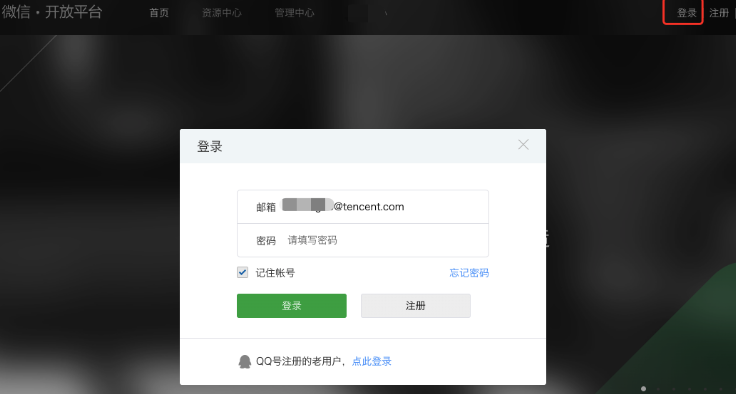
Click here to log in to the WeChat Open Platform with your email and password
3.2 Access the Management Center
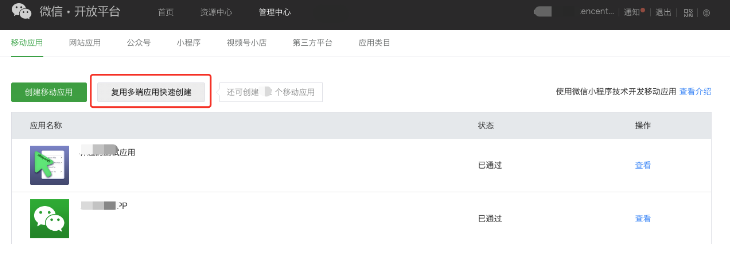
Access the Management Center and switch to "Mobile Applications".
Click on "Create Quickly by Reusing Multi-Platform Applications".
3.3 Scan QR Code for Authorization
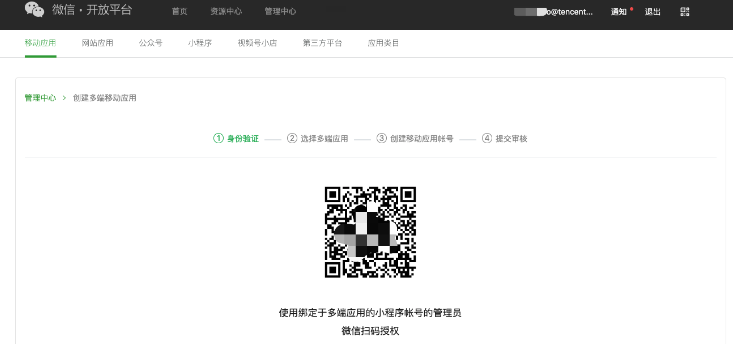
The scan-and-authorize step here is intended to retrieve the list of Mini Program accounts associated with your Multi-End Application.
If your Mini Program account (as a developer or administrator) has not yet been bound to the Multi-End Application, you can return to the WeChat Developer Platform - Multi-End Application Console details page to complete the binding.
If your Mini Program account under your name is already bound to the Multi-End Application but still does not appear in the "Selectable Mini Program List," please review the "Prerequisites" above and verify that all conditions are met.
3.4 Select a Qualifying Mini Program
Select a qualifying Mini Program to reuse its basic information for the quick creation of a mobile application account.
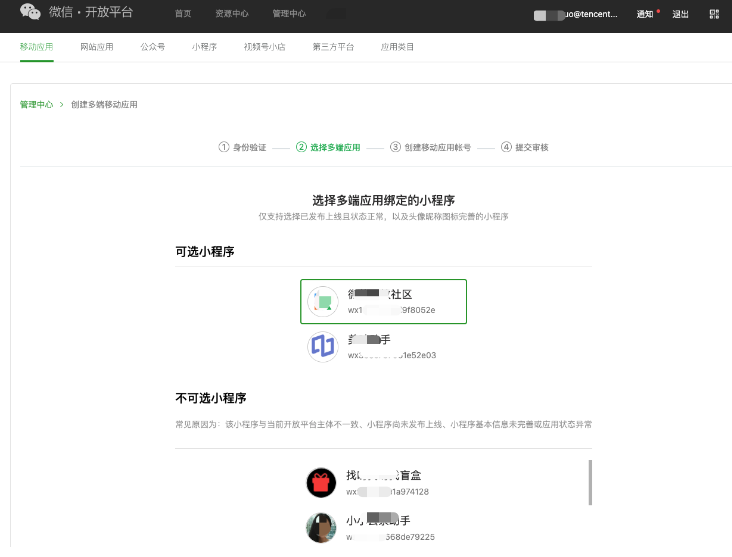
3.5 Fill in Basic Information for the Mobile Application Account
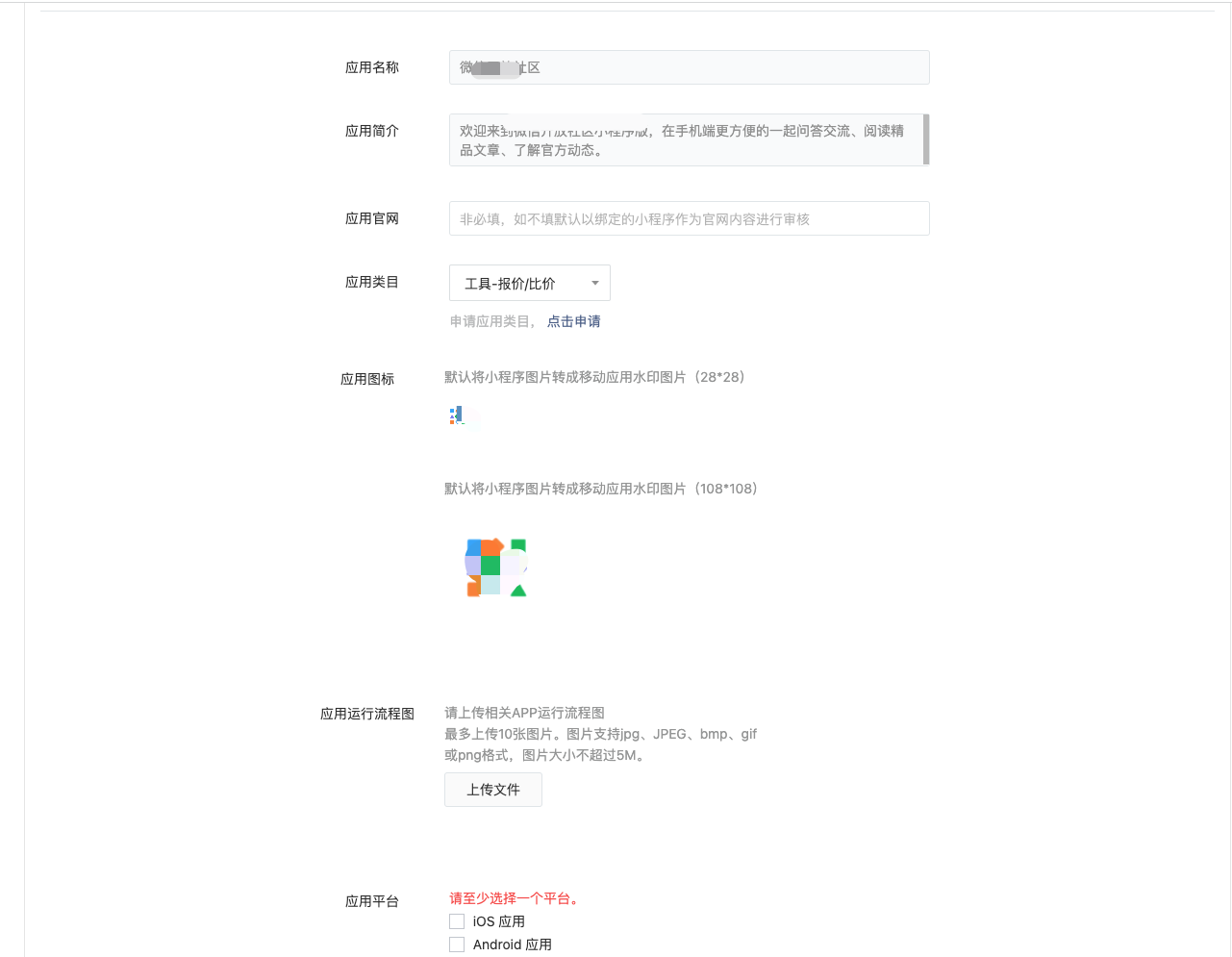
Some basic information for the mobile application account created via this method is derived from the selected Mini Program account. To create an account with fully customized basic information, select Regular Mode for creation.
- The name, description, and icon of the mobile application are all derived from Mini Program.
- Official Website: If left blank, the content published online in Mini Program will be used by default.
- The application flow diagram refers to screenshots of the interface after the App is installed and launched on a phone. At this time, developers can package the multi-end application installer, install it on a phone, and take screenshots. Alternatively, screenshots can be taken directly within the Mobile Application Assistant.
Note: If the screenshots of the running App are inconsistent with the applied application name, category, description, etc., the review will be rejected.
Finally, fill in the development information for iOS and Android applications.
3.6 Fill in Mobile App Account Development Information
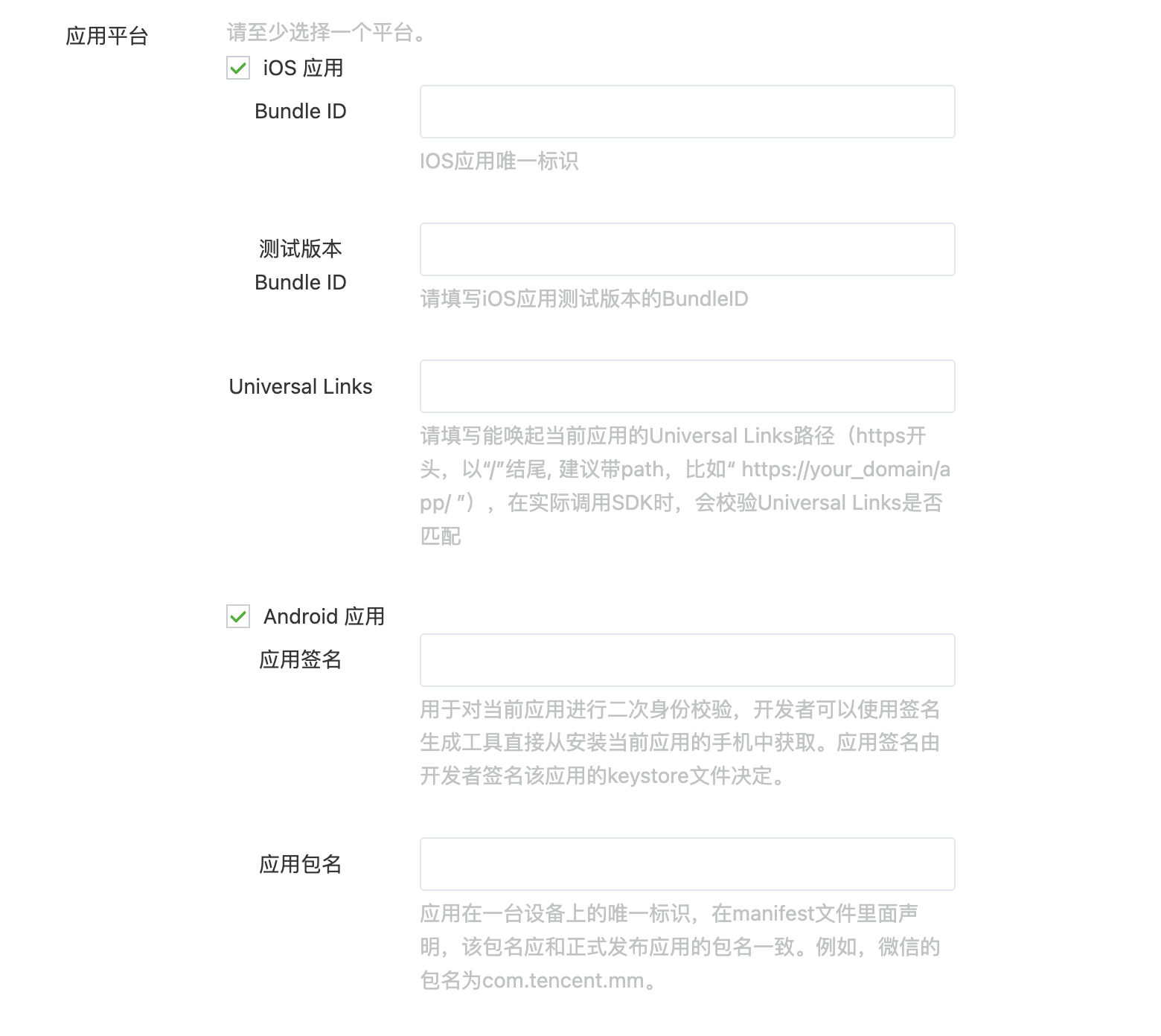
3.6.1 iOS Development Information
iOS development information includes: Bundle ID, Testflight Bundle ID, and Universal Links; the input requirements are as shown in the text above
3.6.2 Android Development Information
Android development information includes: app signature and app package name. The requirements are as shown in the text above.
Definition of Android package name: In an Android application, the package name is the unique identifier for the application, used to distinguish it from other applications. A package name is typically a reversed domain name, such as com.example.myapp, where com.example is the domain of the application and myapp is the name of the application.
After defining the package name here, bind the mobile app to the multi-platform app. The Developer Tools will automatically add the package attribute to the <manifest> tag.
For information on generating Android app signatures, refer to the Android Signing Guide.
3.7 Submit for Review and Await Results
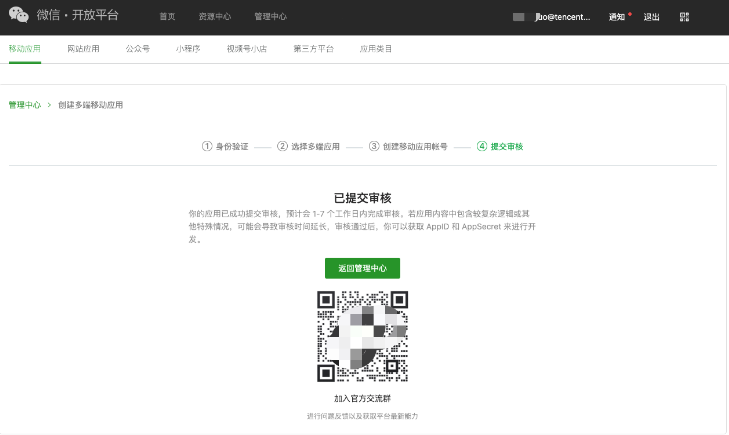
The review process is expected to be completed within 1-7 business days. If the application content contains complex logic or other special circumstances, the review time may be extended.
If you have any questions, you may also scan the QR code to join the official group for feedback.