To use WeChat Open Platform mobile app capabilities in cross-platform applications, such as WeChat login, WeChat sharing, and launching an app from WeChat (Mini Program), developers must first create a mobile app account and bind it to the cross-platform application. The relevant initialization steps are as follows:
I. Create a Mobile Application
- For details, see Guide to Creating a Mobile Application
II. Binding Mobile Applications
- After creating the mobile application, you need to go to the Multi-Platform Application Console > Details to bind the mobile application account to the multi-platform application. For details, see Multi-Platform Application Management Guide.
3. Related APIs
Open capabilities are built on the WeChat Open SDK and are associated with the App ID of the WeChat Open Platform. Developers call the relevant APIs to obtain user identity data. If you need to associate data with Mini Program, you must obtain the UnionID to link the mobile app with the Mini Program application.
| Name | Description |
|---|---|
| WeChat Login | Officially provides wx.login, wx.miniapp.login, wx.getMiniProgramCode, and wx.weixinMiniProgramLogin. For details, see WeChat Login |
| wx.miniapp.login | WeChat Login |
| wx.miniapp.requestPayment | WeChat Pay |
| wx.miniapp.hasWechatInstall | Check if WeChat is installed |
| wx.miniapp.launchMiniProgram | Navigate to Weixin Mini Program |
| wx.miniapp.shareTextMessage | Share text to WeChat |
| wx.miniapp.shareImageMessage | Share image to WeChat |
| wx.miniapp.shareVideoMessage | Share video to WeChat |
| wx.miniapp.shareMiniProgramMessage | Share Mini Program to WeChat |
| wx.miniapp.shareWebPageMessage | Share web page to WeChat |
| wx.miniapp.requestSubscribeMessage | Request one-time subscription message from WeChat |
| wx.miniapp.openCustomerServiceChat | WeChat Customer Service |
| wx.miniapp.onOpensdkLog | Monitor logs |
IV. Related Issues
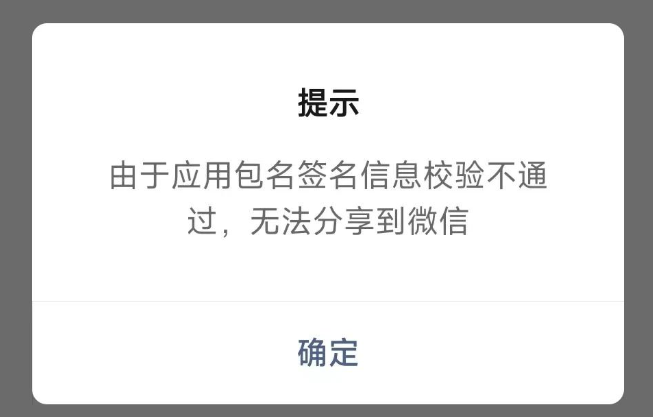
- If a WeChat popup displays the message "The app package signature verification failed, and sharing to WeChat is not allowed," as shown in the error message in the image below, refer to the documentation to check the signature issue.
- Generate Android Signature for WeChat Open Platform Mobile Apps